We're the LiteFolio team. If you're looking to get a handle on portfolio cash management — deposits, withdrawals, and the idle cash sitting in your brokerage account — you probably started from the same feeling: "I honestly don't know how much I've actually put into investing versus how much is still sitting in cash." Your portfolio's market value is right there on any app or brokerage screen, but nobody tells you your total deposited (your cost basis) unless you track it yourself. In this article, the LiteFolio team explains what tracking deposits, withdrawals, and idle cash reveals, and how to track it.
Log deposits, withdrawals, and cash balance with simple manual entry
See LiteFolioCash on the sidelines is part of your portfolio too
When people think about cash management, most only count their stocks and funds as the "portfolio" and forget to count the cash sitting in their brokerage account. But money you've deposited that hasn't gone into a purchase yet, or money from a sale that's just sitting there, is cash waiting to go into its next investment — and it really should be treated as part of your portfolio.
Whether you can buy the dip when the market falls depends entirely on how much of this idle cash you have on hand. On the flip side, if you forget that idle cash exists and think "I need to deposit more," you might add more money than you actually need, when there was already usable cash sitting there. Only once you combine the market value of your holdings with your idle cash do you get the full picture of the money you actually have working for you.
In other words, the starting point for cash management is treating not just your price-moving assets, but the cash sitting in your brokerage account, as something worth recording too. The next section breaks down what logging deposits and withdrawals one at a time actually reveals.
Three things tracking deposits and withdrawals reveals
Tracking deposits and withdrawals is useful for more than just keeping a history — building up that record surfaces metrics you simply can't get otherwise. Log each deposit into and withdrawal from your brokerage account, and these three numbers become visible:
Once you know your total deposited, as the next section explains, you can calculate your investment returns from the gap versus your market value. Once you know your contribution pace, you get a way to review whether your consistency has kept up — "am I depositing more this year than last year?" And once you know your cash ratio, you can see at a glance how much cash you currently have on the sidelines. If you split your holdings across multiple brokers, you'll only get the full picture by adding up deposits and withdrawals across accounts — see our guide to tracking investments across multiple brokerage accounts for more.
A worked example: cost basis vs market value
Let's look at concrete numbers to see why knowing your total deposited (your cost basis) is so useful. Say someone has deposited a total of $12,000 into their brokerage account so far, and their holdings are currently worth $14,000. Here's how you'd calculate the amount gained from investing (your investment return):
As a check: cost basis of $12,000 plus investment return of $2,000 equals $14,000, matching the market value. This calculation only works if your total deposited (cost basis) is tracked accurately. If you forget to subtract a withdrawal along the way, or fail to count a deposit made through another account, that cost basis figure itself drifts, and your investment return comes out wrong too.
Looking at market value alone tells you whether you're "up or down," but it can't tell you whether that came from depositing more or from your investments actually performing well. Track your deposits and withdrawals to nail down an accurate cost basis, and you can separate how much of the change in your market value came from your own deposits versus your investment returns. We also cover this way of reading a net worth growth chart in our guide to tracking portfolio value over time.
There's no single "correct" cash ratio
How much cash you should hold varies by age, strategy, and market conditions — there's no universal right answer, and this article doesn't claim one either. What matters is keeping your cash allocation, cash ratio included, something you can check as a number at any time through tracking.
Comparing ways to track deposits and cash
Broadly, there are three ways to track deposits and idle cash: a notebook, a spreadsheet, and an app. In short, any of them work fine while your account count and entry count stay low, but if you want to cut down the effort of recalculating total deposited and cash ratio each time, pick a method that takes over the tallying for you.
Notebook
Writing down the date and amount every time you deposit or withdraw. It requires no setup and you can start right away, but working out your total deposited means adding up every past entry, and the more entries pile up, the heavier that tallying step gets.
Spreadsheet
With the right formulas, automatically calculating total deposited and cash ratio is possible. But every account you add means revisiting your sheet's structure, and quickly logging a deposit or withdrawal from your phone while you're out isn't very convenient — the upkeep grows the longer you keep at it. We cover exactly where spreadsheet-based portfolio management hits its limits in our stock portfolio spreadsheet template guide.
Investment tracker apps
The advantage of an app is that total deposited, contribution pace, and cash ratio all recalculate and update automatically the moment you log a deposit or withdrawal. There's no "enter it, then tally it yourself" step like with a notebook or spreadsheet — you can focus purely on recording. The next section shows exactly how this works in LiteFolio.
Track deposits and cash balance with LiteFolio
LiteFolio is a manual-entry investment portfolio tracker that never connects to any brokerage account — you log your buys, sells, dividends, deposits and withdrawals, fees, stock splits, taxes, and notes yourself. Log a deposit or withdrawal to your brokerage account with just the amount and date, and total deposited and current cash balance are automatically visualized. Here's what it looks like.
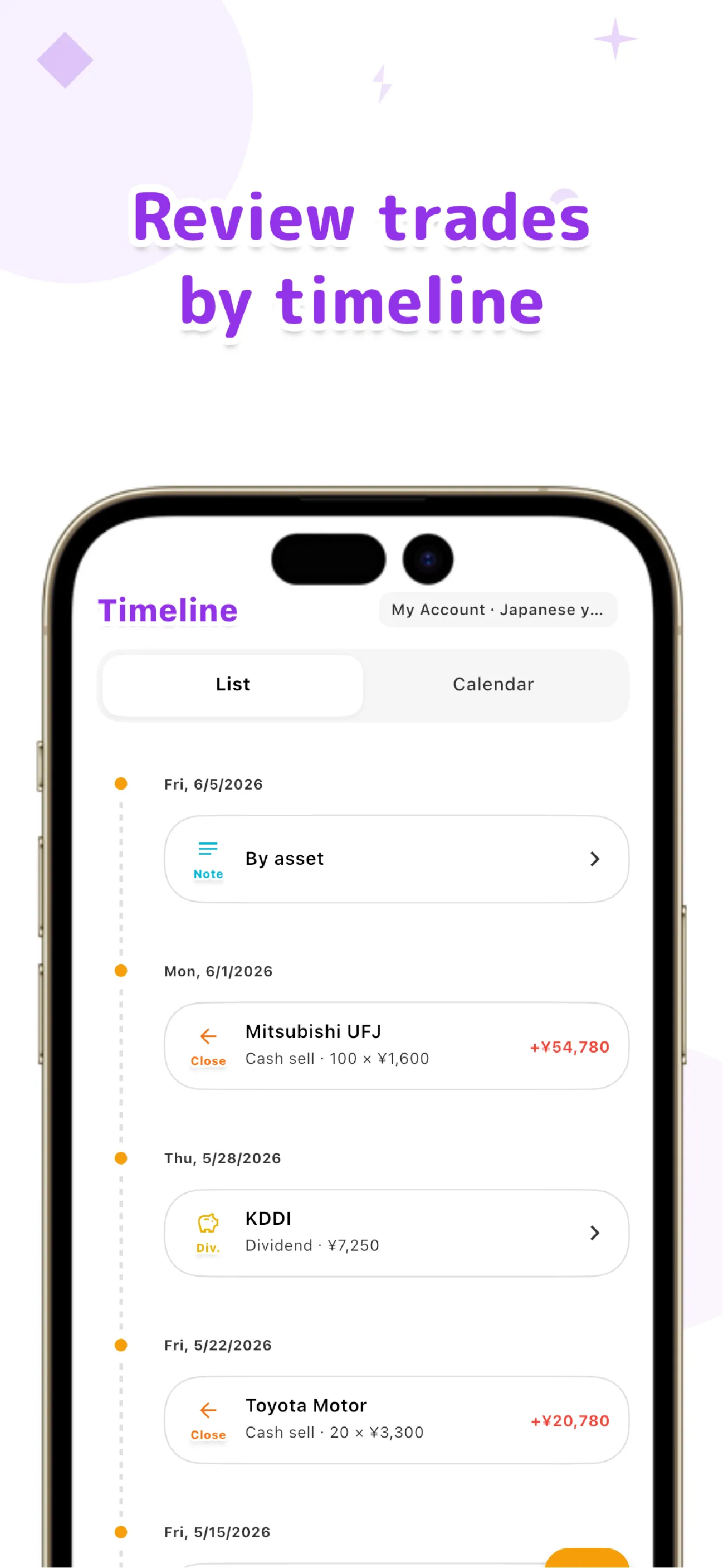
Deposits and withdrawals line up chronologically in the same transaction timeline as your buys, sells, and dividends, so you can look back later and trace "when I deposited, and when I used it to buy." Because your cash balance shows up right alongside the market value of your holdings, you can see from the allocation screen how much of your total portfolio is sitting in idle cash.
Everything you log is local-first, saved on your device first. If you want to sync across multiple devices, the Pro plan's cloud sync sends your data over an encrypted connection. We cover the design decision to never link brokerage accounts in more depth in our guide to portfolio trackers without account linking.
Track total deposited, cash balance, and asset allocation all in one place
See LiteFolio's cash tracking featuresThe full picture of the money you have working for you doesn't come into view from market value alone. Log each deposit and withdrawal one at a time, and your total deposited (cost basis), contribution pace, and cash ratio naturally come into view as numbers. LiteFolio is a record-keeping and visualization tool and does not provide investment advice.

LiteFolio
A manual-entry investment portfolio tracker that never connects to your brokerage account. Log buys, sells, dividends, and deposits, and see total deposited, cash balance, asset allocation, and more, visualized automatically. Data is stored local-first. Available now on iOS and Android.
Learn more about LiteFolioFrequently asked questions
Is LiteFolio free to use?
LiteFolio is available now for iOS and Android. Check the App Store or Google Play for current features and pricing.
Can it connect to my brokerage account and pull in deposit/withdrawal history automatically?
No. LiteFolio never connects to any brokerage account — it's a manual-entry app. Every time you deposit or withdraw, you log the amount and date yourself.
How do I track idle cash?
Log deposits into and withdrawals from your brokerage account as transactions, and your current cash balance is calculated from that history. It's handled in the same timeline as your buys and sells, so you don't need a separate sheet or note.
Will it work on both iOS and Android?
Yes. LiteFolio is available now on both iOS and Android.