
Otto! - Expiration date manager & shared shopping list for families
Your family's fridge,
lighter and smarter.
No more "Do we still have this?"
Share food expiration dates and your shopping list with your family or partner.
Key Features
From adding items to your inventory, shopping list, and family sharing.
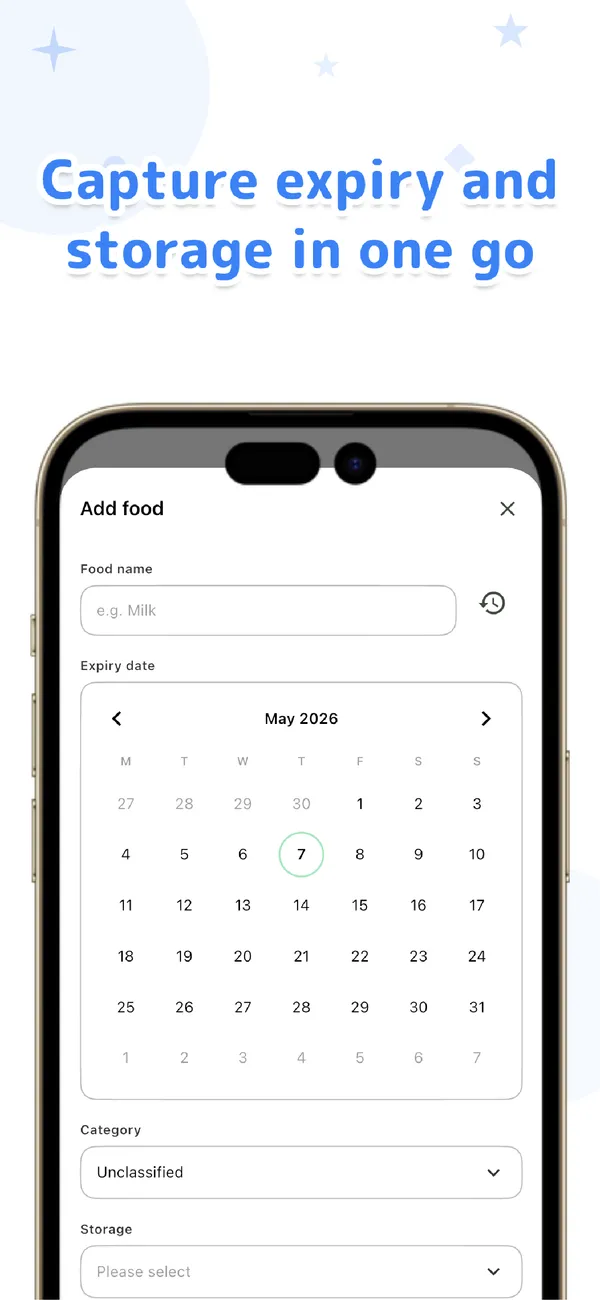
Just pick a name and a place
Type a food name and choose where you store it (fridge, freezer, or pantry), and Otto suggests an expiration date from its built-in data. Fine-tune it on the calendar if you like.
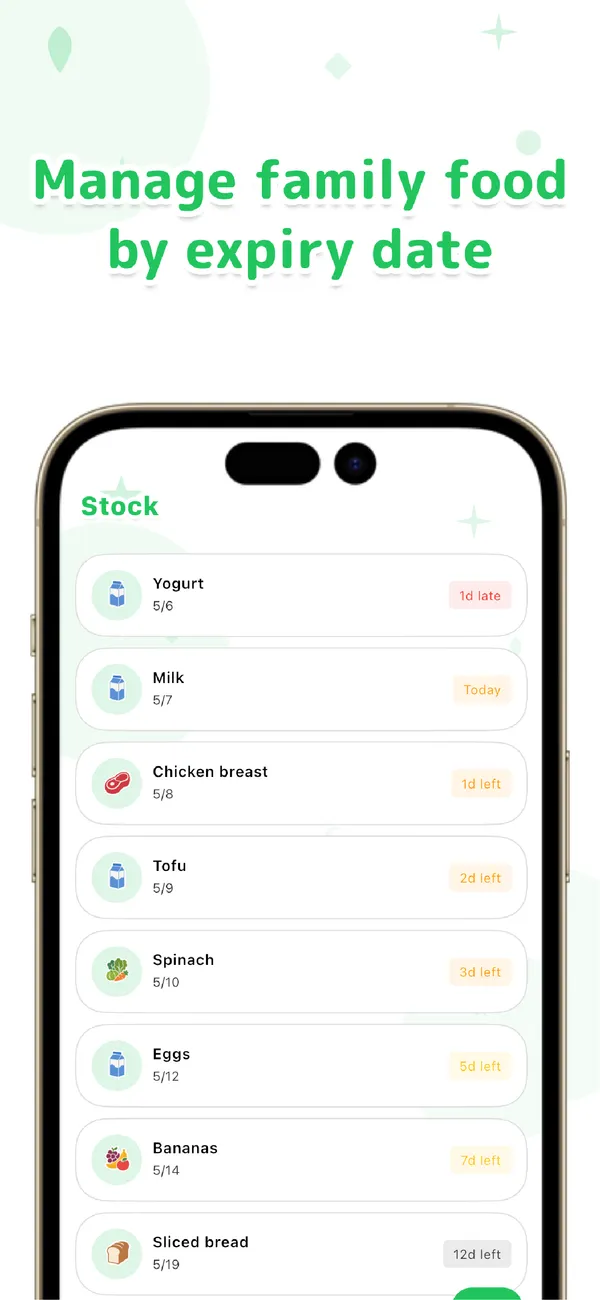
Sorted by what expires first
Your items are lined up by how soon they expire. Expired items show in red and items due within 3 days in orange, so "what to use first" is clear at a glance.
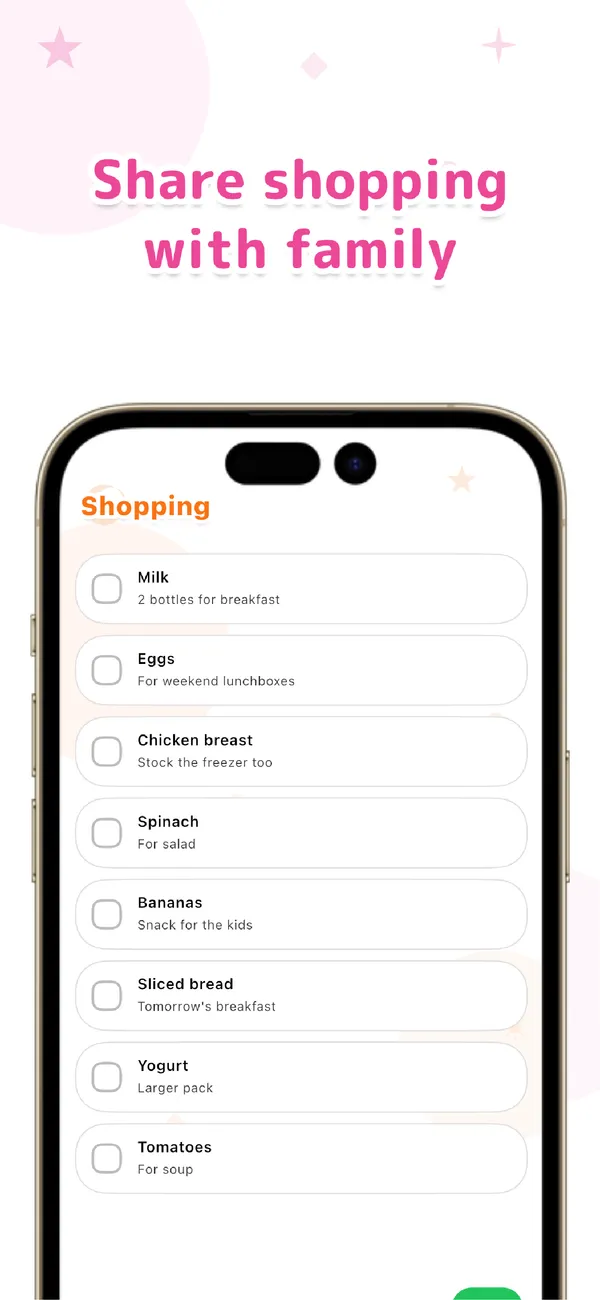
Share the shopping list, too
Swipe a used-up item straight to the shopping list. Add a note like "2 for breakfast" and shop together while your family looks at the same list.
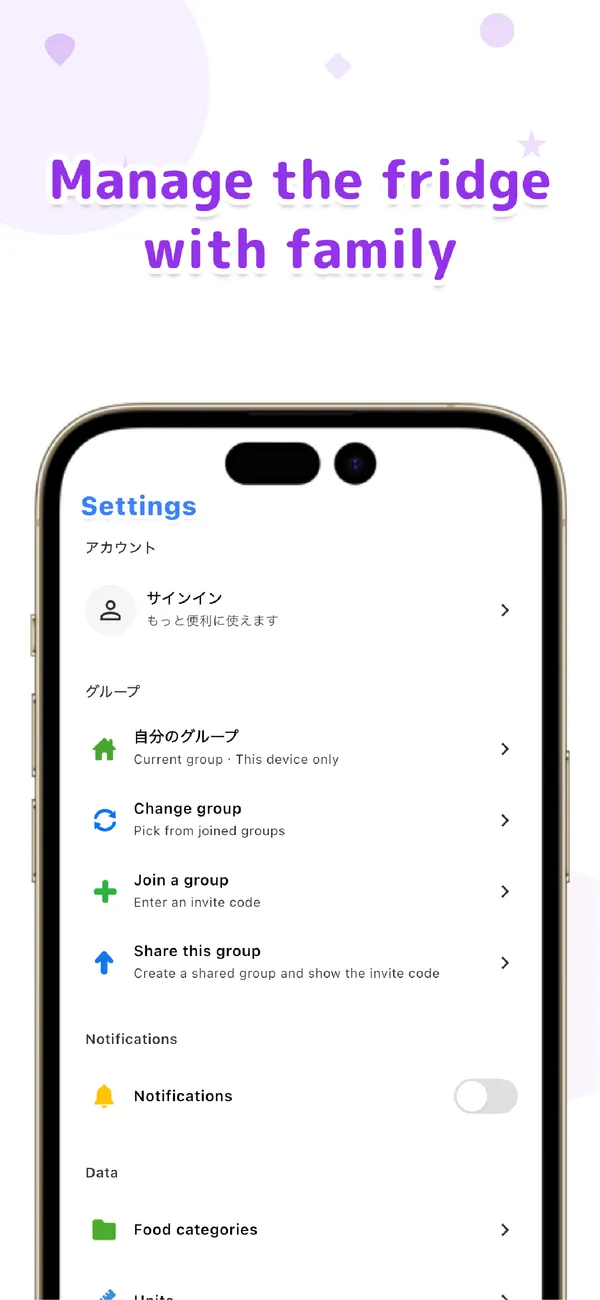
Invite family to share the fridge
Just issue an invite code with "Share this group." Partners or parents and kids can share the same inventory and shopping list. It runs locally day to day, and syncs quietly in the background.
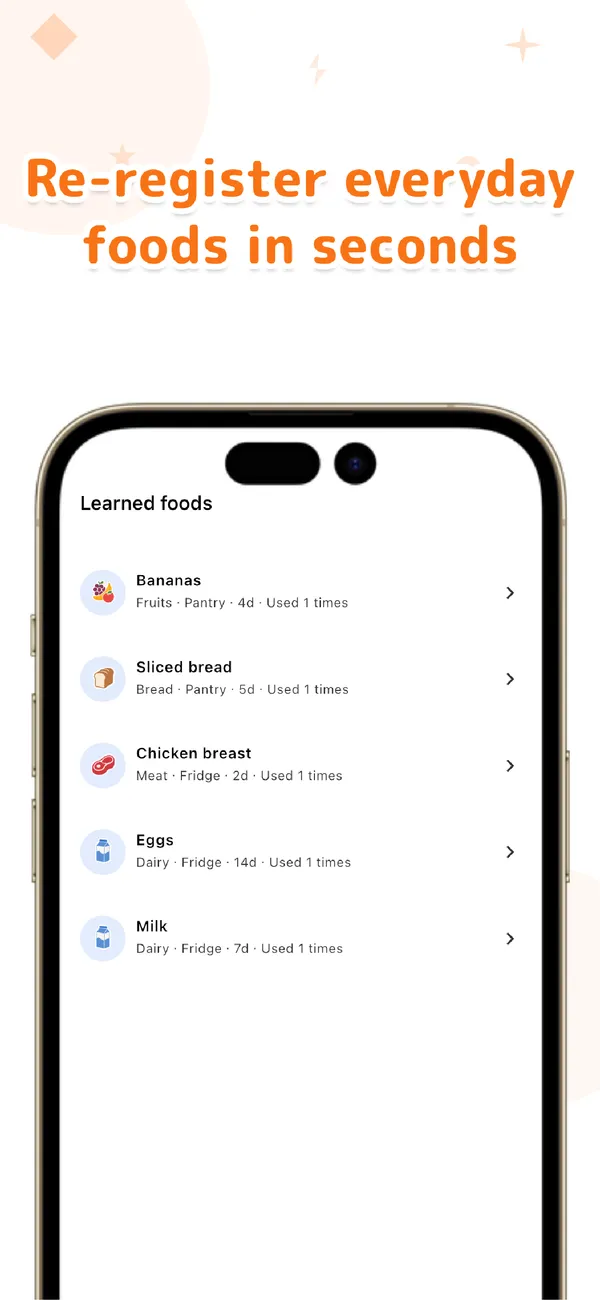
Re-add frequent items in one tap
Once you register a food, Otto remembers its category, storage place, and shelf life. Next time, just pick the name and everything fills in automatically.
Sound familiar?
Otto! is designed around everyday family fridge moments.
"It expired again..."
You find food at the back of the fridge that went off long ago. It feels wasteful, but all you can do is toss it. By the time you notice, it's always too late.
With Otto!:
Every morning, you get a single notification of what expires today or soon. Your inventory is sorted by what expires first, so "what to use next" is clear at a glance.
"I bought it again, even though we had some"
You picked it up because it was on sale, only to find you still had plenty at home. Sometimes someone else in the family had already bought it, too.
With Otto!:
Share your inventory and shopping list with your family. Check what's left on your phone while shopping, and avoid buying duplicates before it happens.
How to Use
A tidier fridge in 3 steps.
Add a food
Just type a food name and pick a storage place. The built-in shelf-life data suggests an expiration date for you.
Get alerts before it expires
Every morning, Otto rounds up everything expiring today or soon and lets you know, so nothing goes unused.
Swipe when it's used up
Mark it done, or send it to the shopping list. From the shopping list, one swipe puts it back into your inventory.
Family Use & Pro Plan
On your own, it's always free and unlimited. When you want to share with family, go Pro.
Share with family via cloud sync
Sign in with Google or Apple so partners or parents and kids can share the same inventory and shopping list.
Unlimited shared items
You can try family sharing for free. With Pro, share an unlimited number of food and shopping list items.
Local-first and instant
Everyday actions stay on your device, so launching and adding items is snappy. Sync runs quietly only when you share with family.
The Pro plan is a subscription (monthly and yearly plans available). Personal use is free and unlimited.
Download for free
Put an end to "Do we still have this?" starting today. No sign-up for personal use, and family sharing is easy.
Useful Reads
Guides on keeping a pantry and fridge inventory that actually cuts food waste.
Pantry and Fridge Inventory Apps: How to Pick One That Actually Cuts Food Waste
Barcode-scan, expiry-first and meal-planning apps compared on entry effort, alerts and sharing.
Read the articleFreezer Inventory App: Know What's in Your Freezer and Use It Up
What to record for each item, freezer storage times, and how to keep the list sorted by what to use first.
Read the articleFood Expiration Date Checker: How to Read Date Labels and Check How Long Food Lasts
Best by vs use by, typical fridge times from the USDA FoodKeeper data, and keeping the dates in one list.
Read the articleFrequently Asked Questions
Q. Does it read expiration dates from photos or with AI?
No. You type the food name and choose a storage place, and Otto suggests an expiration date from its built-in data. It does not use the camera or access your photo library.
Q. How do I share with my family?
Just issue an invite code under "Share this group" in settings and have your family enter it. Partners or parents and kids can share the same inventory and shopping list.
Q. Do I need an account? Does it work offline?
For personal use, no sign-up is needed and it works fully offline. You only sign in with Google or Apple when you use family sharing (cloud sync).
Q. How much can I use for free?
Personal use is free and unlimited. When sharing with family, you can try it for free, but a Pro plan is required to make shared items unlimited.
Q. Which platforms are supported?
Otto! supports iOS (15.0 and later) and Android (10 and later).