The Koto team here. You're standing in the dairy aisle, phone in hand, texting "do we still have milk?" and waiting on three gray dots. Or you're the one at home trying to remember whether the eggs from Tuesday actually got used up. Either way, the moment repeats itself weekly in most households, and it isn't really a memory problem — nobody's memory is supposed to hold a running grocery inventory for two or four people. It's a sharing problem: whoever notices you're out of something and whoever is standing in the store rarely have the same list in front of them at the same time. We build Koto, a shared list app for couples and families, and grocery lists are one of the most common reasons people first look for something like it — so we wanted to lay out what actually fixes the "do we still have milk?" text, and what doesn't.
Koto is a shared to-do list app for couples and families, built by BitFlap.
See Koto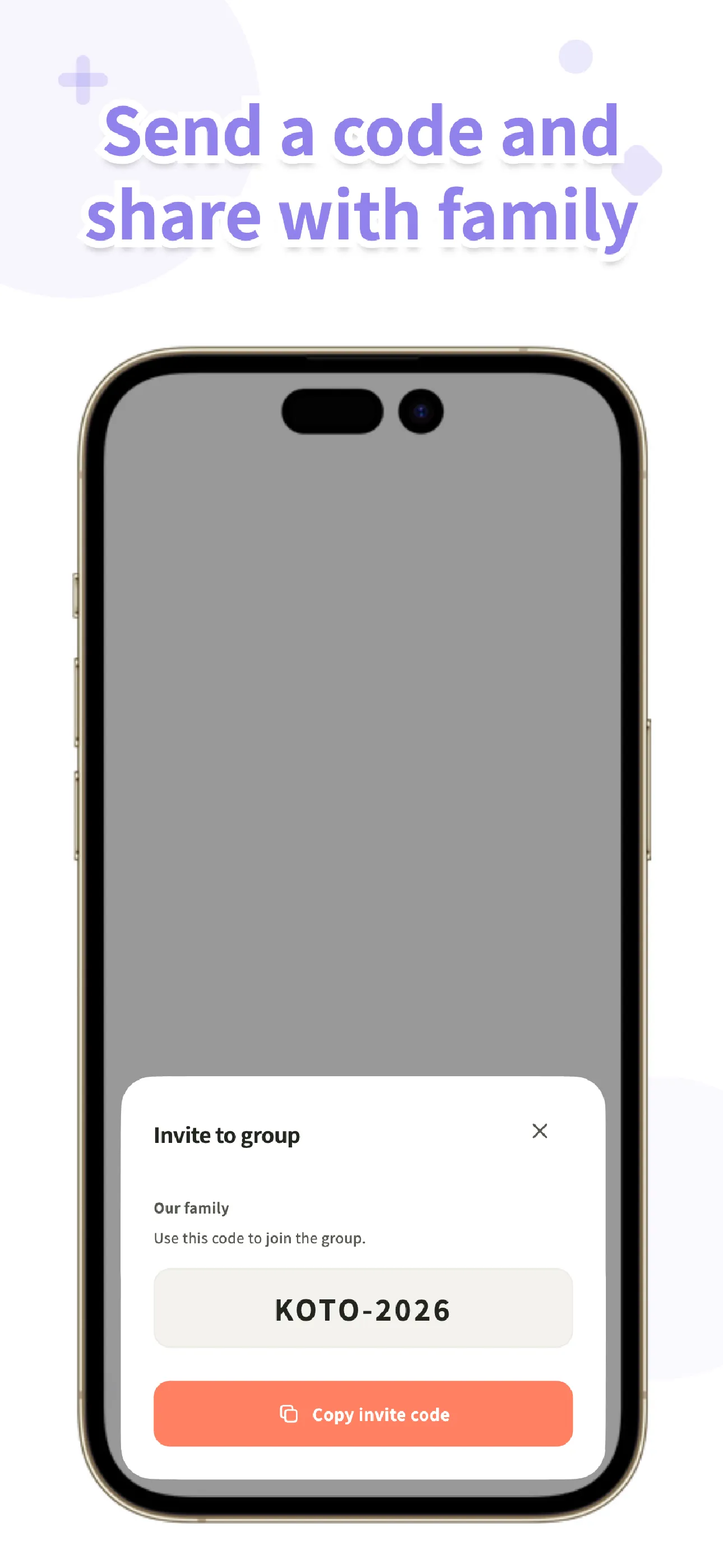
Three ways households share a grocery list
Most households land on one of three approaches before they think to look for a dedicated app, and each one solves part of the problem while leaving another part unsolved.
Texting each other
This is where almost everyone starts, because it takes zero setup — you already have the thread. The trouble is that a grocery list inside a chat isn't really a list, it's a conversation. Items you texted three days ago scroll up and out of view under weekend plans and photos of the dog. There's no way to mark "milk" as bought without typing "got it" back, and if two people are both adding items throughout the week, nobody has a single clean view of what's still needed by the time someone's actually at the store.
Sharing a built-in notes or reminders list
A step up: something like a shared note or a reminders list gives you actual checkboxes, so items can be marked done instead of just scrolling away. That's real progress over texting. Where it tends to get clunky is adding something mid-thought — you're cooking, you realize you're low on olive oil, and getting to the right shared list and typing it in cleanly takes more steps than it should. Visibility across the family can also be uneven: everyone needs to be on the same list correctly, and it's not always obvious whether a kid's device or a second phone is actually seeing the shared version or a separate copy.
A shared grocery or list app
A list app built specifically for sharing designs the whole flow — adding, checking off, and knowing when something's been bought — around the fact that more than one person is using the same list. Nothing scrolls away in a chat, checking an item off is the same one-tap action for everyone, and the list is the point of the app rather than one feature buried inside something else. This is the category Koto sits in.
What actually matters in a shared grocery list
Once you're comparing actual apps rather than approaches, a handful of specifics decide whether a shared list survives past its first week. The biggest one is how fast you can add something the moment you notice you're out — if opening the app and logging an item takes longer than the three seconds it takes to just say it out loud to whoever's around, people quietly stop using it. Right behind that is friction for the rest of the family: does everyone need to create an account before they can see the list, or can they just be invited in? Then there's whether you find out the moment something's actually been bought, rather than discovering a duplicate purchase at checkout. A widget or a fast way in from the home screen matters more for a grocery list than almost any other kind of list, because you're usually adding to it in passing, not sitting down with the app open. And two smaller but real things: ads showing up while you're standing in a store aisle are genuinely annoying, and it's worth knowing upfront what's actually free versus what requires payment.
| What matters | Texting | Shared notes/reminders | Dedicated list app |
|---|---|---|---|
| Speed of adding | Fast to type, but buried in the thread | Can be a few taps to reach the right list | Designed around adding in seconds |
| Friction for family | None — everyone's already in the chat | Depends on account/sharing setup | Usually an invite, not always an account |
| Knowing it's bought | Only if someone replies | Checkbox state, if everyone sees the same list | Built-in notification when checked off |
| Widget / fast entry | No | Sometimes | Often a core feature |
| Ads in the store aisle | No | No | Varies by app |
| What's free | Free (it's just messaging) | Usually free, built into the phone | Varies — check before relying on it |
Habits that keep one list working
The app matters less than the habits built around it, and a few small ones make the biggest difference. Keeping one list per store — supermarket, drugstore, online order — instead of one giant catch-all list means nobody's scanning past pharmacy items while standing in the produce section. Adding the moment you run out, rather than "I'll remember to add it later," is the single habit that prevents the most gaps; if you notice the coffee's almost gone while making it, that's the moment to log it, not after the cup's finished. For anything where the exact product matters — a specific brand of diaper, a particular cut of a foreign-language label — a photo beats typing a product name every time, since names get mistyped or don't translate well to what's actually on the shelf. And staples that repeat on their own schedule — coffee, paper towels, pet food — are worth putting on a repeat rather than re-adding them from memory each time.

Koto
A shared to-do list app for couples and families, built by BitFlap. Keep a separate list for groceries, chores, and errands, and know the moment someone checks an item off. Start without an account and invite family with a code. Available now on the App Store and Google Play.
Learn more about KotoHow we built Koto's grocery list
We designed Koto's list around the moment you actually notice you're out of something, since that's the moment a shared list either gets used or gets skipped. Input suggestions surface things you've bought before as you start typing, so re-adding "olive oil" or "paper towels" is a tap instead of a full retype. When the exact product matters — a specific brand, a particular size — you can attach a photo to the item instead of relying on a name alone. A home-screen widget means adding an item doesn't require opening the app at all, and the moment someone checks an item off, everyone in the group is notified — no more finding out about a duplicate purchase at the register. Koto also works offline, which matters more than people expect in a store with spotty signal in the back aisles: changes save to your device first and sync automatically once you're connected again. There are no ads.
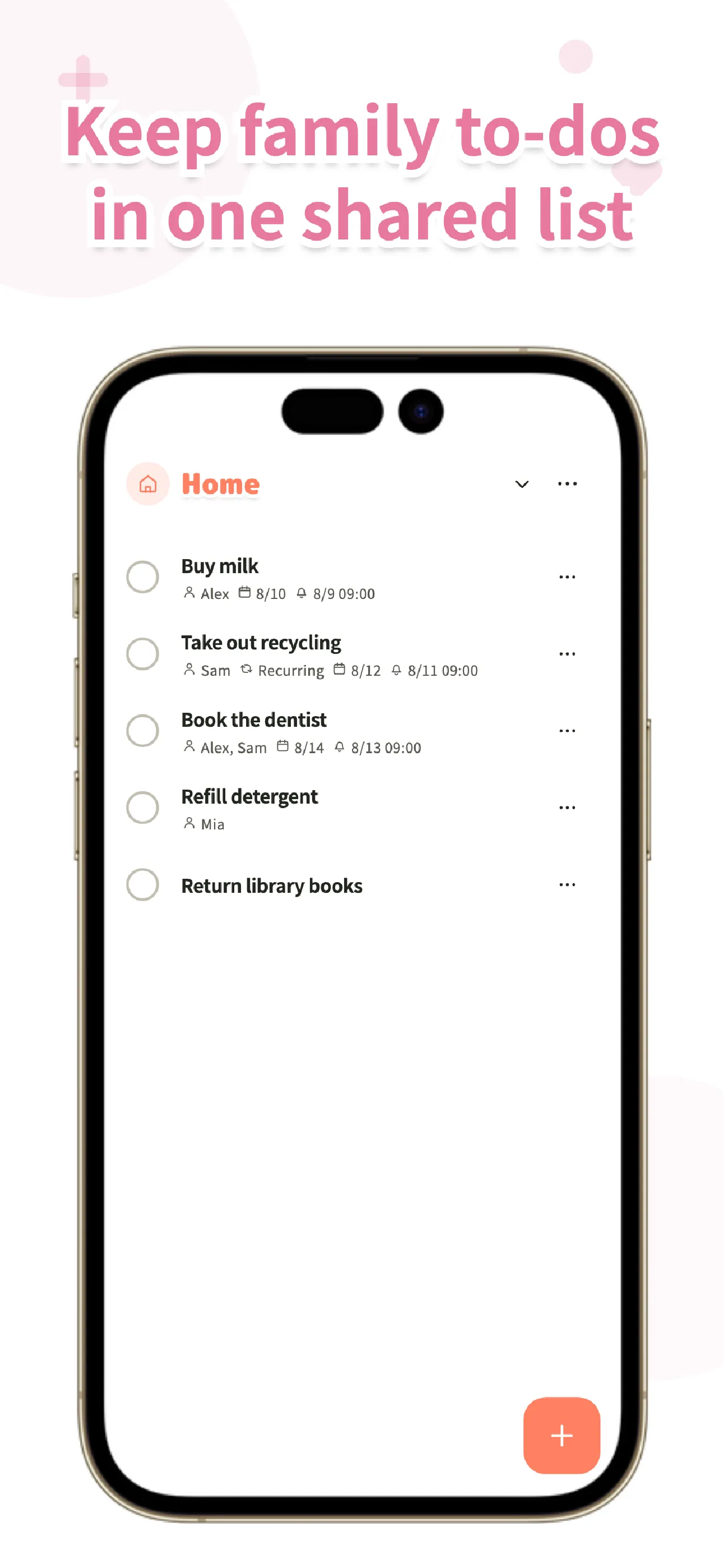
You can start using Koto right away without creating an account — because it's local-first, your list is already on your device and usable from the first launch. When you're ready to share it, you send an invite code to your partner or family, and when they join, they choose which of their own lists move into the shared group. Groceries, chores, and errands can each be their own list, or you can keep one list per store the way we described above; either way, everyone sees the same list in the same order.
Koto is available for both iOS and Android. It's a free app for groups of up to 6 people, with no limits on how many lists or items you can keep.
Frequently asked questions
Is there a free shared grocery list app?
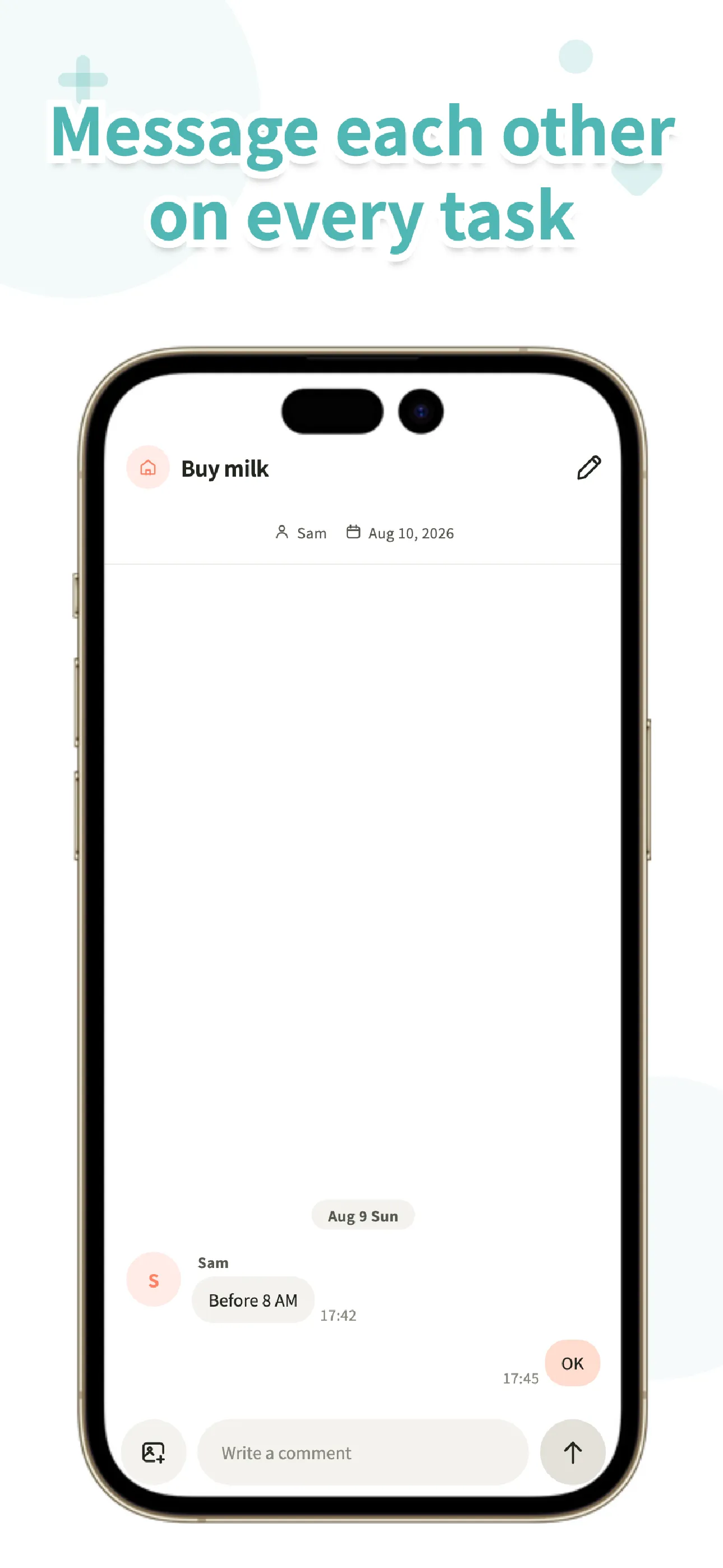
Yes. Koto is free for groups of up to 6 people, with no limits on lists or items. A paid plan, BitFlap One, exists for larger groups and adds per-item comments and more cloud storage, but it isn't required to keep a shared grocery list.
What's wrong with just texting the list?
Nothing's wrong with it for a quick one-off — the problem shows up over time. Items you texted earlier in the week scroll away under other messages, there's no bought/not-bought state, and if more than one person adds items, nobody has a single current view of what's still needed by the time someone's at the store.
How do we avoid buying the wrong item?
Attach a photo of the exact product to the item instead of relying on a typed name — this is especially useful for a specific brand or size. Notes work well too, for things like "the small bag, not the family size."
Where can I get Koto?
Koto is available now on the App Store (iOS) and Google Play (Android). It's free to start, and you don't need an account.