The Koto team here. When people search for a shared to-do list app, they usually search the same way they'd search for a work tool — and that's the problem. A "shared to-do list" at the office means projects, deadlines, and everyone carrying their own account. A "shared to-do list" at home means groceries, trash day, and whoever's free grabbing the next task, with a partner or a kid who has no interest in learning project software. We build Koto, a shared to-do list app for couples and families, and this article is the framework we actually use when we think about what a family to-do list app needs that a work tool doesn't.
Koto is a shared to-do list app built for couples and families, not project teams.
See Koto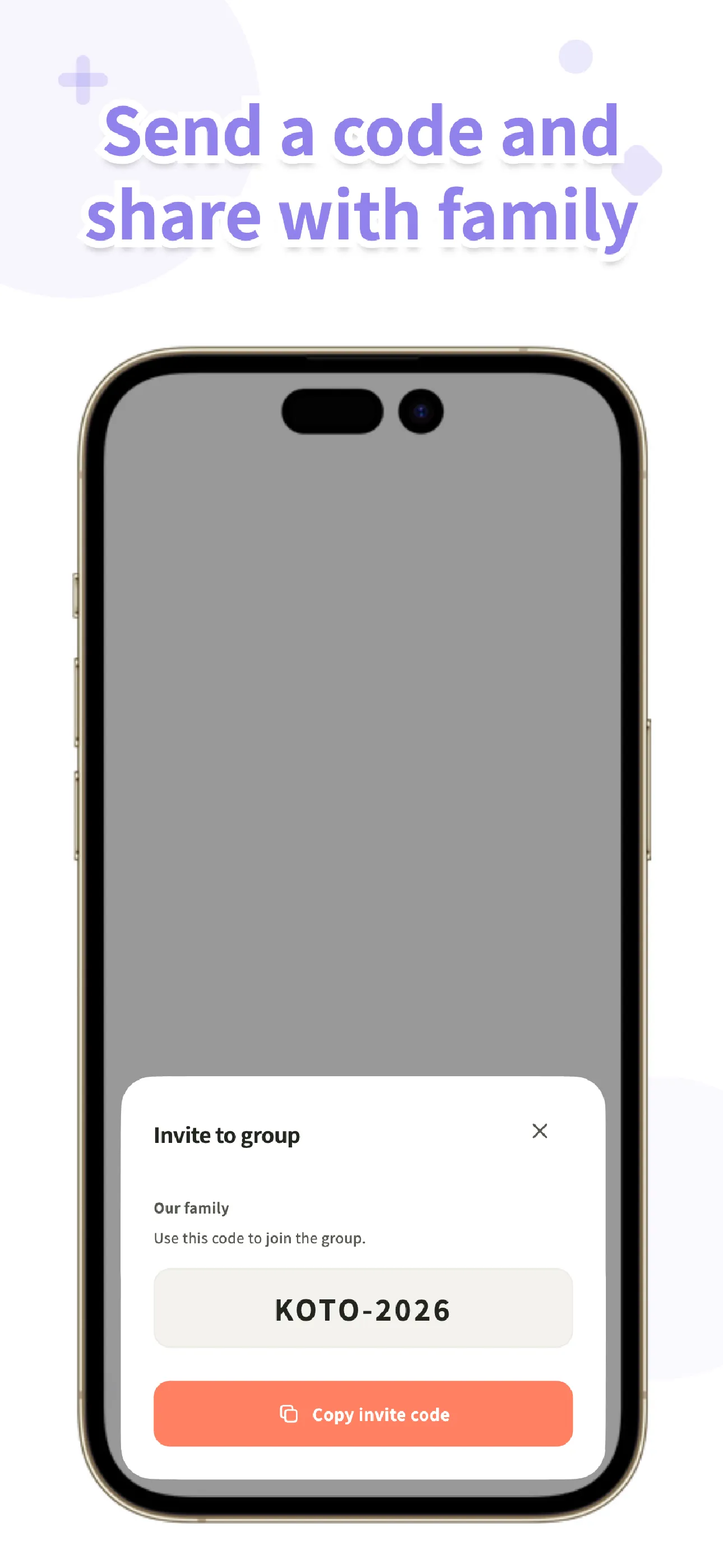
Three kinds of shared to-do lists
Almost anything that lets two or more people see the same list gets called a "shared to-do list app," but the apps people actually land on split into three quite different kinds. The reason it matters is that each one was designed around a different picture of who's using it — and that shapes how easy it is to get the rest of your household onto it, and what vocabulary the app speaks.
Built-in apps repurposed
Apple Reminders' sharing feature, Google Keep, and similar apps that ship with the phone weren't designed as family task managers — they're general-purpose notes and reminders that happen to support sharing a list. That makes them free and genuinely easy to start with if everyone in the house is already on the same platform. The awkwardness shows up once a household isn't uniform: a mixed iPhone-and-Android family, or family-specific needs like assigning a task to a specific person or setting up "every Tuesday" trash pickup, tend to be thin or missing, because that was never what the built-in app was built to do.
Work collaboration tools
These come from project-management heritage — boards, projects, deadlines, assignees, the works. They're genuinely powerful, and if you and a partner already use one for work, it's tempting to reuse it at home. But every family member needs their own account to use one properly, which is a real barrier for a kid or a less tech-comfortable relative, and the vocabulary is "projects" and "deadlines" rather than "chores" and "who's turn is it" — overkill for a list that just needs to say who's buying milk.
Family-first apps
These are designed around the household from the start: chores, groceries, clear assignees, recurring tasks that repeat the way real chores do. The tradeoff is that they're a narrower tool — you won't run a work project through one — but for the thing most people actually mean when they type "shared to-do list app for family," this is the category built for it.
Six things that matter for a household list
Once you're comparing the three types side by side, six specific things tend to decide whether a list actually sticks for a household: how easily the rest of the family can join, whether assignees are clear, whether recurring chores are handled well, whether everyone gets notified when something's done, whether the app works offline, and ads and pricing model.
| Axis | Built-in, repurposed | Work collaboration tool | Family-first app |
|---|---|---|---|
| Account friction | Low if everyone's on the same platform, awkward if not | Every family member needs their own account | Usually designed to add family with minimal setup |
| Clear assignees | Often thin or absent | Available, but framed as "assignee" on a project task | Built around assigning household tasks to people |
| Recurring chores | Basic repeat options at best | Recurring tasks exist but framed around deadlines | Repeat patterns modeled on real chore schedules |
| Completion notifications | Varies, often limited | Available, tuned for project status updates | Tuned for "someone in the house just finished this" |
| Offline use | Generally works offline | Often needs a connection for full functionality | Varies by app |
| Ads & pricing | Free, no ads on most platform built-ins | Often priced per seat, aimed at teams | Varies — free tiers and family-sized paid plans both exist |
Which approach fits which household
If your household is all-iPhone with fairly light needs — a shared grocery list, the occasional reminder — a built-in app is genuinely fine. There's no reason to install something new if what you already have covers it.
If it's really just two power users who already live inside a work collaboration tool and don't mind the project vocabulary, that tool can work for a couple's shared list too, especially if you're both comfortable maintaining an account for it.
But if what you want is assignees, repeating chores, and notifications that speak in family terms rather than project terms — and especially if your household mixes iPhone and Android, or includes kids and relatives who won't tolerate a work-tool signup flow — a family-first app is the type built around exactly that. That's the group Koto is designed for.
Koto
A shared to-do list app for couples and families. Start without an account, invite your household with a single code, and assign chores, groceries, and errands to the people who'll actually do them. No ads. Available now on the App Store and Google Play.
Learn more about KotoHow we designed Koto as a family-first list
Koto starts without an account. It's local-first, meaning changes save to your device first and the app works offline; it syncs automatically once you're back online. That matters because the biggest drop-off point for a family app isn't the app itself — it's the moment you ask a partner or a kid to "just sign up first." Instead, whoever sets Koto up shares an invite code, and when the next person joins, they choose which lists on their own device move into the shared group rather than losing what they already had.
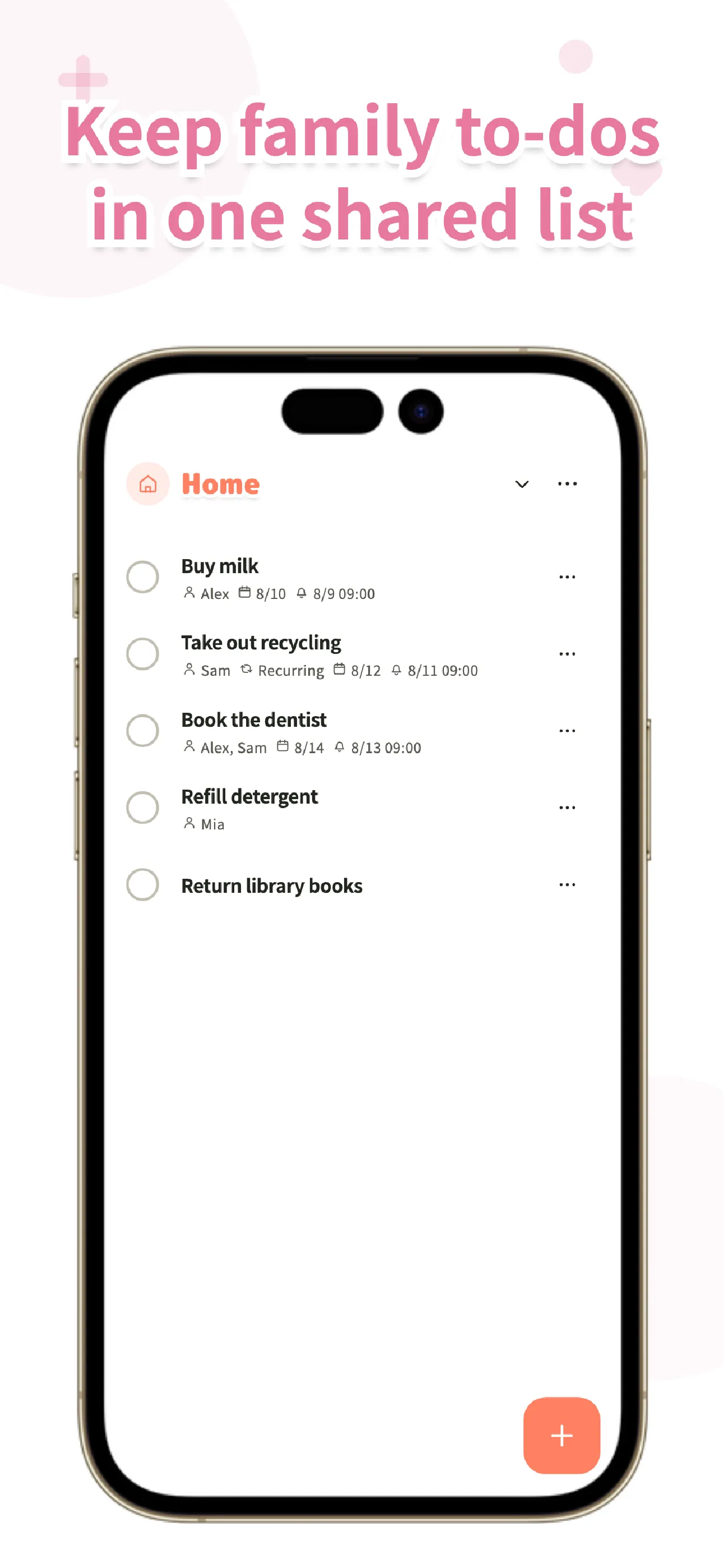
Once a group exists, you can create separate shared lists for groceries, chores, and errands, and everyone in the group sees the same list in the same order. A task can be assigned to one person or several, and it can carry a due date, a reminder, a note, and a photo. This is the part that's easy to skip in a work-tool mindset but matters constantly at home: when one person marks a task complete, everyone else is notified — no one keeps re-checking "did someone already take out the trash?"
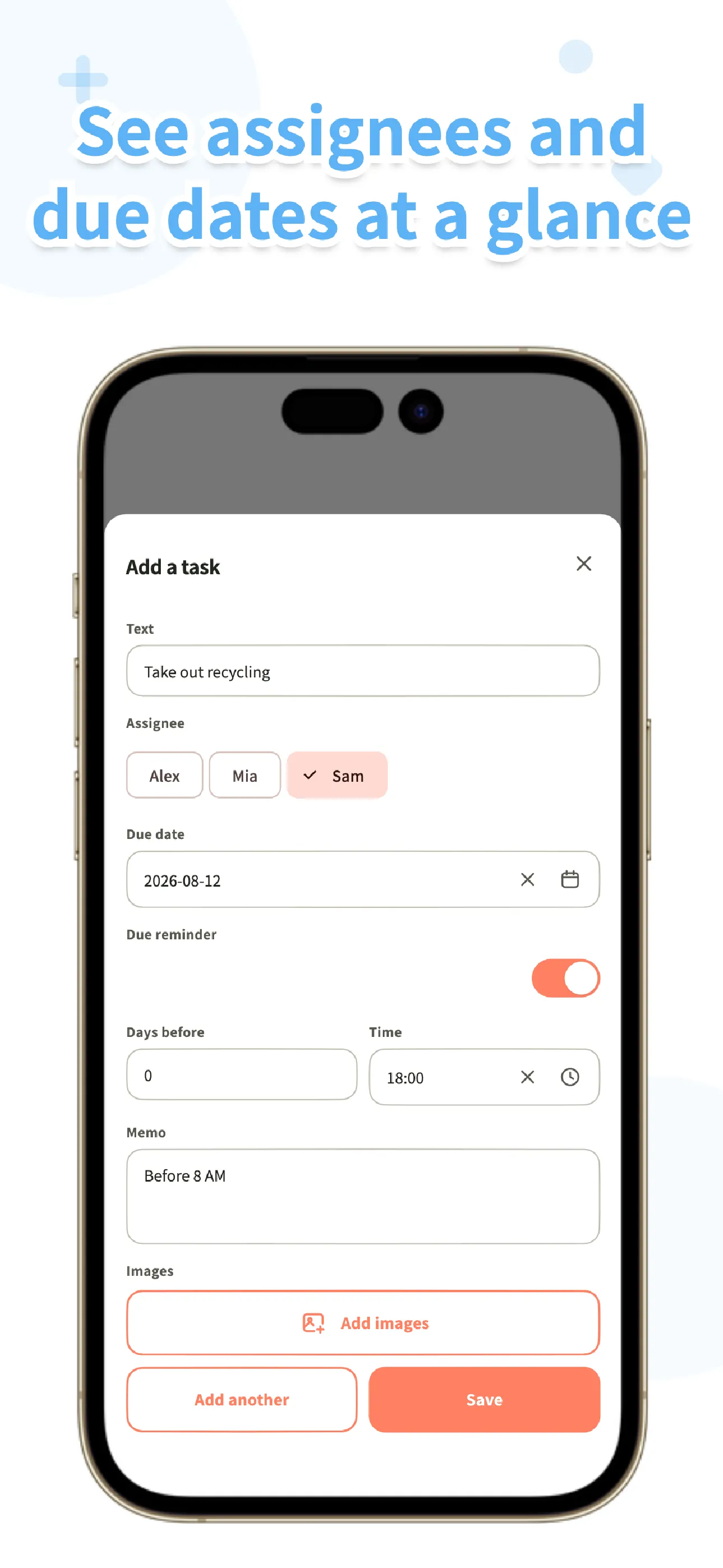
Repeats are modeled on how chores actually recur rather than on generic reminder options: weekly on specific weekdays, monthly by date or by the Nth weekday, weekdays only, weekends only, or every N days — so "trash day, every Tuesday and Friday" is a one-time setup, not a task you recreate each week. A history keeps a record of who completed what and when, kept for as long as you're on the free plan, and a trash with restore means an accidentally deleted task isn't gone for good. An iOS home screen widget and global search round out the day-to-day use.
Per-task comments — messages, photos, and reactions on a specific task — are part of BitFlap One, our paid plan; everyone can read them, but posting is a paid feature. Free groups support up to 6 people with no limits on lists, tasks, repeats, or history retention; BitFlap One extends that to groups of up to 30 people, adds comments, and increases cloud storage, at $5.99/mo or $59.99/yr on the US App Store. There are no ads anywhere in Koto.
One thing we deliberately left out: points, chore scoring, fairness scores, and leaderboards. It's tempting to gamify household chores, but we kept Koto to what a family actually needs to coordinate — who's doing what, and when it's done — without turning chores into a competition. Koto also doesn't ask for your location or your contacts.
Koto is available now on the App Store and Google Play.
Frequently asked questions
Is there a free shared to-do list app?
Yes. Built-in apps like Apple Reminders' sharing feature and Google Keep are free to use. Koto is also free to start: groups of up to 6 people get unlimited lists, tasks, repeats, and history retention with no ads, with a paid BitFlap One plan available for larger groups and per-task comments.
Can iPhone and Android families share a list?
It depends on the app. Some built-in apps handle cross-platform sharing awkwardly, which is one of the reasons dedicated family-first apps exist. Koto is available on both iOS and Android, so a mixed-platform household can share the same lists. For any other app, confirm platform support before relying on it.
Should work and family lists be kept separate?
We think so. Work collaboration tools are built around projects and deadlines, and pulling family members into that vocabulary and account structure tends to create friction rather than remove it. A family-first app that speaks in chores, assignees, and repeats tends to fit household coordination better than repurposing a work tool.
How many people can share a Koto group?
Free groups support up to 6 people. BitFlap One, our paid plan, extends that to groups of up to 30 people and adds per-task comments and larger cloud storage. Neither plan limits the number of lists, tasks, repeats, or how far back history goes.