The short answer: a honey-do list app is a shared list where each request becomes a task with an owner, a date, and a way to tell the person who asked when it's done. The point isn't to manage your partner. It's to stop the same request from living in three places — a text from Tuesday, something said in the car, a sticky note on the counter — and being lost in all of them.
The Koto team here. “Honey-do” is an old-fashioned name for a modern problem, and in most homes it runs both ways: you have a list of things your partner asked for, and they have one for you. We build Koto, a shared to-do list app for couples and families, and honey-do lists are one of the most common things people put in it. What follows is how we'd set one up so it doesn't turn into nagging, or into “you never told me.”
Koto is a shared to-do list for couples and families. Assign a request, give it a date, and see when it's done. No points, no scoring.
See Koto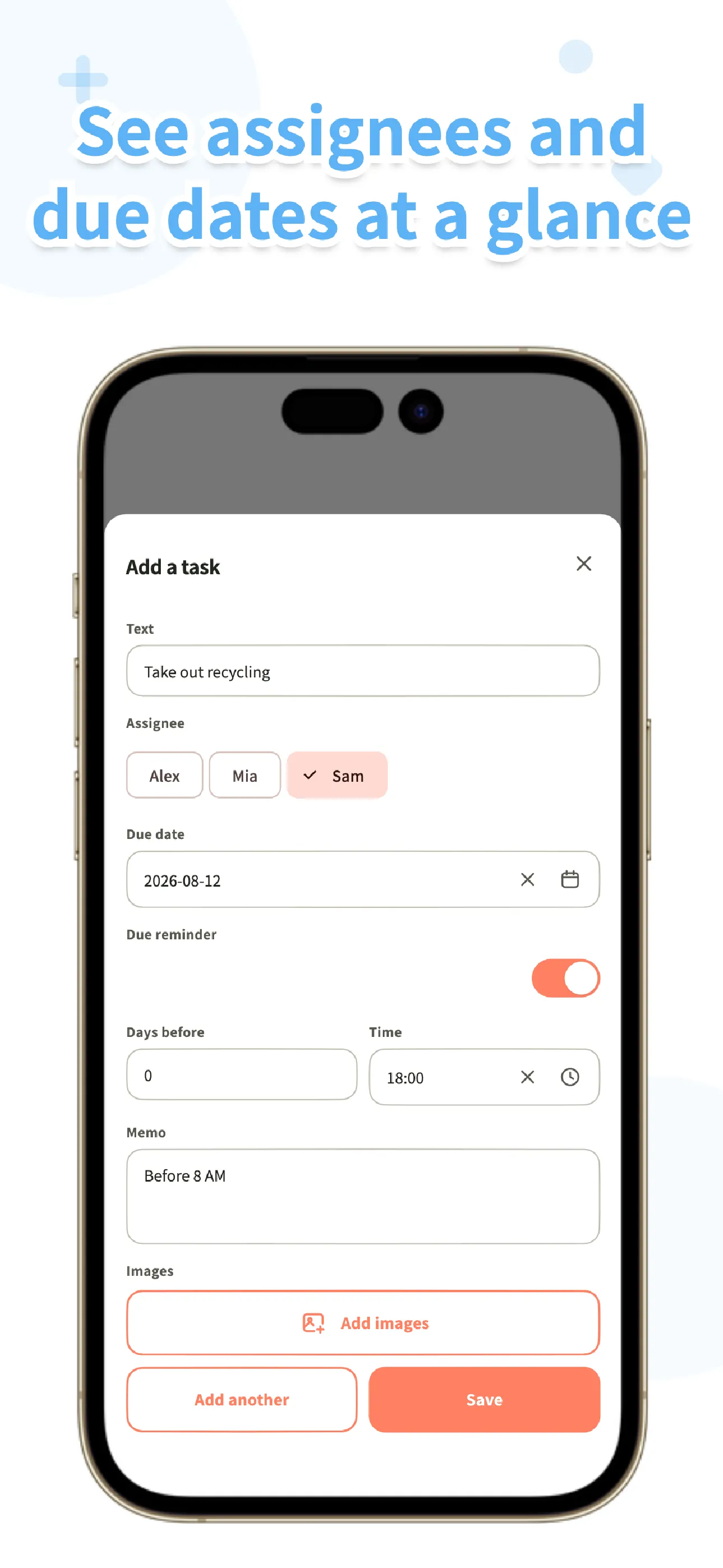
Why spoken requests keep getting lost
A spoken request has no owner, no date, and no record. “Can you look at the faucet sometime?” feels clear to the person who said it and optional to the person who heard it. A week later, one of you is waiting and the other is surprised. Texting helps a little, but a thread buries a request under yesterday's dinner plans, and there's no moment where it becomes done.
The fix isn't a better memory. It's moving the request out of the conversation and into a place both of you check, the same way you'd handle a grocery list. Once it's written down with a name on it, the argument shifts from “you didn't tell me” to “what day works.”
Five habits that keep a honey-do list from feeling like nagging
None of these are about the app. They're habits that make a shared list feel like a convenience instead of a supervisor, and they happen to be exactly what a task app can support.
Give every request an owner. Assign it to your partner, or to yourself if it's yours. When you assign a task in Koto, the assignee gets a notification, so you don't have to ask again. A task with nobody assigned is open to both of you, which is fine for “whoever passes the hardware store.”
Put a day on it, not a deadline. “By Saturday” is a request; “asap” is pressure. Koto's due dates are plain calendar days, and you can add one reminder set as a number of days before the due date at a time you choose. Pick Thursday evening for a Saturday job, and your partner gets one nudge from the app instead of three from you.
Put the details in the task. Add a note, or take a photo of the leaking faucet and the model number on the part. Your partner can open it at the store without a call. Photos are free in Koto, and a note holds up to 300 characters.
Let the app answer “is it done?” When someone completes a task, the person who created it and anyone assigned get a notification, and the completion goes into a history with who and when. You no longer have to ask, and your partner doesn't have to report in. The asking stops because the answer is already visible.
Review the list once a week, together. Five minutes on Sunday: what's still open, what moved, what can be dropped. It's also the moment to notice which requests keep coming back, because those should be repeating tasks rather than fresh asks.
Setting up the list in Koto
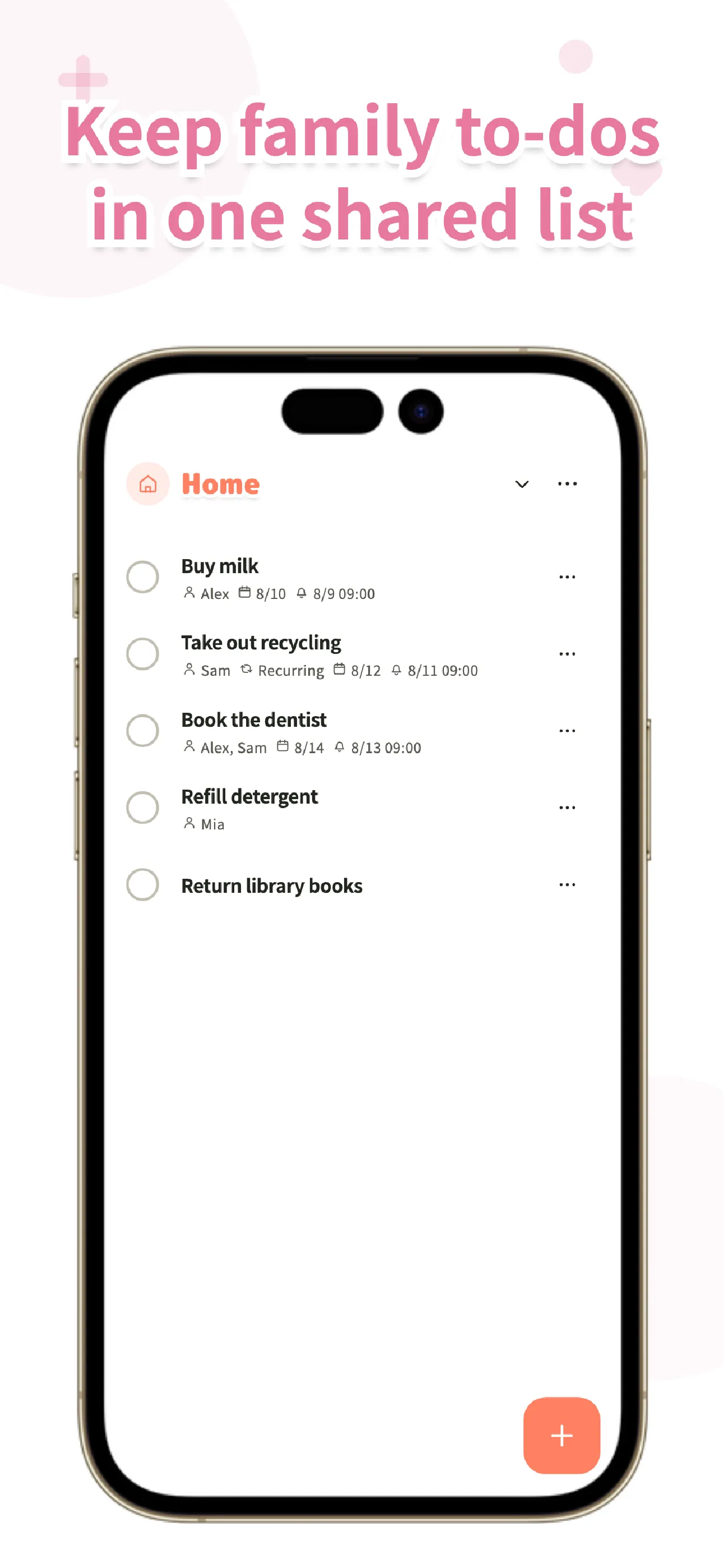
Make a list named “Honey-do” (list names can be up to 20 characters, with your choice of icon and color). Add what's on your mind, assign each item, and give it a day. Most requests are one-offs, but a few repeat: a smoke detector check, a furnace filter on the first Saturday of the month, gutters in the fall. Set those to repeat once and they stop depending on anyone remembering.
If you'd rather separate yours from theirs, make two lists. If you want one list, assign each task and the owner is visible at a glance. Koto doesn't track who asks for more or who does more; there's no tally of favors. That's deliberate. A honey-do list should clear things off both of your plates, not become a scoreboard.

Koto
A shared to-do list app for couples and families. Assign a request, add a due date and a photo, and see when it's done. Works offline. No ads. Free groups support up to 6 people.
Learn more about KotoWhat this won't do
Koto doesn't have a calendar view, and a task has a date and one reminder rather than a time-of-day schedule. It also won't make an unwilling partner pick up the list; it only removes the excuses about not knowing. Your partner has to join the group, which takes an invite code from you and a sign-in on their side. Per-task comments are part of BitFlap One, the optional paid plan; everyone can read comments, but only One groups can post.
Frequently asked questions
What is a honey-do list?
A honey-do list is a running list of tasks one partner asks the other to do around the house, like fixing a leak or replacing a light bulb. It works in both directions, and it's easiest to keep as a shared list that both partners can add to and check off.
How do we keep a honey-do list from feeling like nagging?
Put each request in the list with an owner and a date instead of repeating it out loud. The assignee gets a notification when you assign a task, plus an optional reminder before the due date, and you're notified when it's completed, so nobody has to ask.
Do both of us need the app?
To share the list, yes. You can start on one device without an account, then send your partner an invite code. They sign in and join your group, and both of you see the same list. Free groups support up to 6 people.
Will I know when my partner finishes a task?
Yes. When a task is completed, the person who created it and anyone assigned to it get a notification. The completion is also recorded in the history with who finished it and when.
Koto
Put your honey-do list on both phones. Free groups support up to 6 people. No ads, no points. Available now on the App Store and Google Play.
Learn more about Koto