We're the OneTapLog team. Someone asks what you've read lately and your mind goes empty, even though you finished a good book last month. The film you loved, the gadget you finally bought — all of it slips away unless you wrote it down, and the apps built for tracking each one tend to feel like homework. We've started and abandoned plenty of them. The fix, we think, is to stop separating books, films, and purchases into their own tools and just leave a quick line wherever you are. Here's how.
Dedicated trackers ask for too much, too soon
A reading app wants the title, the cover, a rating, maybe a review. A watchlist app wants you to find the exact film and tag a status. Each is lovely in theory, but the moment of wanting to record something — right after the last page, walking out of the cinema, opening a parcel — is brief, and by the time you've launched the right app and filled the right fields, the impulse has cooled. So the log stays empty and the memories go.
What you usually want later isn't a polished database; it's “what did I watch this spring” or “what was that book a friend recommended.” That's answered by a plain, searchable line written when the moment was fresh — not by a perfect entry you never made.
One line in the moment, with #read, #film, or #bought
With OneTapLog, the input field is open the second you launch the app, so you type “Finished the new Murakami, loved the ending” and send with one tap. Add #read, #film, or #bought and it becomes a tag. A photo of the cover or the receipt fits in the same note if you want one.
There's no separate flow for books versus films versus purchases — one field, one tap, three different tags. The timestamp is saved automatically, so months later you can still see roughly when you read or watched something without ever typing a date.

Find what you watched, read, or bought with search
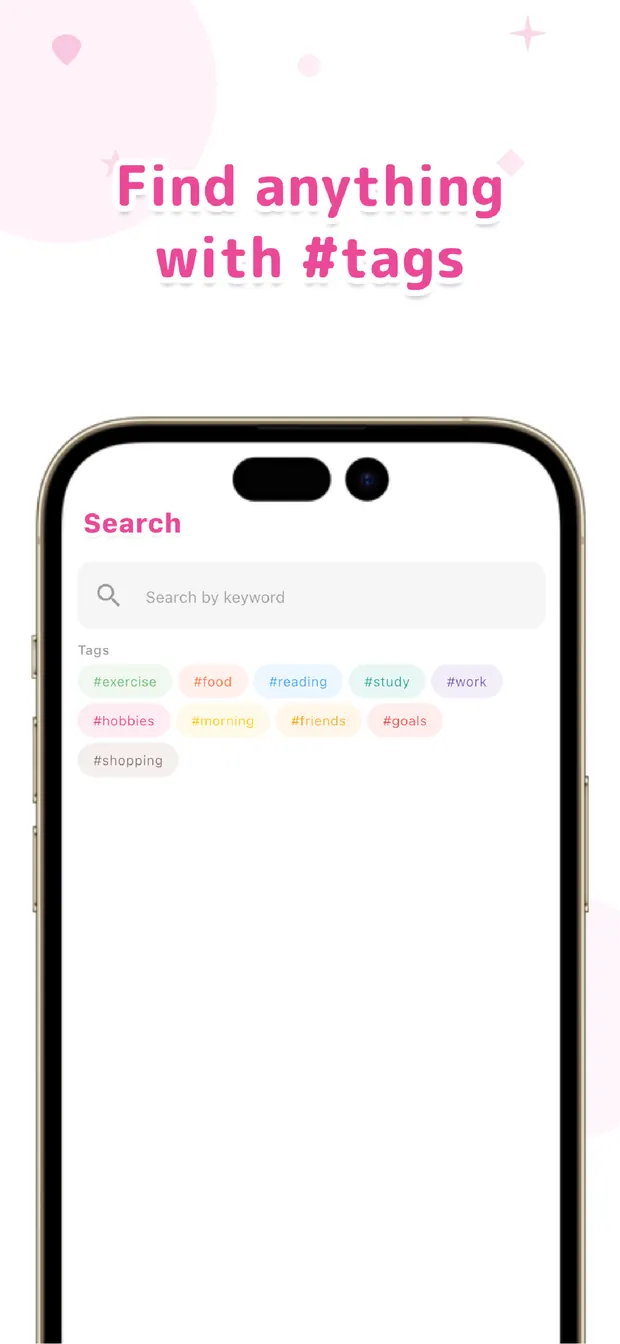
Later, search #film and every film you noted lines up in time order, photos and all. Search a word like “headphones” and the day you bought them surfaces with what you paid and why you chose them. Your offhand lines turn into the answer when someone asks for a recommendation.
Because everything lives in one place, you can also just scroll back and watch your year of reading, watching, and buying play out together. It's less a catalogue than a quiet record of what you spent your attention and money on.
The log that lasts is the one that asks almost nothing of you in the moment. A line and a tag now, search it later — that's how the books, films, and things you cared about stay findable instead of fading.

OneTapLog
A line, a tag, and a photo for what you read, watched, and bought. Find it later with search. No account, free to start.
Learn more about OneTapLogFrequently asked questions
Why do my reading and watchlist logs never last?
Dedicated trackers ask for titles, covers, and ratings at the brief moment you want to record something, so the impulse fades before you finish. A single line with a tag, written on the spot, is light enough to actually keep up.
Can I log books, films, and purchases in one place?
Yes. There's one input field, and you tell them apart with tags like #read, #film, and #bought. Searching a tag later brings up just that category in time order, so one app covers all three.
Can I add a photo of the cover or receipt?
Yes. You can attach a photo to the same one-line note, so a book cover or a receipt sits alongside your words. When you look back, the picture makes it much easier to recall the thing.
How do I find something I logged months ago?
Search a tag or a keyword and the matching entries come up in time order with their photos. Every entry is timestamped automatically, so you can see roughly when you read, watched, or bought it.