We're the OneTapLog team. You decide to log your meals for a diet or to keep tabs on your health, then quit within the first few days — it's a familiar story, and we've lived it too. It doesn't stop because of weak willpower; usually it's that logging takes too much effort. In this article we'll talk about why food logs don't stick, and what to cut so they do.
Food logging doesn't stick because the input is heavy
Most food-tracking apps make you search for a menu item, choose a portion, and enter calories or nutrients. It's a design built for accuracy, but that accuracy is exactly what becomes the burden. When every meal requires tens of seconds of input, you skip it on busy days, and once you skip once you think "forget it." A log is, we believe, worth more on the days it's kept roughly than on the days it's kept perfectly.
So we flip the approach. Instead of quantifying exactly what you ate, focus first on just "leaving something." The trick to keeping it up is lowering the bar for logging to the absolute limit.
Make it just one line + a photo, one tap
With OneTapLog, the input field appears the moment you open the app, so you type "Breakfast: toast and coffee" and send with one tap. Add a single photo if you feel like it. There's no calorie counting, no portion entry. Because you can log a meal in five seconds, it's far less likely to break even on busy days.
Add #snack or #eatingout in your text and it auto-becomes a tag, so you can later review just that tag. People who need strict nutrition tracking are better served by a dedicated app, but for the "I just want to see my eating habits first" stage, this lightness is exactly right.

Once it sticks, looking back starts to pay off
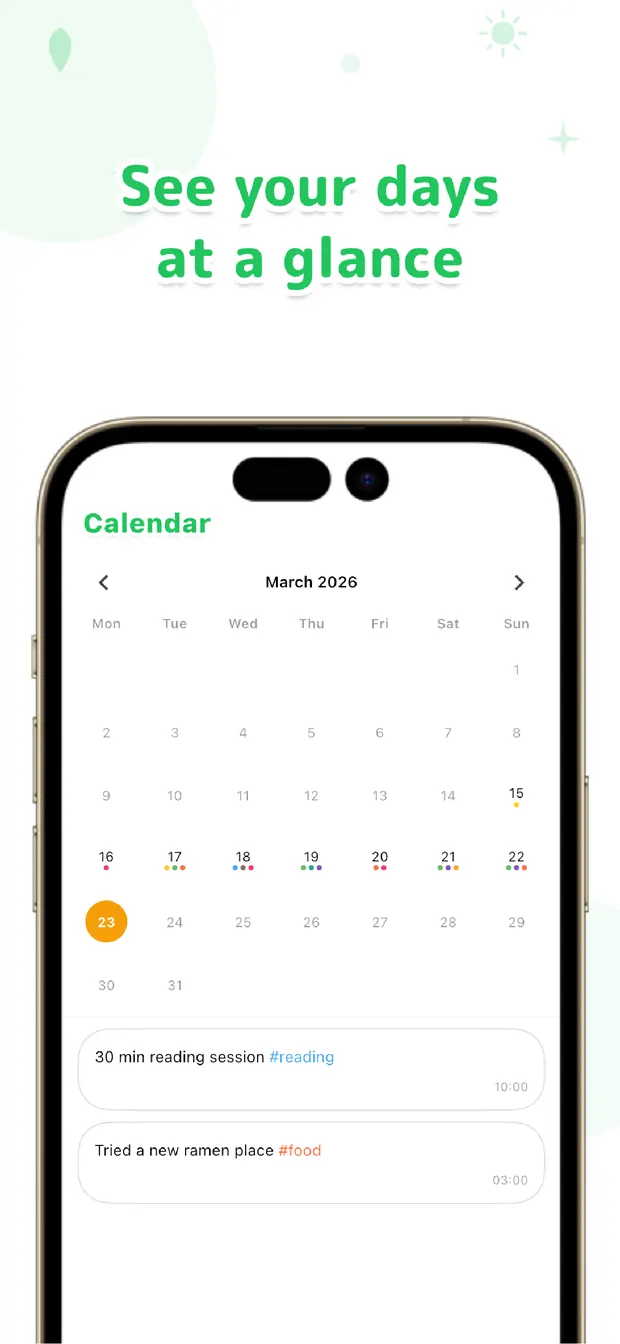
Keep leaving light notes and looking back becomes a real asset. The calendar shows at a glance "the week I ate out a lot," and a search for "ramen" lists every day you had it. If you've attached photos, just scrolling back reveals the shape of your eating.
You can leave notes on how you feel and your mood on the same timeline, so you start to notice your own patterns — like "I feel off the day after this meal." Some things only become visible because the record kept going, not because the numbers were perfect.
The more times food logging has slipped for you, the better the fit might be. The aim is consistency over accuracy. Capture first, tidy up later — that order, we believe, is the surest way to keep a food log going.

OneTapLog
One line + a photo, one tap. A food log that sticks with no calorie entry. Look back later with #tags, calendar, and search. No account, free to start.
Learn more about OneTapLogFrequently asked questions
My food log never sticks. What should I do?
Reducing the effort of input is the most effective fix. Trying to enter calories and portions for every meal tends to break, so starting with just "what you ate" as a line plus a photo makes it easier to keep going.
Can OneTapLog count calories?
There's no automatic calorie or nutrient calculation. OneTapLog is for quickly capturing what you ate and looking back on it. If you need strict nutrition tracking, we recommend using it alongside a dedicated app.
Can I include photos too?
Yes. You can attach a photo to a one-line note and send it, which makes it easier to recall what you ate when you look back. Add #tags to review things like eating out or snacks together.
Can I review my eating patterns later?
You can view daily entries on the calendar or search for a specific food. Notes on your health and mood live on the same timeline, so it's easier to spot how they relate to your meals.