We're the OneTapLog team. "When did I last go to the dentist?" "When did I open this jar?" "What month did I visit that place?" — that elusive "that day" you can't quite recall. We've been stumped by this constantly ourselves. In this article we'll talk about a lifelog approach that answers those date questions with a single search instead of memory.
Not remembering "when" is completely normal
Remembering dates is one of the things humans are worst at. You may recall the event itself, but "exactly what day it was" rarely sticks. We write plans in a calendar, but we seldom keep a record of what we actually did, so there's no way to look back. That's why we fail every time, leaning on a vague memory to reconstruct it.
The solution is simple: lightly record what you did, and pull it up with search when you need it. There's no need to memorize. The trick is to stop trying to remember and make it searchable instead.
Leave a quick one-liner about what you did
To look up a date later, the record has to exist in the first place. OneTapLog lets you write the instant you open it, so leave a single line like "dentist," "tire change," or "opened the soy sauce." A timestamp is added automatically, so you don't have to write the date yourself. The trick to keeping it up is not to be meticulous — just casually note the things you might want to find later.
Add tags like #health #car #home and later filtering gets even faster.
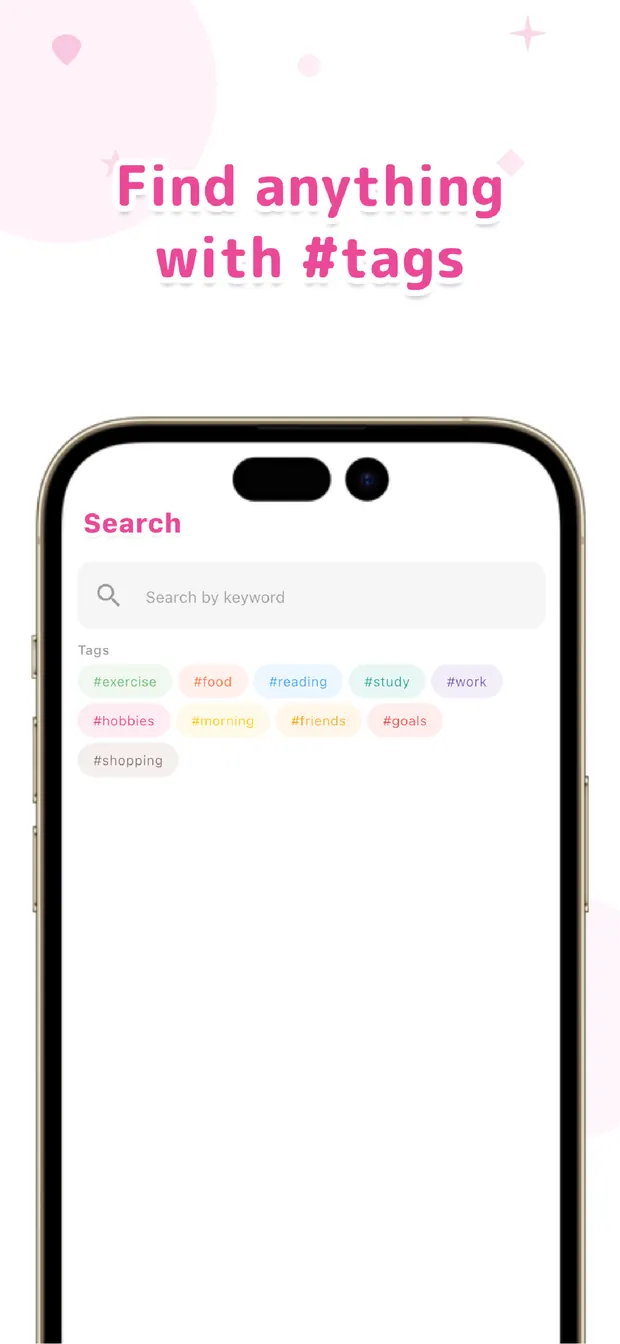
Surface "that day" instantly with search and the calendar
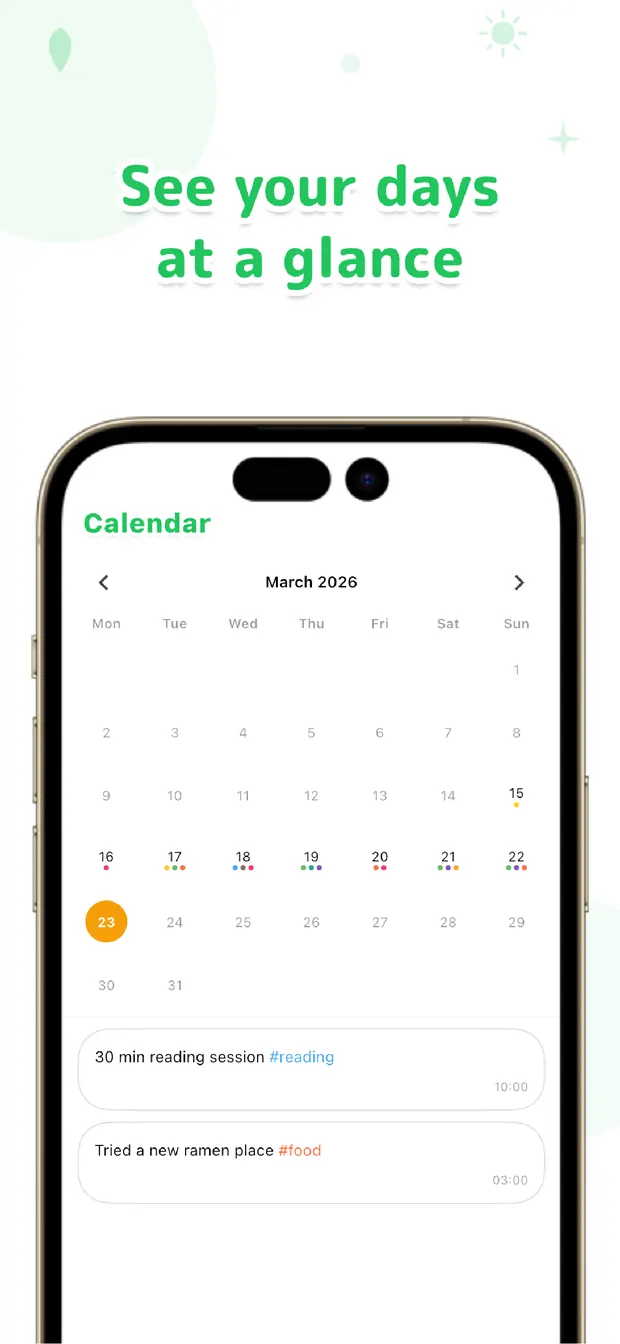
When you want to remember, just type a keyword. Search "dentist" and the day you last went comes right up. Because it's full-text search, you can pull it up by the words in the body even if you forgot to tag it. And when you want to look back from a date instead — "what was I doing around this time last month?" — open that day from the calendar and the entries from that day line up.
Once you can do this, the interval of recurring errands (how many months since the last visit, and so on) becomes clear at once. It feels like querying your own record instead of leaning on memory. The more records you accumulate, the more search pays off.
The reason "when did I do that?" stumps you every time is simply that there's no record. Lightly note what you did, and you no longer need to remember. Don't memorize — keep it searchable. That alone removes one small daily frustration.

OneTapLog
Note what you did in one line, timestamped. "When did I do that?" is answered in one shot with search and the calendar. No account, works offline, free to start.
Learn more about OneTapLogFrequently asked questions
Can I look up the date of something I did in the past?
Yes, as long as you left a record. Full-text search by keyword brings up the day you recorded it (the timestamp) right away. When you'd rather look from the date side, you can look back from the calendar.
Do I have to record diligently every day?
No. Casually noting just the things you might want to find later is enough. Since you can write in a single line, it's well suited to jotting something down on a whim.
Can I still search if I forgot to add a tag?
Yes. Because it's full-text search, you can pull it up by the words in the body. Tags simply make filtering faster on top of that.
Can I see the interval of recurring errands?
Search the same keyword and you'll see when you last went, so you can track intervals for things like checkups or maintenance. The more records you build up, the more useful it gets.