We are the MozFace team. You snap a quick photo to list an item on Mercari, eBay, or Facebook Marketplace, and later notice a family member in the background, or a shipping label on the packed box showing your full address and name. Listing photos hold far more personal information than people expect. While building a face blur app, we have heard the same story again and again: something slipped through. This article walks through what is risky in a listing photo and how to hide it reliably.
What personal info ends up in listing photos
First, know where it shows up. Three things appear most often in listing photos: the address and name on a shipping label or mailing slip, family or visitors caught in the background, and everyday clutter like a nameplate, mail, or a calendar on the wall. More often than the item itself, it is the background and the small things in your hands that reveal who you are.
The tricky part is how hard this is to notice while shooting. With your focus on the item, the person behind you and the mail left on the desk fall out of mind. By the time you spot the label after posting, the photo has already been seen by plenty of buyers in the listing.
Built-in editing leaves gaps
Your phone's built-in photo editor can crop or draw over things by hand. But cropping cuts away the composition, making the item harder to show, and a hand-drawn fill can leave a gap, or thin out into something still readable. When several people are in the background, painting over each one by hand is tedious, and it is easy to miss someone tucked in the corner. For reliability, the built-in tools have real limits.
Hide background faces with automatic detection
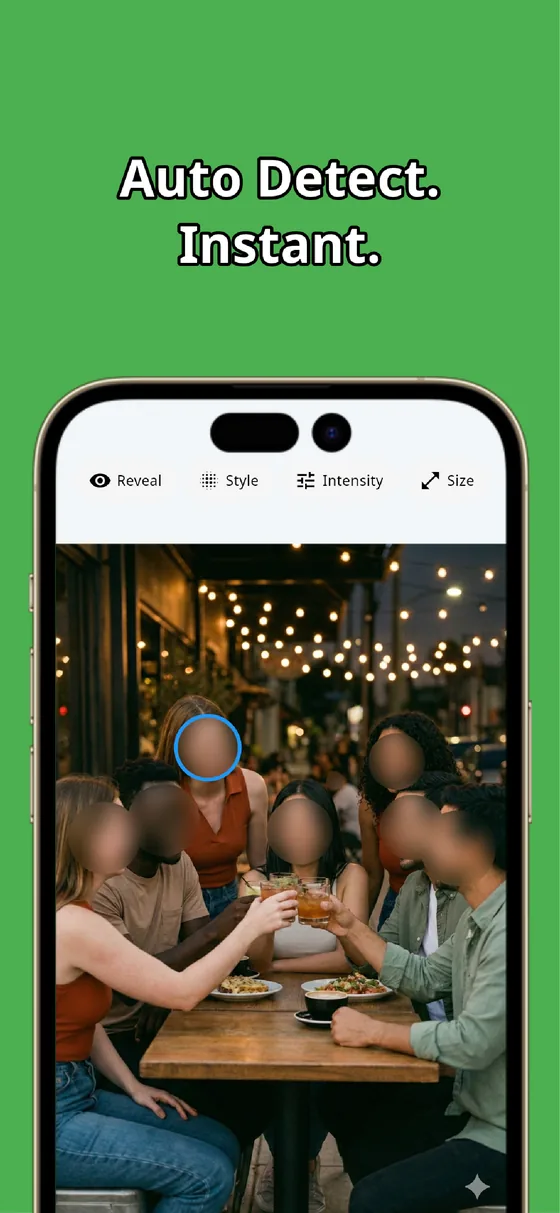
The moment you pick a photo, MozFace runs on-device AI that detects every face and opens with everyone already blurred. Family or a visitor in the far corner is covered along with the rest, so the classic "missed the person in the back" mistake does not happen. All processing stays on the device, and your photos are never sent anywhere.
If your own hand, or someone who is fine being shown, is blurred and in the way, a single tap on that face reveals it. Because hiding is the starting state, the job becomes choosing what to show, not remembering to hide — which is exactly why things slip through less often.
Cover labels and nameplates with the manual brush

Personal info that is not a face — the address and name on a shipping label, mail, a nameplate — gets hidden with the manual brush you trace with your finger. Choose mosaic, blur, or a stamp, adjust the strength, and you can cover text until it is unreadable. Change the brush size and it fits even thin lines of text.
For a listing, you can keep the item crisp while turning only the text on the label into a mosaic. Unlike cropping, you do not sacrifice the composition — you separate what to show from what to hide. The finished photo saves as a separate file, so your original stays untouched.
In listing photos, the personal info shows up in the background and in your hands more than in the item. Auto-detect the background faces together, and cover labels and nameplates firmly with the manual brush. Combine the two and a listing photo with nothing left exposed is ready in tens of seconds.

MozFace
Auto-mosaic or blur every face just by picking a photo. Cover labels and nameplates with the manual brush. Everything runs on your device, fully offline.
Learn more about MozFaceFrequently asked questions
What personal info should I watch for in listing photos?
The address and name on shipping labels or mailing slips, family or visitors in the background, and everyday items like nameplates and mail. Your identity is easier to read from the background and your hands than from the item, so check the corners before posting.
Isn't drawing over it by hand enough?
Hand drawing can leave gaps or thin out into something still readable. MozFace hides faces together with automatic detection, and lets you raise the strength on the manual brush to cover labels firmly — so it is more reliable.
Can I keep the item crisp while hiding only the background?
Yes. Unlike cropping, you do not cut the composition — you blur or mosaic only the parts you want to hide, like faces or a label, and leave the item you want to show as is.
Are my photos ever sent over the internet?
In MozFace, face detection and editing happen entirely on your device, and your photos are never sent to any external server. It works even with no signal.