We are the MozFace team. When you want to blur a face or a license plate before posting, you usually do not want to pay for it. The good news is there are three free routes: your phone's built-in photo editor, a browser-based online tool, and a dedicated app. The catch is that they are not equal in how easy they are to use, how likely something is to slip through, and whether your photo leaves your device. This article compares them honestly so you can pick the right one.
The three free options
The built-in editor on your iPhone or Android is already there — you can crop and draw over things by hand. An online tool runs in the browser with nothing to install, but you typically upload your photo to a server you do not control. A dedicated app is built for the job, often with automatic face detection and a manual brush, and the better ones process everything on-device.
What matters in practice comes down to four things: how easily a spot gets missed, how much effort it takes, whether it can auto-detect faces, and whether it can handle many at once. Here is how the three stack up.
Side by side
| Built-in editor | Online tool | Dedicated app | |
|---|---|---|---|
| Missed spots | Easy to miss by hand | Depends on the tool | Auto-blur lowers misses |
| Effort | Manual, slow | Upload, then edit | Pick a photo, done |
| Auto-detect faces | No | Some do | Yes |
| Many at once | One by one | Varies | All faces together |
| Stays on device | Yes | Usually uploaded | Yes, if offline |
The built-in editor keeps your photo on the device but leans entirely on your hand and your attention, which is where misses happen. An online tool is convenient and installs nothing, but uploading a clear photo of a face or a plate to a server is exactly what you were trying to avoid. A dedicated app that runs on-device gives you auto-detection and a manual brush without sending anything out.
Where MozFace fits — honestly
MozFace is a free, dedicated app, and we will be straight about it. The moment you pick a photo, on-device AI detects every face and opens with everyone already blurred, so the "missed the person in the back" problem largely goes away. You then tap to reveal only the faces that are fine to show.
It is not magic: detection works on faces, not on plates or text, and a face at an extreme angle can be missed — which is why there is a manual brush to catch anything by hand. What it does well is lower the chance of a miss and keep everything on your device.
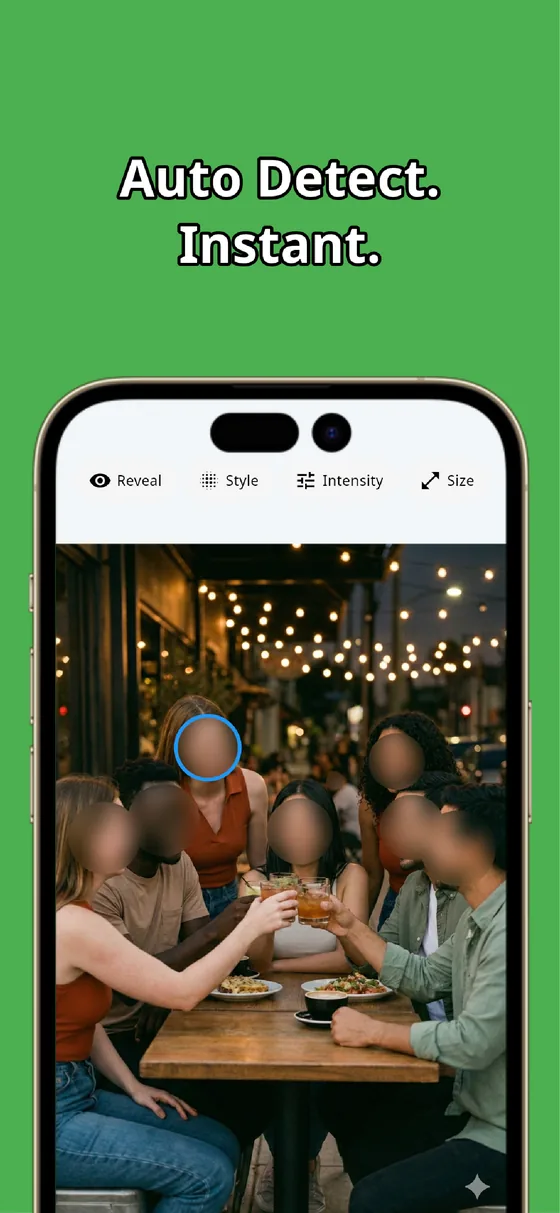

For plates, labels, and text, the manual brush covers what auto-detection cannot. Choose mosaic or blur, adjust the brush size, and raise the strength until the number or text can’t be read. Detection handles the faces, the brush handles the rest, and the two together cover most of what a free workflow needs.
And because it is offline, you are not trading privacy for convenience the way an upload-based tool asks you to. For a free option, that combination — auto-detect, manual brush, on-device — is the practical pick.
All three options can blur a face for free, but they differ on the things that matter: missed spots, effort, and whether your photo leaves your device. A dedicated, offline app with auto-detection and a manual brush gives you the fewest misses without uploading anything — and MozFace does exactly that, at no cost.

MozFace
Auto-mosaic or blur every face just by picking a photo. Cover plates and text with the manual brush. Free, and everything runs on your device, fully offline.
Learn more about MozFaceFrequently asked questions
Which free option is the safest for privacy?
An on-device option — the built-in editor or an offline app — keeps your photo on the phone. Online tools usually upload your photo to a server, so a clear face or plate leaves your device, which is often what you were trying to avoid.
Is the built-in editor good enough?
It can crop and draw by hand and it keeps the photo on your device, but it has no face detection and you cover each spot manually, so misses are easy when there are several faces. For reliability with many faces, a dedicated app helps.
Can auto-detection blur a license plate?
No — detection in MozFace works on faces, not plates or text. For plates, labels, and text you use the manual brush and raise the strength until the number can’t be read. Faces are handled automatically.
Is MozFace really free?
Yes. You can auto-blur faces and use the manual brush at no cost, and everything runs on your device, so your photos are never sent to an external server.