To blur a license plate in a photo: open it in MozFace, trace over the plate with the manual brush, choose blur or mosaic, and raise the strength until the characters are unreadable. The same brush covers a street address, a nameplate or a name on a document, and faces in the photo are blurred automatically in the same pass.
A family car's license plate ended up in the background of a marketplace listing. A nameplate with an address sits behind the photo you want to blog. You're about to post to social media and realize a name on a document is readable. Have you ever stopped mid-post because you noticed personal information caught in the photo — not just faces?
This article covers how to hide a license plate, address, or name in a photo, and how to combine it with automatic face blur to clear out everything from a single photo at once. We're the team behind the face blur app MozFace.
Personal info that ends up in photos
Photos capture far more information than we tend to notice. The common culprits:
- Car license plates — shots in parking lots or on the street, marketplace listing backgrounds
- Addresses, nameplates, mail — photos at the door or indoors
- Names and documents — name tags, addressed envelopes, paperwork in frame
- School or facility names — uniform logos, signs, buildings
Each is small on its own, but combined they can identify a person or their daily area. When you hide a face, it's worth keeping an eye on this background information too.
For anything but faces, use the manual brush
Non-face information like a license plate or address isn't covered by AI face detection. That's what the manual brush is for — hiding anywhere you trace with your finger. In MozFace, just drag over a plate or nameplate to blur or mosaic that area.
Brush size is adjustable, so you can hide small plate digits or a large sign exactly as needed. A single tap undoes a mistake, so you can experiment freely as you finish.

Faces automatically, info manually — all at once
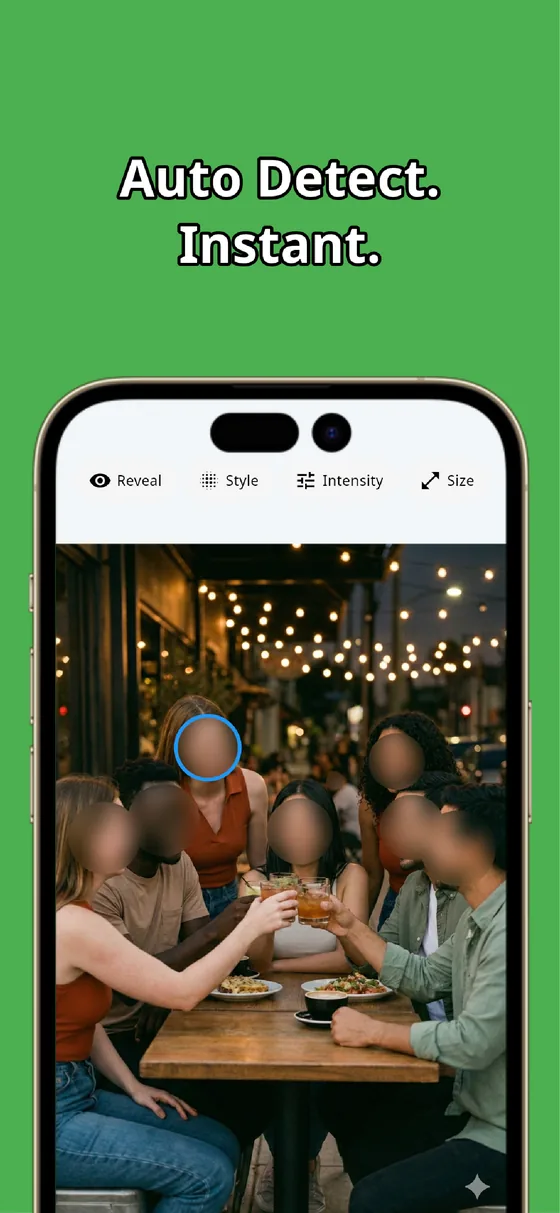
What's handy about MozFace is that automatic face blur and the manual brush live in one app. Pick a photo and every face is hidden automatically; on top of that, you brush over a license plate or address to hide it too.
For a marketplace photo, the family faces in the background go automatic, the license plate goes manual. You can clear everything you don't want to show from a single photo without switching apps. It all runs on the device — your photos are never sent anywhere.
Where this helps
For marketplace and online listings, hide the family faces and license plates caught in your product photos. For blogs and YouTube, the passersby, signs, and shop names in thumbnails and article images. For social posts, an address or name tag in an everyday photo. Hiding faces and personal info together makes the pre-post check much easier.
Summary: faces and personal info, cleared in one photo
Protecting a photo doesn't end at hiding faces. Minding background details like license plates, addresses, and names cuts down on trouble after you post. Faces automatically, personal info with the manual brush — MozFace lets you hide both within a single photo. Make it part of your quick pre-post step.

MozFace
Auto-blur every face just by picking a photo. Hide license plates and addresses with the manual brush. Fully offline.
Learn more about MozFaceFrequently asked questions
Can I hide just a license plate?
Yes. Just drag the manual brush over the license plate to hide it. You can keep faces visible and hide only the plate if you want.
Can I hide faces and personal info together?
You can. MozFace auto-blurs faces when you pick a photo, and the manual brush hides license plates, addresses, and more. It's all handled in one app.
Can it hide small text cleanly?
Brush size is adjustable, so it handles everything from tiny plate digits to large signs. You can also raise the strength until the text is unreadable.
Are my photos sent anywhere?
No. All editing happens on the device, so even photos with personal info are processed without handing them to anyone.