A wedding afterparty, a class reunion, a club or event group shot. "It was a great time and I'd love to post it — but I can't get everyone's permission, so I have to hide the other faces." Then you try to edit it, find that tracing each face is far more work than expected, and end up not posting at all. Sound familiar?
This article covers how to blur every face in a big group photo at once. We'll compare the limits of tracing by hand with a way to hide everyone automatically just by picking a photo, and find the easiest, most reliable approach. We're the team behind the face blur app MozFace.
Why group photos are hard to blur
For a photo with a few people, a trace-with-your-finger mosaic app is fine. The trouble starts as the count grows. With ten or twenty people in frame, tracing each face becomes a huge job, and accurately tracing only the face on a small screen is a struggle.
The scariest part of a group photo is a missed face. Working through many faces one at a time, it's easy to overlook someone small at the edge or in the back row. A single missed face can turn into a problem with that person. The more people there are, the higher the risk.
The fix: blur everyone automatically, then reveal who you want
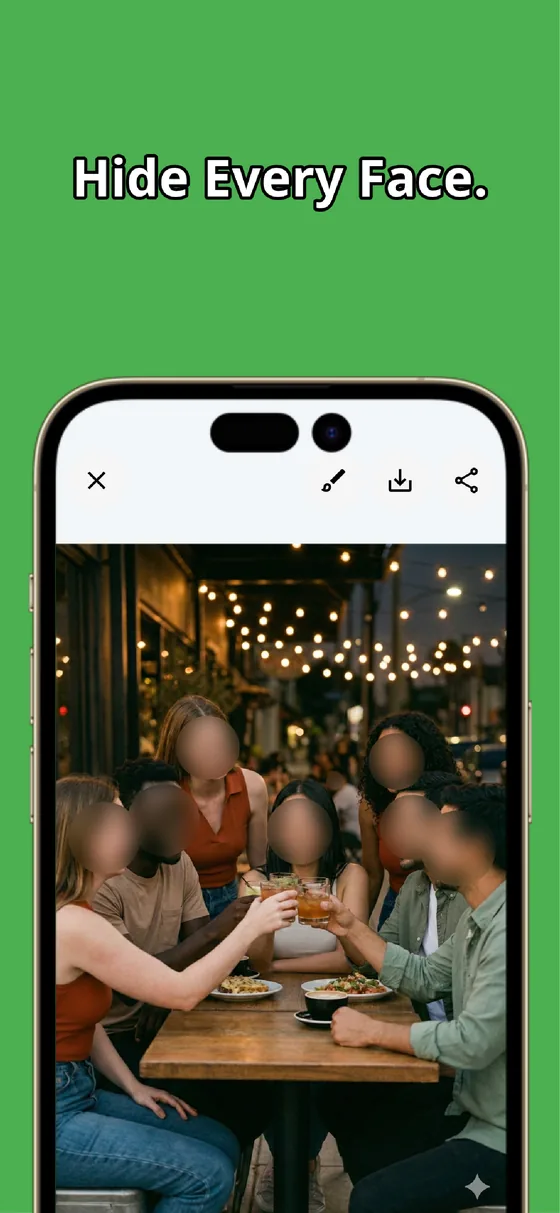
What solves the "more people, more work, more chance of a miss" problem at its root is this: blur everyone automatically first, then reveal only who you want to show. It's the design we cared about most when building MozFace.
The moment you pick a photo, AI detects every face in it and blurs them all at once. Twenty people, thirty people — you start from a state where everyone is already hidden. Since you never have to think about "who to hide," a miss can't happen by design.
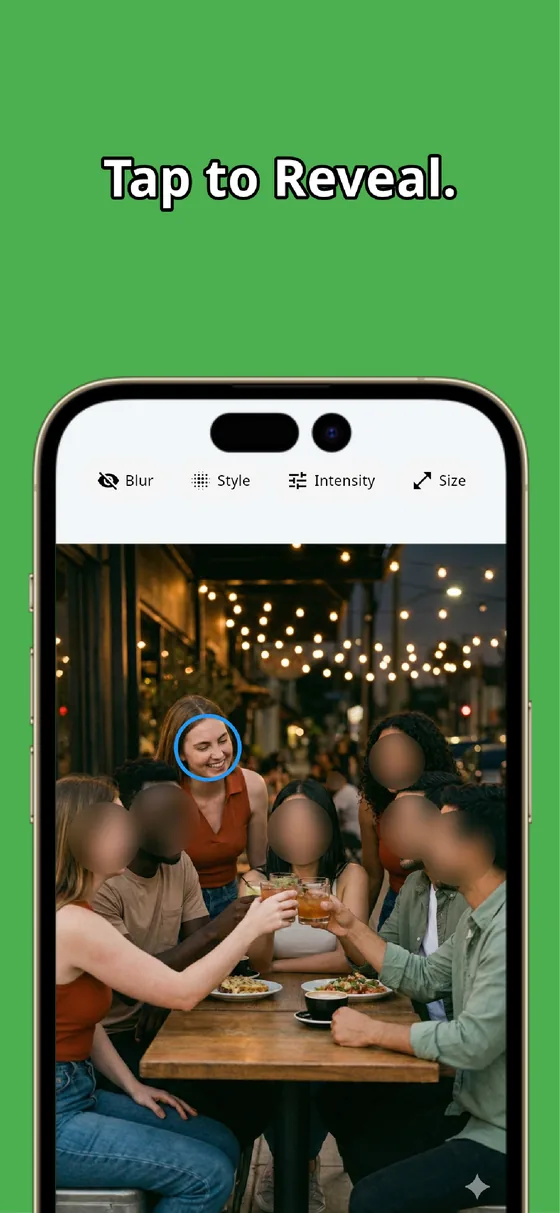
To show just you or a friend, tap to reveal
From the everyone-hidden state, just tap the faces you want to show. If it's only you, tap your own face once. Got a friend who's okay with it? Tap them too. The rest of the crowd stays hidden from the start, so doing nothing is the safe option.
Compared to the old way of selecting each person to hide, the number of taps drops dramatically. The bigger the group photo, the bigger the difference. Your post is ready in tens of seconds.
How much does it differ from tracing by hand?
Here's the effort to get a group photo posted, lined up next to a typical manual mosaic app.
| Trace-by-hand app | Auto, all at once (MozFace) | |
|---|---|---|
| Hiding 20 people | Trace 20 times | All done on selection |
| Missed faces | Easy to miss edges and back rows | Starts with everyone hidden |
| Showing just yourself | Hide everyone else by hand | Tap yourself once to reveal |
| How faces are hidden | Depends on the app | Mosaic, blur, or stamps |
Where this helps with group photos
Wedding and afterparty group shots, reunion and club photos, kids' events where other children appear, workplace event pictures. Any time it's "I want to post myself, but hide the others in the photo," this approach fits. The more people there are, the more you'll feel the gap from doing it by hand.
Beyond faces, you can also hide a license plate or nameplate caught in the background with the manual brush. Everything runs on the device, so there's no worry about your photos being sent anywhere.
Summary: big crowds are exactly where "auto, all at once" wins
Blurring faces in a group photo gets harder by hand the more people there are, and the risk of a missed face climbs with it. That's precisely why it helps to blur everyone automatically just by picking a photo, then tap to reveal only who you want. Big-crowd photos, safely to social media — try MozFace on your next group shot.

MozFace
Mosaic or blur every face just by picking a photo. Tap to reveal only who you want to show. Fully offline.
Learn more about MozFaceFrequently asked questions
How many faces can it hide at once?
You barely need to worry about a limit. The moment you pick a photo, it detects the faces in it and blurs them together, so even a big group photo is handled all at once.
Does it catch small faces at the edges or back?
It detects not just front-facing but also angled and side profiles. If a face is ever missed, you can hide it on the spot with the manual brush, so nothing is left exposed.
Can I show just myself or a friend?
Yes. From the everyone-hidden state, just tap the faces you want to show to reveal them. The rest stay hidden from the start, so you only ever pick who to show.
Are my photos ever sent to a server?
No. Detection and editing happen entirely on your device, and your photos are never sent anywhere.