We're the OneTapLog team. We install one notes app after another and, before we know it, stop opening them. We were the same for a long time. When we got to the bottom of why, it wasn't that we didn't want to write — it was that opening the app and getting to "start writing" was too much hassle. In this article we'll break down what that "hassle" really is, and how we removed it through design.
"Hassle" is built from a pile of tiny steps
There are actually a lot of operations packed into leaving a single note. Find and tap the app, wait for it to launch, pick a folder or note, create a new one, and finally reach the input field. Each step is only a few seconds, but stacked up they become plenty of reason to think "maybe later." Especially when one hand is full or you're walking, those few steps become a decisive wall.
Notes don't stick because of weak willpower. The cost to start writing is simply too high relative to the act of writing. We treated this as a design problem. Rather than making people muscle through it with motivation, we set out to eliminate the wall itself.
We made "write the moment you open it" the top priority
The instant OneTapLog launches, the input field and keyboard are up. We don't show a home list, a folder picker, or onboarding first — every one of those is "friction before writing." Making "open equals ready to write" the one thing we put above all else.
We made the UI a chat, not a notebook. A blank page makes people freeze, but a chat input lets you fire off a single line. The feeling that you don't have to write it nicely dramatically lowers the bar for that very first entry.

We cut the barrier to starting too: no sign-up, offline
We also removed the barriers at the very start of using it. No account is required — download, open, and you can already write. Just removing that first gate of "enter your email, wait for the confirmation" changes the odds of you sticking with it. Data is stored on your device first, so you can write even where there's no signal.
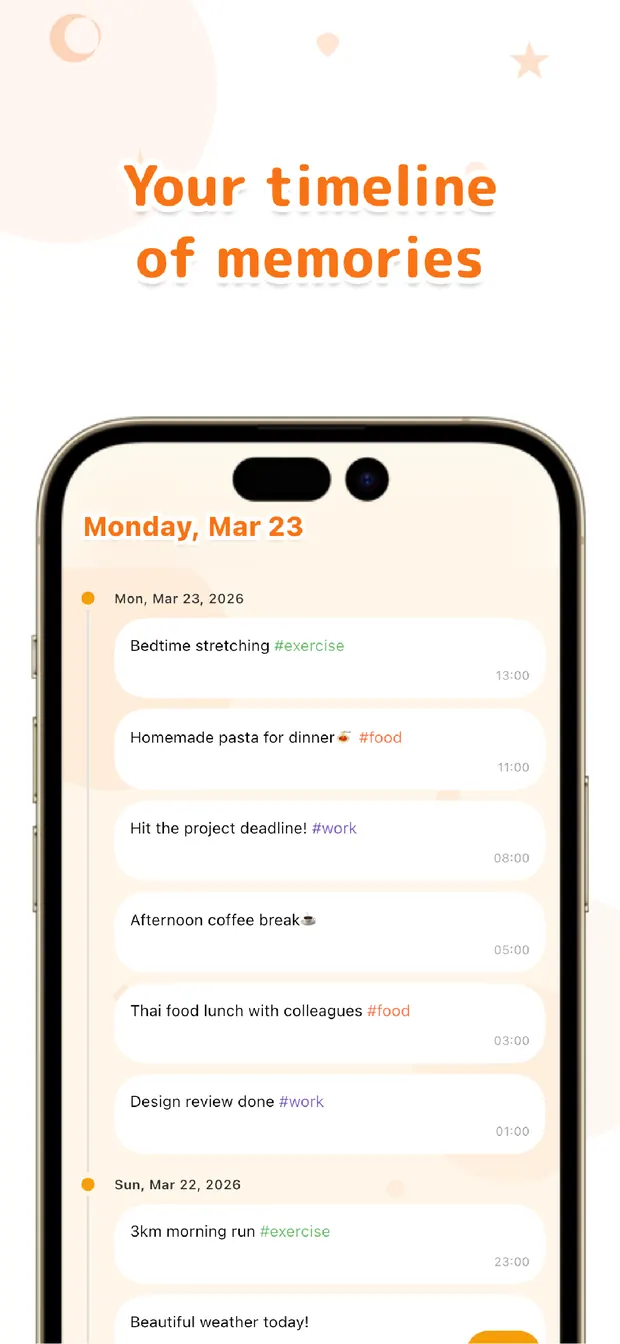
The notes you leave flow into a chronological timeline, and you can look back later with the calendar and full-text search. Write sloppily, and let the app handle finding it. It's a design that holds both "write lightly" and "look back reliably" together.
The more notes apps have failed to stick for you, the better the fit might be. What it takes to keep going isn't trying hard — it's a state where you can write without trying. We built OneTapLog around that single point.

OneTapLog
A 1-second memo that's ready to write the moment you open it. No folder picking, no new-note step. No account, works offline, free to start.
Learn more about OneTapLogFrequently asked questions
Do notes apps fail to stick because my willpower is weak?
Usually it's a design problem, not willpower. Small steps like launching, picking a folder, and creating a new note pile up, and you give up before you start writing. Reducing the steps before writing makes it easier to keep going.
What makes OneTapLog different?
The input field appears the moment you open it, so you can write right away without a folder picker or new-note step. The chat-style UI lets you send from a single line, with no sign-up and offline support.
Is it okay if I don't write it neatly?
Absolutely. It's designed to work from a single word or line. You can look back later with the timeline or search, so you can prioritize getting it down — however roughly — first.
Is it free?
Yes. Core features such as 1-second input, timeline, #tags, calendar, and search are free. Cloud sync, automatic backup, and 13 theme colors come with Pro.