We're the OneTapLog team. "Wait, did I already take it?" — you can't remember, and there's no way to check. Or you simply forget a dose. Because it's a daily routine, the memory of it tends to blur. In this article we'll walk through a simple way to keep a medication log so you can confirm whether you took it without leaning on memory.
Note: this article describes a way to keep a record. For decisions about your medication, or what to do if you miss a dose, please follow the instructions of your doctor or pharmacist.
Why "did I take it?" happens in the first place
Taking medication is nearly the same set of motions every day. Repeating an identical action makes it hard to remember, and "today's dose" blurs together with "yesterday's." The more medications you take, or the more your doses are split across morning, noon, and night, the more the very fact that you took it becomes fuzzy. With no way to check, you can't tell whether it's safe to take it again or whether you skipped it — and the uncertainty lingers.
The fix is simple: attach evidence — a timestamp — to the fact that you took it. Look at the record instead of your memory, and the doubt disappears.
Leave a one-tap note the moment you take it
The instant you open OneTapLog the input field is right there, so after taking your medication just type "morning meds" or "blood pressure pill" and send it with one tap. A timestamp is added automatically, so "what time I took it" becomes evidence on its own. Later, when you think "did I take it?", just glance at the most recent entry. No digging through memory.
Add a #meds tag and you can pull up just your medication entries later. The trick is to log right after you take it, and the ease of writing the moment you open the app is exactly what helps you catch that "right after."

Check whether you're keeping it up with the calendar
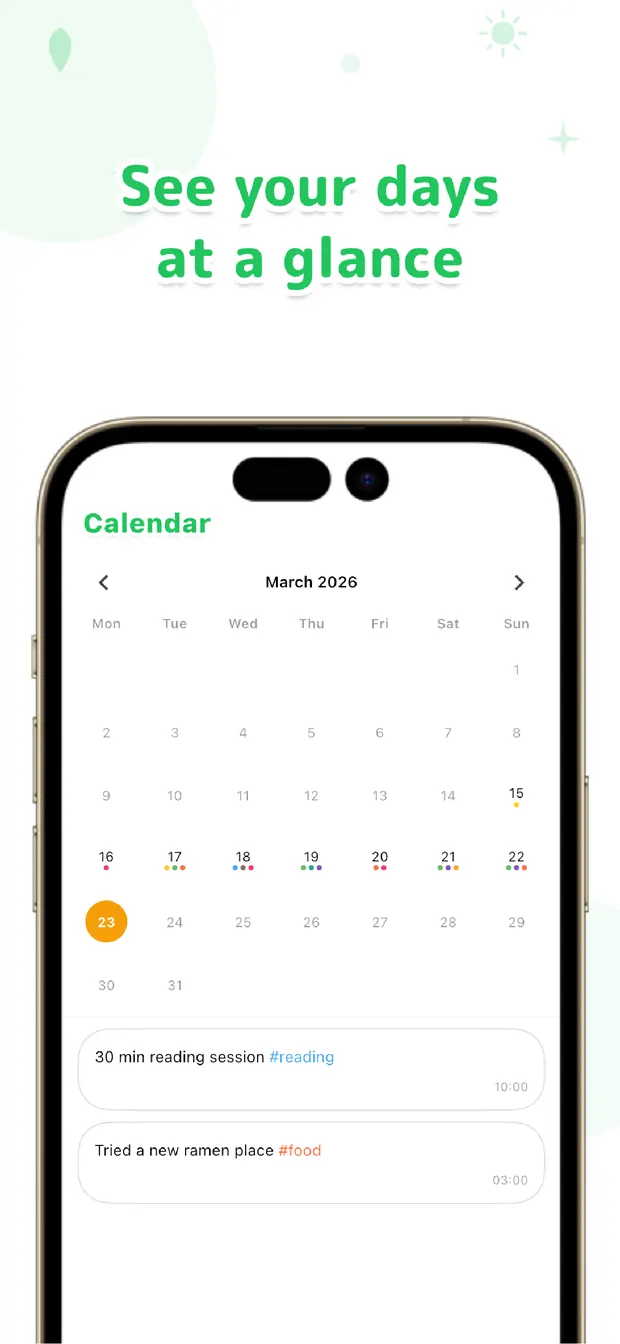
Not just whether you took it today, but whether you're "keeping it up consistently" matters too. View your records on the calendar and a missed day stands out at a glance. If a doctor asks at a visit whether there were days you forgot, you can answer accurately by showing your record.
If you'd like a nudge to remember when to take it, you can set a daily reminder. That said, there are dedicated medication-management apps for building detailed per-drug schedules, so if you need strict management, pairing OneTapLog with one of those is a good fit. What OneTapLog is good at is quickly capturing the fact that you took it, and confirming it later.
The anxiety of "did I take it?" can be erased with a single record. Take it, leave a quick line with a timestamp. Just relying on the record instead of your memory makes daily medication far easier.

OneTapLog
Take it, leave a line — one tap and it's timestamped. Confirm "did I take it?" with the record. No account, works offline, free to start.
Learn more about OneTapLogFrequently asked questions
I lose track of whether I took my medication. What should I do?
Leaving a record the moment you take it is the surest fix. With a timestamp on it, you can confirm "what time I took it" just by looking, without relying on memory.
Can it help prevent missed doses?
A daily reminder can create a cue to write (and take it). You can also check for missed days on the calendar, which helps you see whether you're keeping it up. For what to do about a missed dose, consult your doctor or pharmacist.
How is this different from a dedicated medication app?
If you want to build detailed per-drug schedules, a dedicated app is a better fit. OneTapLog is suited to quickly capturing the fact that you took it in a single line and confirming it later. You can keep notes about how you feel in the same place too.
Can I show my record at a doctor's visit?
With the timeline, calendar, and #tag filtering, you can show exactly when you took it. Keeping notes on changes in how you feel alongside it also helps you explain things during the visit.