We're the OneTapLog team. You're in the middle of something, a chat pings or a colleague drops by, and twenty minutes later you sit back down and stare at the screen: where was I, exactly? That blank moment is small, but it repeats all day, and the cost adds up. We've felt it too. In this article we'll talk about why resuming after an interruption is so hard, and the one-line habit that shortens it.
The cost isn't the interruption — it's the restart
The interruption itself is usually short. What drains you is rebuilding the mental state you had before it: which file, which step, what you were about to do next. That context lived only in your head, and the interruption wiped it. By the time you've reconstructed it, you've often lost more time to the restart than to the interruption. The fix isn't to block every interruption — that's not realistic — it's to stop letting the restart start from zero.
The cheapest way we know is to leave a breadcrumb at the exact moment you step away. Not a tidy summary written later, when the memory is already fading — a single line written while it's still fresh, in the half-second before you turn to the interruption.
One line the moment you stop, with #interruption
With OneTapLog, the input field is already open when you launch the app, so you type something like “Up to the login API, next is the error handling” and send with one tap. Add #interruption so you can find it instantly later. Because it takes about three seconds, you can do it even as you reach to answer the call.
The trick is to write the next action, not the past one. “Next is the error handling” tells your future self exactly where to put their hands down. A timestamp is saved automatically, so you never have to note when you stopped — when you come back, the most recent line is your starting point.

Open the timeline and pick up where you were
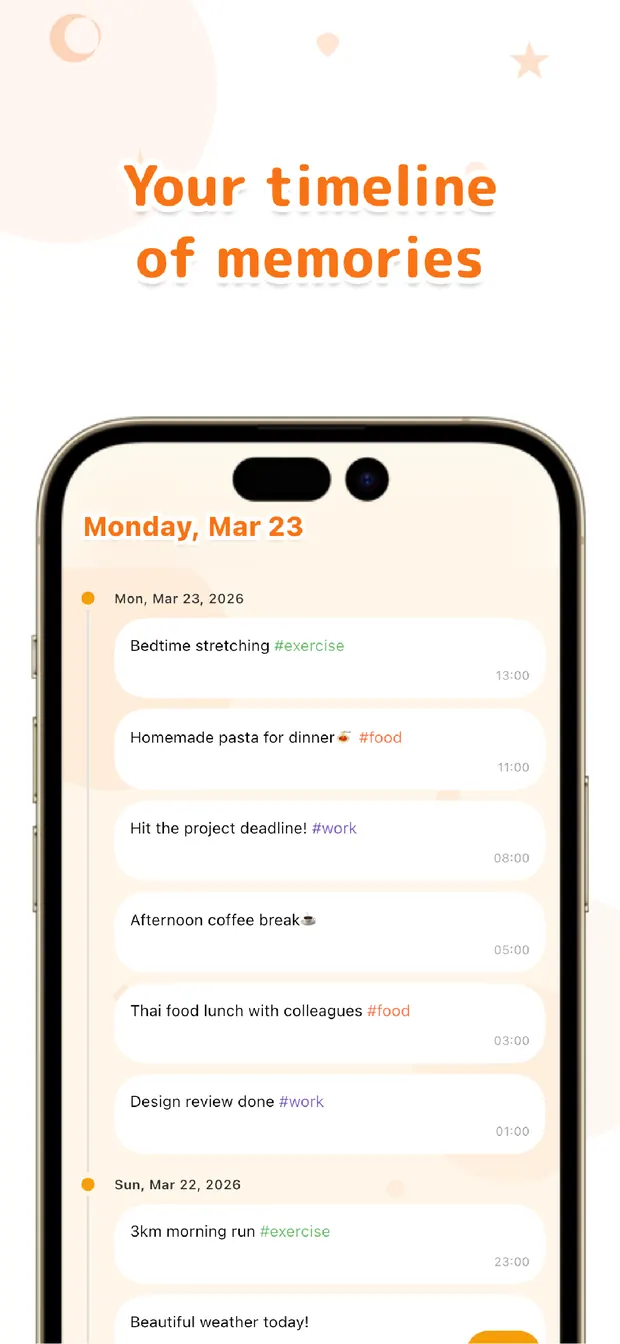
Back at your desk, you open the timeline and the last thing you wrote sits right at the top in time order. There's no hunting through your head or your tabs — the line tells you what you were doing and what came next. The handoff your past self left makes the restart almost instant.
Over a day this builds into a quiet trail of where your attention actually went. Searching #interruption later shows how often you got pulled away and at what — which is its own kind of useful, if you ever want to defend your focus.
You can't stop interruptions, but you can stop paying for them twice. Leave one line on the way out and the way back in gets short. Write the next step, not the last one — that small habit, we've found, is what makes resuming feel smooth.

OneTapLog
One line, one tap, the moment you step away. Pick up fast with the timeline, #tags, and search. No account, free to start.
Learn more about OneTapLogFrequently asked questions
What should an interruption memo actually say?
Write the next action rather than a summary of the past. A line like “done up to the API call, next is error handling” tells your future self exactly where to restart, so you don't have to rebuild the context from memory.
Isn't writing a memo just one more interruption?
It takes about three seconds because the input field is open the moment you launch the app and one tap sends it. That small cost is far smaller than the time you lose rebuilding where you were when you come back cold.
How do I find where I left off when I return?
Open the timeline and your most recent line sits at the top in time order. Adding a tag like #interruption also lets you search and gather every stopping point if you want to look back across the day.
Does it record the time automatically?
Yes. Every entry is timestamped when you send it, so you never have to note when you stopped. The timeline and calendar use those timestamps so you can see exactly when each break happened.