We're the OneTapLog team. The end of the day comes, you open the daily-report box, and your mind goes blank — what did I actually do today? You know you were busy, but the specifics have evaporated. So you pad it out with vague phrases and feel a little hollow about it. We've been there. The problem isn't that you did nothing; it's that you tried to remember a whole day at the very moment memory is weakest. In this article we'll show how to stop relying on end-of-day recall.
Why the daily report goes blank
A workday is dozens of small tasks, context switches, and side errands. Each one feels too minor to remember, so by evening they've blurred into a single fog of “busy.” Writing a report then means excavating the day from a tired brain, and the small wins — the bug you quietly fixed, the call you handled — fall out first. The result reads thin, not because the day was thin, but because the recall was.
The way out is to move the writing earlier, into the moments the work actually happens. If you leave a crumb each time you finish something, the evening stops being an act of memory and becomes an act of gathering. The trick is making each crumb cheap enough that you'll actually leave it mid-task.
Leave a one-line log as you work, with #work
With OneTapLog, the input field is open the moment you launch the app, so you finish a task and type “Fixed the login bug” and send with one tap. Add #work so the whole day's entries gather under one tag. It costs a few seconds, far less than reconstructing the day later.
You don't write the report here — you just drop the raw material. Each line gets a timestamp automatically, so the order sorts itself out. By the time the day ends, you've already authored the report in pieces without ever calling it writing.

Pull the day together with search at clocking-off time
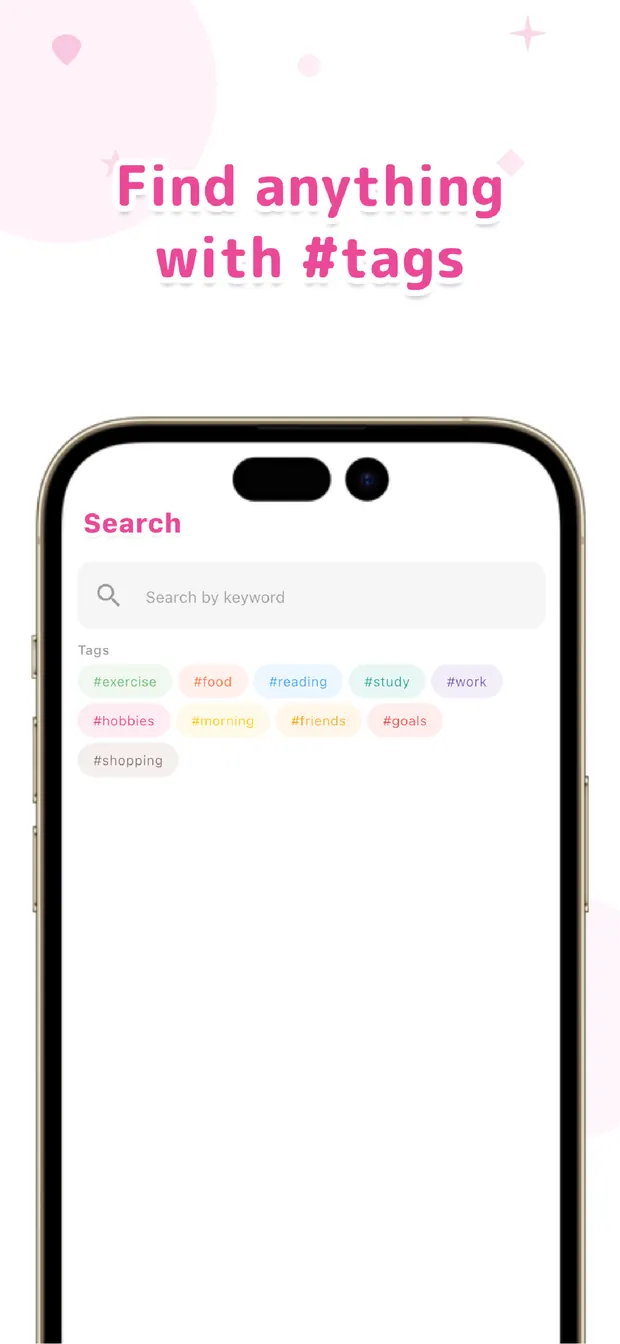
At the end of the day, search #work and today's lines come up together, already in time order. You read down the list, drop the throwaways, and the rest is your report — concrete, in your own words, with the small wins still in it.
No automatic summary writes it for you; the point is that you no longer write from a blank page. The day is already on the screen, and your job shrinks to arranging what's there. Some days you'll be surprised how much you actually got done.
The blank report isn't a memory problem you have to fix with effort — it's a timing problem you can fix with habit. Capture as you go, gather at the end — that order, we've found, turns the dreaded report into a five-minute tidy-up.

OneTapLog
A one-line log as you work, gathered into your daily report with #tags and search. No account, free to start.
Learn more about OneTapLogFrequently asked questions
I never have anything to write in my daily report. What helps?
Stop trying to recall the whole day at once. Leave a one-line note each time you finish a task, and at the end of the day gather them with search. You write from real material instead of a blank page.
Does OneTapLog write the report for me automatically?
No. There's no automatic summary or AI writing. It simply keeps your one-line logs and lets you pull the day's entries together with search and the timeline, so the report is yours to arrange quickly.
How do I collect just today's work entries?
Add a tag like #work to each note as you go, then search that tag at clocking-off time. The matching lines come up in time order, so you can read down them and assemble the report.
Won't logging while I work break my focus?
The input field is open the moment you launch the app and one tap sends it, so a note takes a few seconds at a natural break between tasks. That's far cheaper than rebuilding the day from memory later.