We are the MozFace team. Maybe you have seen a headline saying that mosaic or blur can be undone, and now you are not sure how to hide things safely at all. There is a grain of truth here, but it is often blown out of proportion. This article gives an honest picture: when a hidden area can sometimes be partly read back, and how to set things up so the part you want hidden stays unreadable.
When mosaic can actually be read back
A weak mosaic or pixelation does not erase information — it averages it into bigger blocks. When the processing is light and regular, some of the original pattern still survives in those blocks, and in certain cases that residue can be partly recovered, especially for short, predictable things like a handful of digits where only a few answers are even possible.
The honest takeaway is not that mosaic is useless, but that a light setting over a small area is the weak case. We would not claim any method is absolutely impossible to reverse. What we can say is that as the strength goes up and the covered area grows, the amount of usable information left behind drops fast — and that is the lever you control.
Turn up the strength until nothing is left to read

In MozFace you choose the type and the strength. For something you truly need hidden, do not settle for a faint pixelation. Push the mosaic blocks large, or use a heavy blur close to a solid fill, so the text or face dissolves into a flat patch with no readable structure left. When almost nothing of the original survives, there is nothing meaningful to recover from.
Pick the look that fits — a clean blur for a portrait, a strong mosaic or a near-solid fill for digits and labels. The point is to judge by the result: if you can still make out the shape, raise the strength until you cannot.
Cover a wider area, and let faces be auto-detected
Strength is only half of it — how much you cover matters just as much. Hiding the exact outline of a number leaves the surrounding shape as a hint, so trace a margin around it with the manual brush and cover the whole region, not just the characters. A wider, stronger patch removes the context an attacker would lean on.
For faces, MozFace runs on-device AI that detects every face and opens with all of them blurred, so you start from a safe state instead of dabbing at each one. Raise the strength on those areas too, tap to reveal only who you want shown, and everything stays on your device — your photos are never sent anywhere.
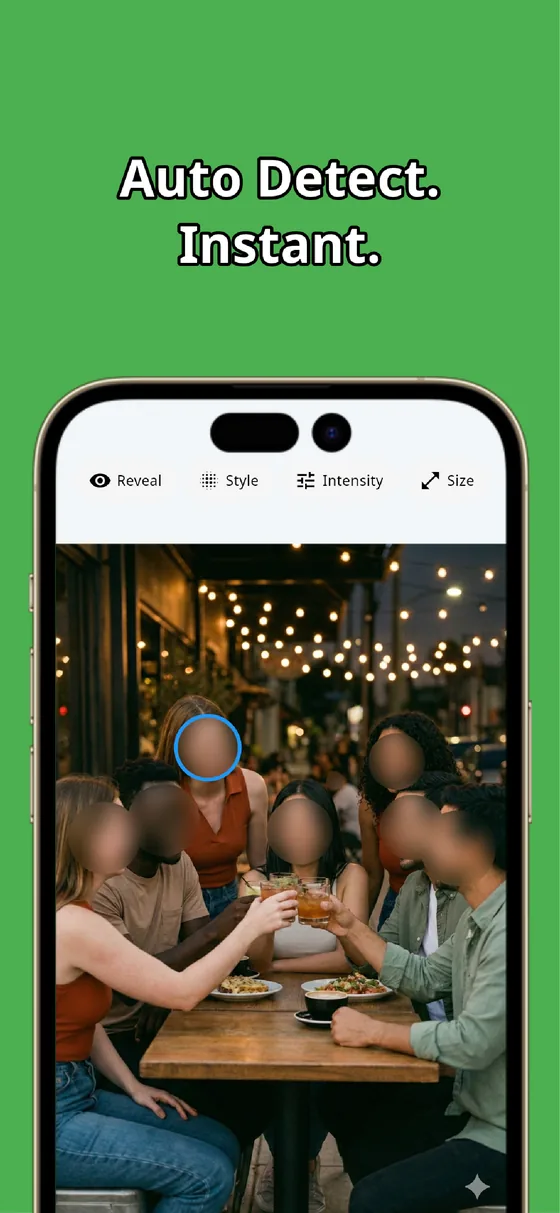
So is mosaic safe? It depends on how you use it. A faint, narrow patch is the risky case; a strong setting over a generous area leaves nothing useful to read back. Choose the type and strength deliberately, cover a little wider than feels necessary, and your hidden details stay hidden.

MozFace
Choose the blur or mosaic type and dial the strength up until nothing is left to read. Auto-detect every face just by picking a photo. Everything runs on your device, fully offline.
Learn more about MozFaceFrequently asked questions
Can mosaic really be reversed?
A weak, regular pixelation over a small area can sometimes be partly read back, especially for short predictable things like a few digits. This is the weak case, not a rule that all mosaic fails. A strong setting over a wider area leaves very little to recover.
What setting should I use to hide something safely?
Turn the strength up so the area becomes a flat patch with no readable structure — large mosaic blocks or a heavy blur close to a solid fill. Judge by the result: if you can still make out the shape, raise it further.
Why does covering a wider area help?
Hiding only the exact outline leaves the surrounding shape as a hint. Tracing a margin around the target and covering the whole region removes the surrounding context, so there is less for anyone to reconstruct from.
Are my photos ever sent over the internet?
In MozFace, face detection and editing happen entirely on your device, and your photos are never sent to any external server. It works even with no signal.