We are the MozFace team. Your iPhone or Android phone already has a photo editor built in, and reaching for it to hide a face is the natural first move. It can work for a single, simple photo — but the moment you try to do it well, or do it often, the limits show. This article is an honest look at what the built-in editor can and cannot do, and where a dedicated mosaic app makes the job easier.
What the built-in editor struggles with
The stock editor gives you crop and a freehand marker. Useful, but limited when the goal is to hide a face cleanly. The common problems are: the freehand fill looks rough and obvious, sitting on the photo like a scribble; gaps slip through, where a thin edge of the face stays visible or the marker thins out into something still readable; and there is no face detection, so every face is manual. With a group photo or a stack of photos, that quickly becomes tedious, and missing one becomes likely.
For one quick edit, the built-in tools are fine. But if you hide faces regularly — for listings, for social posts, for your kids' photos — those rough fills and missed spots add up.
A real mosaic, with strength you control

In MozFace, you trace the area with your finger and choose mosaic, blur, or a stamp, then dial the strength up or down. Instead of a marker scribble, you get a clean mosaic or blur that reads as intentional and covers the detail underneath. Adjust the brush size and it fits a small face or a thin line of text alike.
Because you control the strength, you can push a mosaic until the original is no longer readable, rather than hoping a hand-drawn fill is opaque enough. That said, no cover is a guarantee against every recovery attempt — strong settings are simply far more reliable than a thin marker line.
Auto-detection removes the tedious part
The biggest gap the built-in editor leaves is the manual hunt for faces. MozFace runs on-device AI that detects every face and opens with all of them blurred, so a crowded photo is handled in one step rather than face by face. You tap to reveal anyone who is fine to show.
This is where a dedicated app saves the most effort: the more faces in the photo, and the more photos you process, the bigger the difference. All processing stays on the device, and your photos are never uploaded.
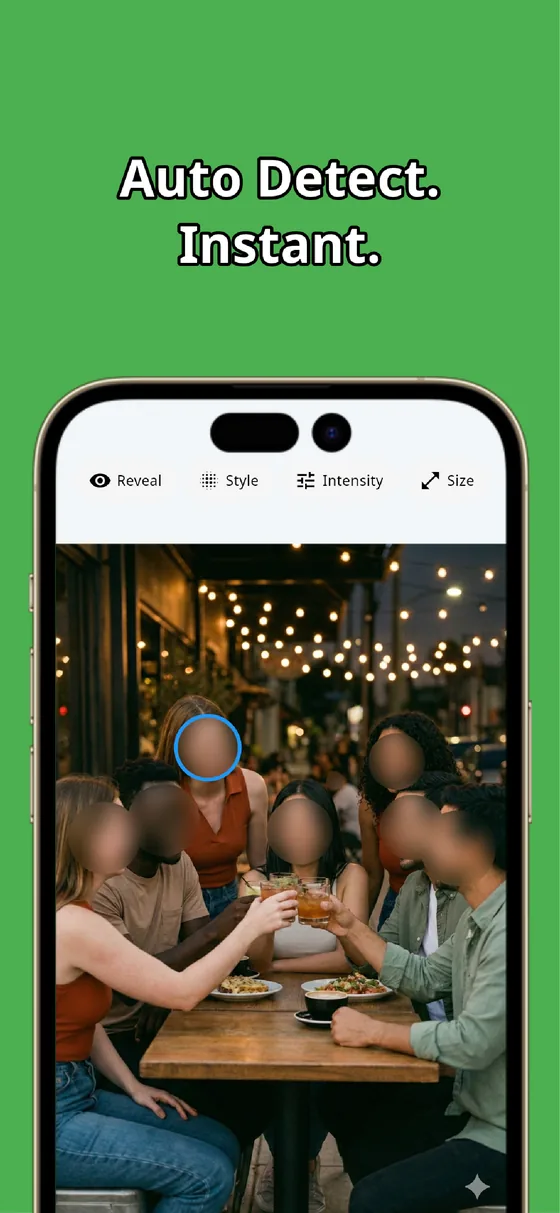
The built-in editor is fine for one rough edit, but its limits are real: scribbly fills, gaps, and no face detection. A dedicated app gives you a clean mosaic with adjustable strength and auto-detection that handles every face at once. Whether a photo is safe to post is ultimately your call — the right tool just makes covering what matters quick and dependable.

MozFace
A clean mosaic or blur with strength you control, plus auto-detection that hides every face at once. Everything runs on your device, fully offline.
Learn more about MozFaceFrequently asked questions
Can I just use my phone’s built-in editor?
For one simple photo, yes. But the freehand fill looks rough, gaps can slip through, and there is no face detection, so a group photo or a batch of photos becomes tedious and easy to get wrong.
How is the mosaic in a dedicated app different?
You choose mosaic, blur, or a stamp and adjust the strength, so the cover reads as intentional and can be pushed until the detail underneath is no longer readable, rather than relying on a thin marker line.
Does it remove the manual hunt for faces?
Yes. MozFace detects every face and opens with all of them blurred, so a crowded photo is handled in one step. You only tap to reveal a face that is fine to show.
Are my photos ever sent over the internet?
In MozFace, face detection and editing happen entirely on your device, and your photos are never sent to any external server. It works even with no signal.