We are the MozFace team. The pool, the beach, a sprinkler in the backyard — summer photos of kids splashing around are some of the best memories to share with family and friends. At the same time, swimwear photos of children deserve a little more care than everyday shots. This article isn't meant to scare you. It walks through the risks you can prevent once you know about them, and how to share safely without ruining the feel of the photo.
Bottom line: blur faces in swim photos before posting, whatever your privacy settings. MozFace blurs every face automatically the moment you pick a photo.
Why swim photos need extra care
Photos of children in swimwear show more skin, and there are documented cases of such photos being reposted and misused in sexualized contexts. Sharenting-related harms like "digital kidnapping" — strangers saving a child's photos and posting them as their own — and impersonation accounts built from collected photos are also well known. To be clear, most posts pass without incident. But once a photo has been saved or reposted, you can no longer delete it yourself, so this is a problem you can't fix after the fact. That's exactly why one small step before posting is worth it.
It's not just faces — details to check
Faces aren't the only thing to review before posting. Details like these can reveal where your child spends time and when.
- Facility names and logos — pool signage, lifeguard vests, a water park's logo. They tell everyone "we come here every summer"
- Signs in the background — a beach shack's name or nearby signboards can narrow down the location
- Belongings with names on them — the writing on a float, bag, or water bottle is more readable than you'd think
- Other people's kids in the frame — especially friends' children: don't post their faces without permission
Back shots, stickers, or blur — what each is good for
You have options. Posting only back shots is reliable, but it rules out the photos with the best expressions. Covering faces with stickers is easy and cute, but with many people it becomes tedious manual work, and some photos end up looking busier than you'd like. Blur keeps the atmosphere of the photo almost intact and can be applied to everyone in one pass. For crowded swim shots, blur is usually the most practical choice.
The MozFace workflow: auto-detect plus manual brush
Load a photo into MozFace and the AI detects every face and opens the photo with the blur already applied. Poolside crowds and side profiles are handled together, so there's no tracing people one by one in a busy shot. You can also tap to reveal only the faces you want to show.
One practical tip: faces underwater, under a low-brimmed hat, or behind goggles can slip past automatic detection. Before saving, zoom in and check for misses, then trace any uncovered face with the manual brush. The same brush hides facility signs and names written on belongings.
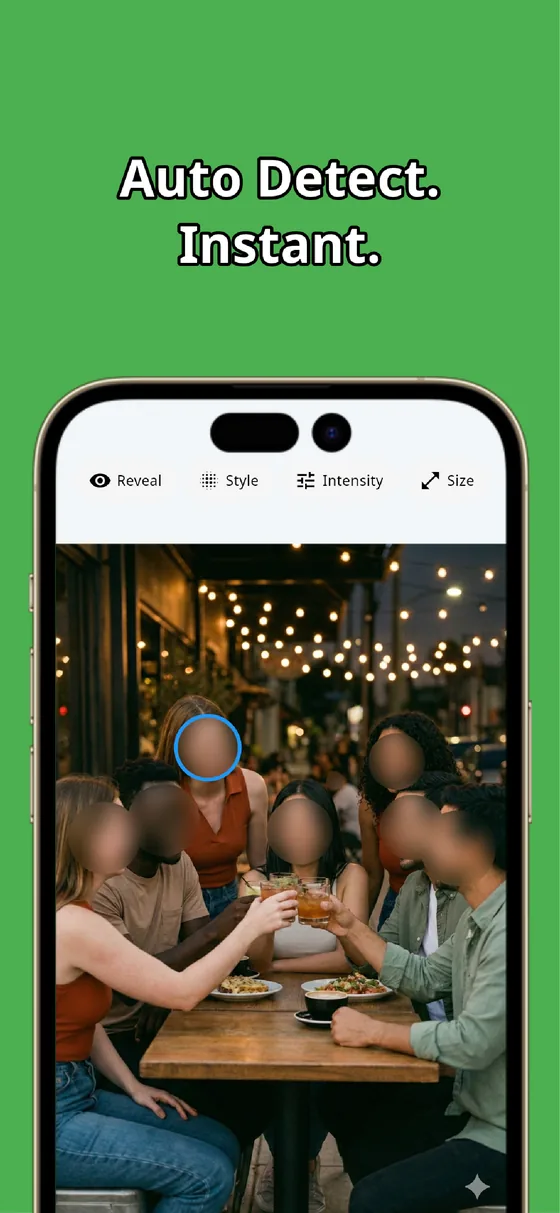

You can choose mosaic, blur, or stickers, and adjust the strength. For summer photos, a light blur keeps the mood of the day. The edited image is saved as a separate file, so the original memory stays untouched while you post the covered version.
Everything runs on your device — the photo is never sent to any external server. Swimwear photos of your child are sensitive data, and with MozFace they never leave your phone.
 Download MozFace for free
 Available for iOS / Android · No registration required
A private account isn't a guarantee
Many parents reason, "my account is private, only followers can see it." But even on a private account, any viewer can take a screenshot, and then the photo lives on their device. Privacy settings can't stop what happens after that. This isn't about distrusting your followers — it's simply how the mechanics work. That's why blurring before you post, regardless of audience settings, is the most reliable protection.
Sharing summer memories is not a bad thing — sharenting only becomes a problem when it's done without care. Blur the faces, check the background details, and never post other people's kids without permission. Make those three things a pre-posting habit, and the risk drops substantially. Then share the fun photos with peace of mind.
MozFace
Pick a photo and every face is mosaicked or blurred automatically. Cover missed faces and signs with the manual brush. Everything runs on your device, fully offline.
Learn more about MozFaceFrequently asked questions
Is a private account enough, without blurring?
Even on a private account, a viewer's screenshot puts the photo beyond your control, and privacy settings can't stop redistribution from there. It's safest to blur before posting, whatever the audience setting.
What about friends' kids in the same photo?
The rule of thumb is not to post their faces without permission. MozFace hides every face the moment you pick a photo, so you can tap to reveal only your own child and leave everyone else covered.
Can I delete a photo I already posted?
You can delete your own post, but not copies that were already saved or reposted. Platform reporting tools and takedown requests exist but aren't guaranteed, which is why covering faces before posting is the most effective step.
Can MozFace blur faces underwater or behind goggles?
Automatic detection can miss those, but you can trace them with the manual brush. We recommend zooming in before saving to check for missed faces.
Are my kids' photos sent anywhere?
No. Face detection and editing happen entirely on your device, so sensitive photos like swimwear shots never go to any external server.