We're the OneTapLog team. You mean to stay hydrated, but the hours slip by and you realize you've barely had any water — and you couldn't say how many glasses you actually drank today even if you tried. We know the feeling. The issue usually isn't that you don't care; it's that there's no quick way to keep count. This article is about logging your water in a way that's light enough to actually keep up.
Without a count, hydration stays a vague feeling
Drinking water is so ordinary that it leaves no trace in memory. You finish a glass, get back to work, and the act is gone within minutes. By evening, “did I drink enough today?” has no real answer — only a guess. And when you can't see your intake, you can't tell whether you're falling short or doing fine.
The fix isn't to drink on a strict schedule. It's to leave a quick mark each time you drink, so the count exists somewhere outside your head. Once the record is there, the picture forms by itself.
Just type “water” and tap send
With OneTapLog, the input field is waiting the instant you open the app. Type “water” — or “water, big bottle” if you want the detail — and send it with one tap. The timestamp is added automatically, so you never have to note the time yourself. There's nothing to set up and nothing to calculate.
Add #water to the note and it becomes a tag, letting you pull up just your drinks later. OneTapLog doesn't nudge you or remind you to drink; it simply gives you a frictionless way to record it the moment you do, which is what keeps the habit alive.

The timeline shows how much, and when
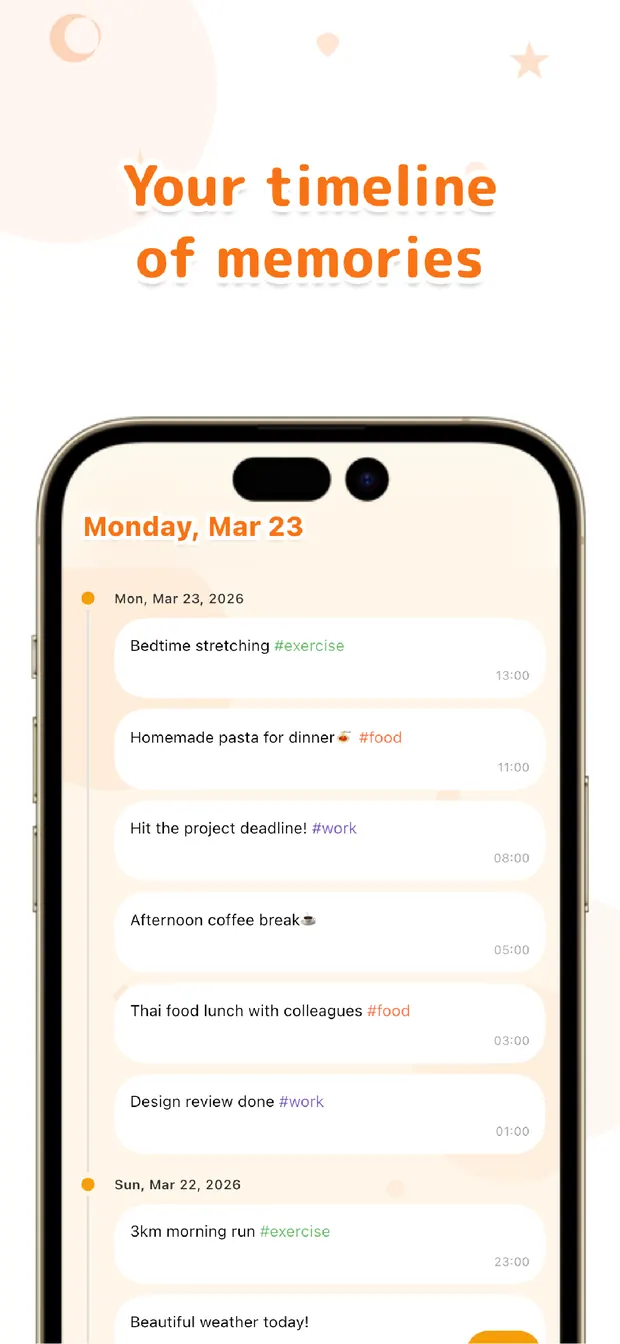
Because every entry carries its own timestamp, the timeline reads like a record of your day's hydration. You can count the marks to see how many times you drank, and the spacing tells you when you went too long without — like a dry stretch from morning straight through to mid-afternoon.
Filter by #water and only your drinks line up, so the day's total becomes something you can actually see instead of a hunch. Over a week, the timeline quietly separates your good days from your forgetful days, and you can adjust from there.
You don't need targets or alerts to drink better. Just tap “water” each time, let the timestamp and timeline keep the count, and let the record show you where you stand. Log it in the moment, review it later — that's the simplest way we know to stop losing track of your water.

OneTapLog
Type “water” and tap send. Auto timestamps keep the count for you. Look back later with #tags, timeline, and search. No account, free to start.
Learn more about OneTapLogFrequently asked questions
How do I log water as quickly as possible?
Open the app, type “water,” and tap send. The input field is already there and the timestamp is added for you, so each drink takes just a couple of seconds to record.
Does OneTapLog remind me to drink water?
No. OneTapLog doesn't send reminders or nudges. It focuses on making the act of recording effortless, so you can capture each drink in the moment and review your intake afterward.
How do I see how much I drank today?
Add #water to your notes and filter by that tag, or look at the timeline. Because each entry has an automatic timestamp, you can count your drinks and see the timing across the day.
Can I record what kind of drink it was?
Yes. Since each entry is free text, you can write “water, big bottle” or note tea and coffee separately. Tags let you group them however you find useful when you look back.