We're the OneTapLog team. You tell yourself you'll cut back on snacks, then a cookie disappears at your desk and a bag of chips vanishes in the evening, and by the weekend you genuinely can't say how much you ate. We've been there too. Trying to fight the habit with willpower rarely lasts. What changes things, in our experience, is not resisting harder but seeing the habit clearly. This article is about how to keep a snacking log that actually holds up.
You can't cut back on what you can't see
The hard part about snacking isn't a single big binge — it's the small, scattered grabs you forget about minutes later. Each one feels harmless, so nothing registers, and by the end of the week there's no honest picture to react to. When you decide to "eat less" with no record, you're aiming at a blur.
So we suggest flipping the order: before trying to cut back, just leave a mark each time you snack. Not to judge yourself, but to let the pattern surface. Once you can see it, the noticing tends to happen on its own.
One word plus a photo, the moment you eat
With OneTapLog, the input field is already there when you open the app, so you type a quick note like “chocolate, afternoon” and send it with one tap. Snap a photo of the wrapper if you like. There's no portion picker and no calorie entry. Because a snack takes about five seconds to log, you can catch it in the moment instead of forgetting by the time you'd normally write it down.
Drop #snack into the text and it becomes a tag automatically, so later you can pull up only your snacking entries. The whole point is that logging stays so light it survives a busy, distracted day.

The calendar turns the habit into something you notice
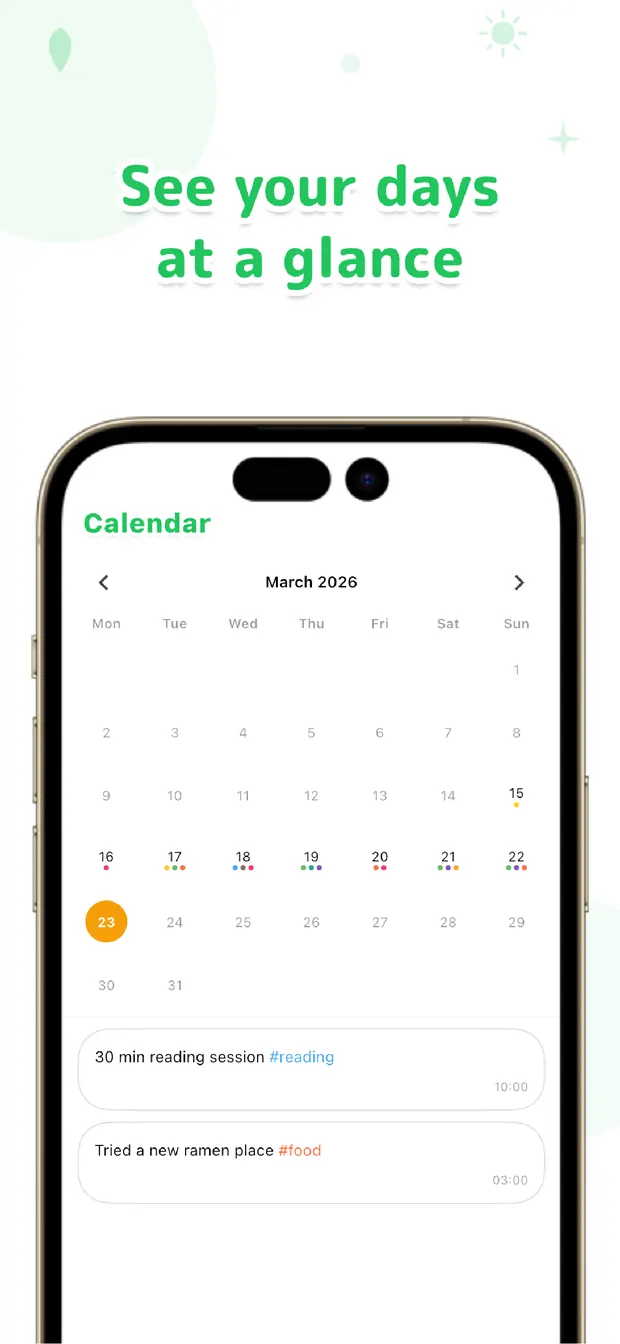
After a week of light notes, the calendar makes the shape obvious: the days stacked with snacks, the late afternoons that keep repeating, the stretch where it quietly piled up. Search for #snack and every entry lines up so you can feel the frequency rather than guess at it.
That visibility does more than any rule. Seeing “three afternoons in a row” is often enough to make you pause before the fourth. Because your notes on meals and mood sit on the same timeline, you might also spot that you snack most on the days you skipped lunch or felt stressed — a connection you'd never catch from memory.
You don't have to swear off snacks to benefit. Just leave a quick note each time, let the calendar show you the truth, and let the noticing do the work. See it first, change it later — that order, we've found, is what makes a snacking habit easier to live with.

OneTapLog
One word + a photo, one tap. A snacking log that sticks with no calorie entry. Look back later with #tags, calendar, and search. No account, free to start.
Learn more about OneTapLogFrequently asked questions
I can never keep a snacking log going. Any tips?
The biggest fix is making each entry tiny. A single word plus an optional photo, sent in one tap, is light enough to log in the moment, so it survives busy days far better than detailed tracking.
Does OneTapLog count calories in my snacks?
No. There's no automatic calorie or nutrient calculation. OneTapLog is for quickly noting what you snacked on and seeing the pattern later. For strict nutrition numbers, a dedicated app is the better tool.
How do I review just my snacking later?
Add #snack to your note and it becomes a tag. You can then search that tag or browse the calendar to see which days and times you snacked most, making the frequency visible at a glance.
Can a log really help me cut back?
It works through awareness rather than rules. Seeing the habit laid out on the calendar often makes you pause before the next snack, and because mood and meal notes share the same timeline, you can spot what triggers it.