We're the OneTapLog team. Caring for a pet is a stream of small moments — fed at seven, a bit off their food, threw up once, vet on Thursday. Each feels too minor to write down, until the vet asks “when did this start?” and you can't say. Your other hand is usually busy with a leash, a bowl, or the animal itself, so any logging has to work one-handed and fast. Here's how we keep a care record that survives real life: a line and a tap, nothing to set up.
The small moments are the ones the vet asks about
Pet-care apps often build elaborate forms — species, weight charts, feeding schedules. But day to day, what you need to capture is tiny and unpredictable: a skipped meal, a softer stool, a limp that comes and goes. These don't fit neat fields, and they happen while your hands are full, so they go unrecorded. Then weeks later a pattern matters and there's nothing to point to.
A health worry is rarely one event; it's a trend you only see by looking back. That makes the boring daily note — fed, walked, seemed fine — quietly valuable, because the day something changes only stands out against the days that were normal. The catch is that the note has to be effortless, or you won't leave it.
One line, one hand, with #pet
With OneTapLog, the input field is open the moment you launch the app, so you thumb-type “Left half her breakfast” and send with one tap, leash still in the other hand. Add #pet so the whole care record gathers in one place. A photo of a rash or the stool fits in the same note if you want to show the vet later.
There's nothing to configure — no profile, no schedule to fill. The timestamp saves itself, so when the vet asks when something started, the answer is already in the entry. The point is to make the record cheap enough that you keep it on the dull days too.

See the care record on the timeline
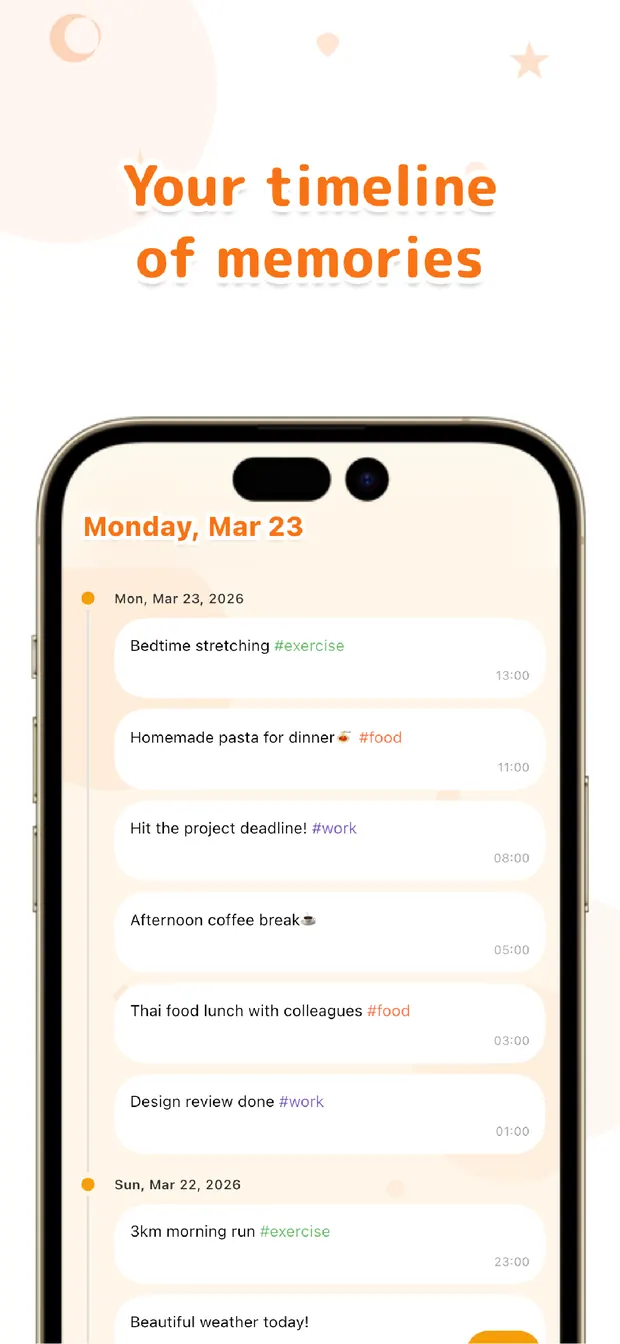
The timeline lays the care record out in order, so you can scroll back and watch the days. The week the appetite dropped, the run of normal walks, the vet visit — they sit in sequence, and at an appointment you can read it straight off the screen instead of guessing from memory.
Searching #pet pulls only the care notes out of everything else you log. Whether it helps the vet or just helps you notice a trend early, the value comes from the record having kept going — not from any analysis the app does, because it doesn't.
Looking after an animal is enough work without a heavy app on top. A line, a tap, one hand — keep that habit, and when it matters you'll have the days laid out in order, ready to read.

OneTapLog
One line, one hand, one tap for your pet's day. Look back with the timeline, #tags, and search. No account, free to start.
Learn more about OneTapLogFrequently asked questions
Can I log my pet's day with one hand?
Yes. The input field is open the moment you launch the app, so you thumb-type a short line and send it with one tap while your other hand holds the leash or bowl. There's nothing to set up first.
Does it have dedicated fields for feeding or weight?
No. You write everything as a free one-line note and group it with a tag like #pet. That keeps the unpredictable little things — a skipped meal, a soft stool — easy to capture without filling a form.
Can I show the record to the vet?
The timeline lays your notes out in time order, and each entry is timestamped, so you can answer when something started. You can also attach a photo of a rash or stool to a note to show at the appointment.
Does it analyze my pet's health for me?
No. There's no automatic analysis or prediction. It keeps your notes and lets you scroll the timeline and search the tag, so you can spot a trend yourself by looking back over the days you recorded.