We're the OneTapLog team. When you're holding your baby, you usually have just one free hand. Recording "when was the last feed?" or "when did I change the diaper?" in that state is harder than it sounds. In this article we'll talk about how to keep a baby log you can jot down one-handed, and why it lightens the daily load.
Baby logs fail because of "input weight"
Feeds, diapers, sleep, temperature — there's a lot you'd like to track, but selecting a category and setting a time, one-handed, many times a day, just isn't realistic. When the act of logging feels heavy on top of sleep deprivation, the record naturally breaks down. Logging falls apart not because parents lack willpower, but because the input is too heavy.
So the first thing to cut is the effort of writing. A log that's neatly categorized matters less than one you can actually keep up one-handed — the latter ends up being far more useful.
Putting "write the instant you open it" to work for one-handed parenting
The instant you open OneTapLog, the input field is there. When a feed ends, type "feed, right"; after a diaper change, "poop"; when the baby falls asleep, "asleep" — then one tap. A timestamp is added automatically, so there's no need to enter the time yourself. With just your thumb, you can leave it in seconds.
Add tags like #feed #diaper #sleep and you can look back by type later. You don't have to pick from fixed fields — you can write it in your own words for your own baby, which is another reason it's easy to keep up.

The timeline shows "when was the last one?" at a glance
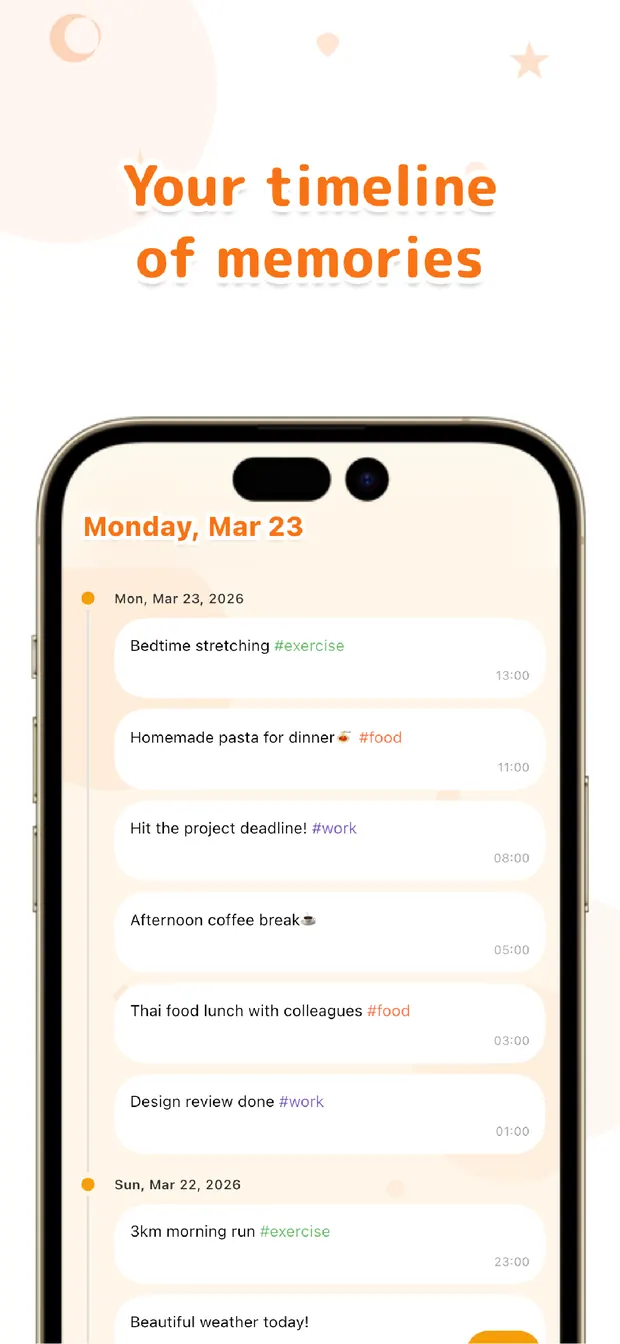
Your entries line up in a chronological timeline, so you can see "what time was the last feed?" at a glance. Being able to estimate the next feed, or trace the most recent entry even when you're half-asleep in the middle of the night, is a small thing that brings real peace of mind.
When you and your partner take turns caring for the baby, looking at the same record makes handoffs smooth (sharing requires Pro, which adds cloud sync). At a checkup, if you're asked about feeding intervals or sleep, you can answer straight from your record. As the months go by, memory notes like "smiled for the first time" can live in the same timeline too.
The goal of a baby log isn't to capture everything perfectly. A lightness you can keep up one-handed, even sleep-deprived is what helps most. Start with a single word like "feed" or "asleep."

OneTapLog
Open it, one word, one hand. Log feeds, diapers, and sleep with automatic timestamps. The timeline shows "when was the last one?" instantly. No account, free to start.
Learn more about OneTapLogFrequently asked questions
Can I log one-handed?
Yes. The input field appears the instant you open the app, so you just thumb-type a word and tap send. The time is added automatically, so you can jot it down even while holding the baby.
Can I check what time the last feed was?
Your entries line up chronologically in the timeline, so you can check the most recent one right away. Filter to just feeds with a #tag and tracking intervals becomes easier too.
How is this different from a dedicated baby-tracking app?
If you need graphs or detailed fields, a dedicated app is a better fit. OneTapLog's strength is the ease of leaving a single word quickly without being tied to fixed fields, and you can keep non-baby notes in the same place.
Can I share the record with my partner?
With cloud sync you can view the same record across multiple devices (a Pro feature), which helps with handoffs when you take turns. If you use it only on one device, no account is required and it works offline.