We're the OneTapLog team. You'd like to keep a simple record of your period and the symptoms around it, but the dedicated apps are so packed with features, settings, and prompts that you stop opening them. We understand that. Sometimes the thing standing between you and a lasting record isn't a missing feature — it's too many of them. This article is about keeping these notes the simple way.
One note up front: OneTapLog is not a medical app. It doesn't predict cycles, give health advice, or make any kind of forecast. It's a plain, fast place to write down what you choose to, and to look back on it yourself.
When an app does too much, you stop using it
Feature-rich trackers ask you to set up cycles, tag dozens of symptom types, and answer daily prompts. For someone who just wants to jot “started today” or “cramps, rough morning,” all of that is overhead. Each extra step is one more reason to put it off, and a few put-offs are enough to abandon the whole thing.
So the simpler aim is to write the day's state in your own words and move on. No setup, no schema — just a quick line you can leave on the days it matters and skip on the days it doesn't.
A word and a tag, sent in one tap
With OneTapLog, the input field is ready the moment you open the app. Type the day's state — “day 1,” “light, mild cramps,” “feeling off” — and send it with one tap. The timestamp attaches itself, so the date is recorded for you with nothing to configure.
Add a tag like #period to keep these entries grouped. There's no list of mandatory fields and no cycle to set up first — just the few words you'd actually want to remember. That plainness is exactly what makes it easy to keep up.

Look back on the calendar, in your own words
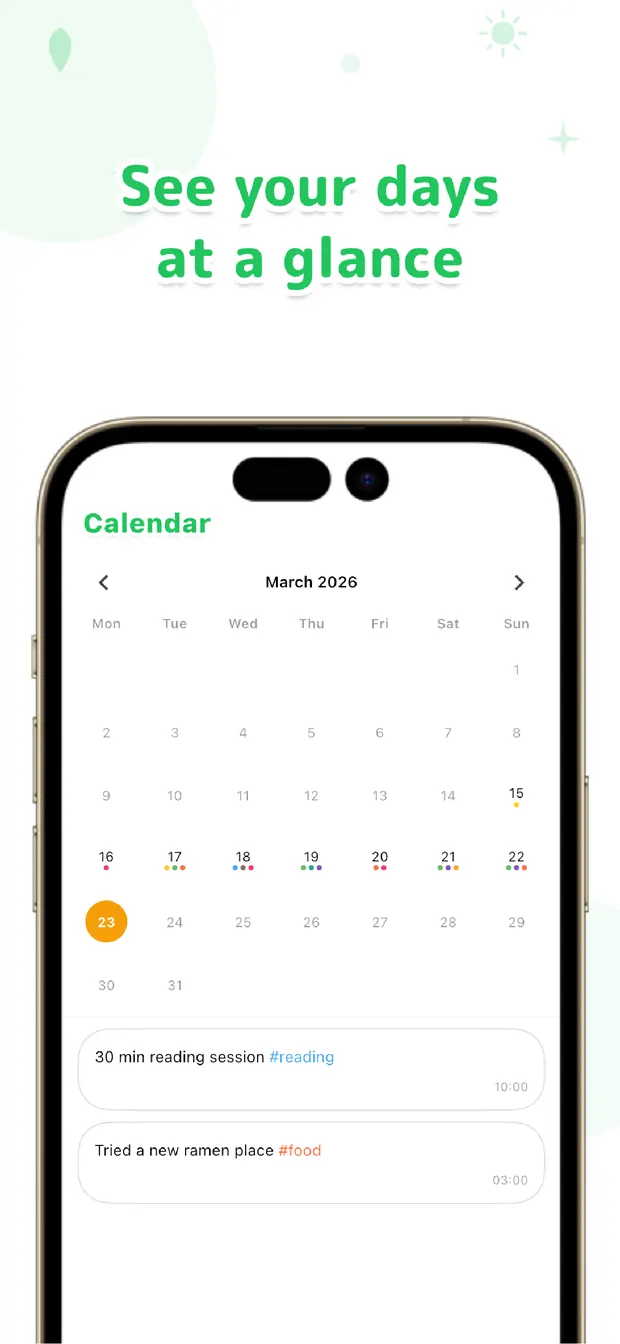
On the calendar, your entries show up on the days you made them, so you can glance back at when things started and how the symptoms ran. Filter by #period or search a word like “cramps,” and the relevant days line up for you to read.
Since your condition, mood, and meal notes live in the same place, you can browse them together and form your own sense of how they relate. OneTapLog doesn't interpret any of it — it simply keeps your notes searchable so the looking-back is in your hands.
You don't need a heavy, all-in-one tracker to keep a record that's useful to you. A few honest words, a tag, and a calendar to revisit is enough. Simple is what lasts — and a record that lasts is the one that's actually worth keeping.

OneTapLog
A word + a tag, one tap. A simple record with no setup. Look back later with #tags, calendar, and search. No account, free to start.
Learn more about OneTapLogFrequently asked questions
Does OneTapLog predict my cycle?
No. OneTapLog doesn't predict cycles or make any forecasts. It's a simple notes app that records what you write yourself, so you can look back on it. For cycle predictions or health guidance, a dedicated service is the right tool.
Is this a medical app?
No. OneTapLog doesn't provide medical advice or diagnosis. It simply stores your own notes for you to review. If you have health concerns, please consult a medical professional.
Do I need to set anything up before I start?
No. There's no cycle setup or required fields. Open the app, type the day's state in your own words, add a tag if you like, and tap send. The date is recorded automatically.
How do I look back on my notes?
Use the calendar to see entries by day, or filter by a tag like #period and search keywords such as “cramps.” Your condition and mood notes share the same timeline, so you can review them together.