We're the OneTapLog team. Anyone who's memorized vocabulary knows the real enemy isn't learning the word — it's the slow forgetting afterward. Review at the right moment and the word sticks; review too late and you're learning it from scratch all over again. The catch is that you rarely remember when you learned something, so you can't judge when it's due for a look. In this article we'll talk about how simply logging the day you memorized lets you take back control of your review timing.
Forgetting starts from the day you learned
Memory fades on a curve, and the curve starts ticking the moment you first learn something. That means the single most useful fact for reviewing — when you learned it — is exactly the one you tend to lose. You'll catch yourself thinking "did I pick this up last week or last month?" and without an answer, every review becomes guesswork. You either review too often and waste time, or too late and have to relearn.
The fix is almost embarrassingly simple: write down the day you memorized it. Once that date exists, you can look at it and decide for yourself when to come back — a few days later, then a week, then a month. The record gives your review a starting line.
A one-line tap the moment it clicks
With OneTapLog, the input field appears the instant you open the app, so the moment a word clicks you type "Learned ephemeral" and send with one tap. The timestamp is saved automatically, so the day is captured without you doing the date math. Add a #memorized tag and every word you've logged lines up together when you search for it.
A quick note on division of labor: OneTapLog doesn't drill cards or run a spaced-repetition schedule for you — there's no automatic review algorithm here. The actual memorizing is better handled by a dedicated app like Flips, which is built for testing recall. OneTapLog's job is the plain, reliable record of when you learned each thing, so you can decide your own review days off the back of it.

Read your learning days off the calendar
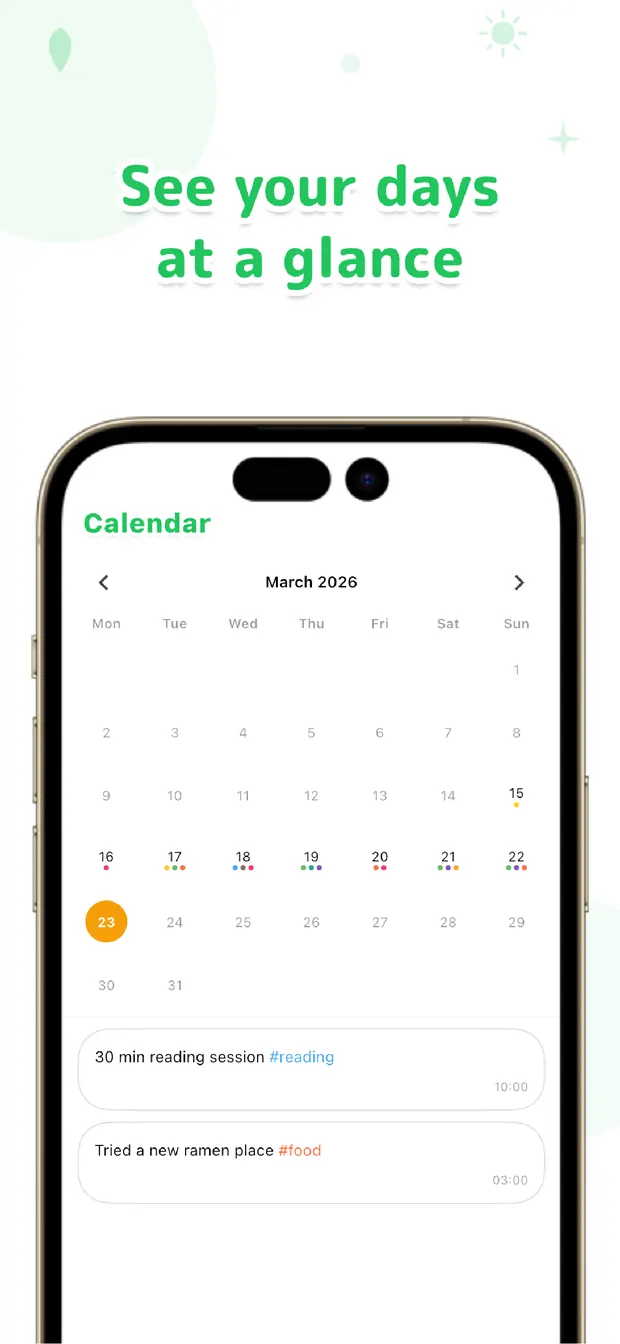
On the calendar, the days you learned new words show up where they happened, so you can glance back and see "these went in on the 5th, those on the 12th." From there it's easy to spot which words are now a week old and probably worth a second pass, and to set your own rhythm for coming back to them.
Because you're choosing the review days yourself rather than following a fixed schedule, you stay in control — you can lean on words you find hard and breeze past the ones that stuck. The calendar doesn't tell you what to do; it just shows you when you learned, and that's usually all you need to time a review well.
If words keep slipping because you never know when they're due for review, the missing ingredient is simply a record of the day they went in. Tap a one-line note with #memorized the moment something clicks, then read your learning days off the calendar. Memorize with a dedicated tool, time your reviews from the record — that pairing, in our experience, is what keeps hard-won words from fading.

OneTapLog
One line plus #memorized, one tap, the moment a word clicks. The day is saved for you, so you can read your learning days off the calendar and time your own reviews. No account, free to start.
Learn more about OneTapLogFrequently asked questions
Why does it help to log the day I memorized something?
Forgetting starts from the day you learn, so knowing that day is what lets you judge when a review is due. Without it, reviewing becomes guesswork — too often or too late. A simple record of the date gives every review a starting line.
Does OneTapLog schedule reviews for me automatically?
No. There's no automatic spaced-repetition schedule. OneTapLog records when you learned each thing, and you decide your own review days from that. It's a record, not a study planner.
Then what handles the actual memorizing?
A dedicated flashcard app such as Flips is built for the memorizing itself — drilling cards and testing recall. OneTapLog sits alongside it, keeping the plain record of when you learned each word so you can time your reviews.
How do I find which words are due for review?
The calendar shows your learning days where they happened, so you can see which words went in a week or a month ago and decide what's worth a second pass. Searching the #memorized tag lines them all up together too.