We're the OneTapLog team. There's a particular kind of restlessness that comes from a head full of half-finished thoughts — a worry, a stray idea, a thing you mustn't forget, all swirling at once. You sense you should write them down, but you wait until you can put them in order first, and so they never get out. In this article we'll talk about why that backs up, and how dumping each fragment as it comes keeps your head clear.
Trying to organize first is why nothing gets out
Thoughts don't arrive tidy. They show up mid-task, out of order, half-formed — and the moment you tell yourself you'll sort them into the right place later, the gap between the thought and the writing becomes too wide to cross. So the fragment stays in your head, taking up space, nagging quietly, joined by the next one and the next. We came to believe the fix is to separate capturing from organizing.
Getting a thought out of your head shouldn't require deciding where it belongs. If you can just empty it somewhere, right now, the pressure eases — and you can shape it later, when you actually want to. The design question for us was simple: how do you make throwing out a thought so quick that nothing piles up behind it?
Throw the thought out the moment it appears
With OneTapLog, the input field opens the instant you launch the app, so you type the thought exactly as it came — what if we flipped the intro? — and send in one tap. No title, no folder, no deciding. The timestamp is saved for you automatically.
Don't tidy it up. A messy fragment is fine; the point is to get it out so your head has room again. If you want, drop a #idea on it as you go, but even that's optional. Empty first, sort never or later.

Pick it back up later from the timeline
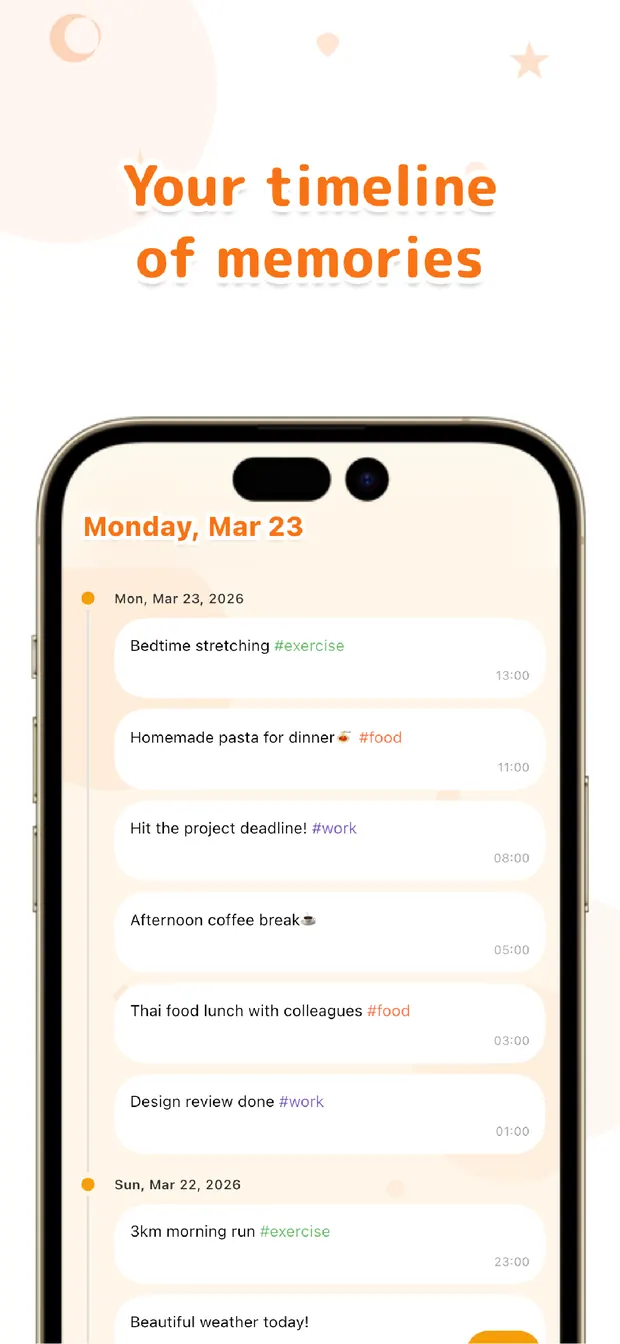
Everything you dumped lines up in the timeline, newest at the top, each with its timestamp. When you've got the time to think, scroll back through it: most fragments turn out to be noise you can let go, and a few are worth keeping or acting on. Either way, they're out of your head and in front of your eyes.
Looking for one in particular? Search a word from it, or the #idea tag if you added one, and it surfaces. Nothing has to be organized for you to find it again — the record holds it, so you don't have to.
If a crowded head keeps you from settling, try emptying it one line at a time, the instant each thought lands. Dump now, sort later — that loop, we believe, is a light and reliable way to keep your mind clear without losing anything that mattered.

OneTapLog
One line, one tap, no folders. Empty your head now and pick it back up later from the timeline or search. No account, free to start.
Learn more about OneTapLogFrequently asked questions
What is a brain dump and how does OneTapLog help?
A brain dump means getting every loose thought out of your head without organizing it first. OneTapLog opens straight to an input field, so you can type a fragment and send it in one tap, then deal with it later.
Do I need to organize my notes as I write them?
No, and that's the point. Capturing and organizing are kept separate, so you just empty the thought now. There are no folders to choose, and you can shape or discard it later from the timeline.
How do I find a thought again afterwards?
Everything you dump lines up in the timeline with its timestamp, so you can scroll back through it. To find one in particular, search a word from it, or a tag like #idea if you added one, and it surfaces.
Is it okay if my notes are messy?
Completely. A messy fragment does the job — getting it out of your head is what frees up space. You can tidy the ones worth keeping later, and let the rest go.