A permission slip is a short written note where a parent or guardian agrees to one specific thing: this child, this activity, this date. A good one answers six questions: who, what, when and where, what it costs or involves, who to call in an emergency, and who signed. The templates below do that in plain wording you can copy into a document and print.
We’re the OurPost team. We build an app for the other half of the problem: the signed slip goes back to school, and then nobody at home can say what it said, when the trip is, or whether the other parent already signed one. We’ll get to that at the end. First, the template.
OurPost turns the papers kids bring home into a shared family inbox. Snap a paper, and both parents have it. Free to capture, search, and share with up to 6 family members. No ads. On the App Store and Google Play.
Learn more about OurPostWhat a permission slip has to say
Most slips that cause trouble are missing the same few things. The activity is described too loosely (“class outing”), the date is left off, or there is no second phone number. Schools and districts usually have their own approved form, and if yours does, use it. A homemade slip is for the cases where nobody sent one: a club, a co-op, a sports team, a classroom volunteer, or a note you write yourself.
Put the child’s full name and grade or class at the top, then the activity in a sentence a stranger could understand, then date, start and end times, and meeting point. After that come anything the family is agreeing to (cost, transportation, supervision) and the emergency contact. The signature line goes last, with a date next to it so a stack of slips can be sorted later.
Template 1: school activity or event
Copy this into a document, replace the underscores, and print one per student. Everything the parent has to fill in is at the bottom, so the teacher can complete the top half once and copy it.
Permission Slip
Student name: ______________________ Grade / class: ____________
Activity: ____________________________________________________
Date: ______________ Leave at: ________ Return by: ________
Location / meeting point: ______________________________________
Transportation: ☐ School bus ☐ Parent-provided ☐ Walking ☐ Other: ________
Cost: $________ Due by: ______________ ☐ Cash ☐ Check ☐ Online
Please bring: _________________________________________________
Parent / guardian section (return by ______________)
☐ I give permission for my child to take part in the activity described above.
☐ I do not give permission.
Allergies, medical needs, or anything the supervisors should know: __________________________
Emergency contact: ____________________ Phone: ________________
Second contact: _______________________ Phone: ________________
Parent / guardian signature: ______________________ Date: ____________
A few small choices in this version are deliberate. The “I do not give permission” box means a blank slip and a refusal look different, so the teacher knows whether to chase you. Two emergency contacts are there because the person who signs is often the one at work and unreachable. And the “return by” date sits in the parent section so it is on the part that comes home.
Template 2: a note you write yourself
Sometimes the parent writes the slip: your child is leaving early for an appointment, or someone else is picking them up. Schools generally have their own check-out rules (many want the person’s ID and the name on a pre-approved list), so treat this as the written record, not a replacement for the office’s procedure.
Parent note
Date: ______________
To: ______________________ (teacher / front office)
I am the parent / guardian of ______________________ in ______________ class.
Please allow my child to ____________________________________ on ______________ at ________.
(Example: leave school early for a medical appointment / be picked up by a family friend)
If someone other than me is picking up: name ______________________, relationship ______________, phone ________________.
You can reach me at ________________. Thank you.
Signed: ______________________ Parent / guardian of: ______________________

OurPost
OurPost is a shared inbox for school papers. Snap a signed slip before it goes back in the backpack, and your partner sees it too. Search it later, sort with lists and tags. No ads, and family sharing is free.
Learn more about OurPostBefore you sign: the three-second check
Read the date and time against your own week before the pen touches the paper. A surprising number of conflicts start with a signature given in a hurry at the kitchen counter. Check that the cost and the due date are clear, and that the slip tells you who is supervising. If the paper says a form is attached and nothing is attached, ask. If you are unsure about the medical lines, school nurses and front offices see the same questions every week and are happy to answer them.
Keep a photo of what you signed
This is the part we built OurPost for. The signed slip goes back in the backpack and out of your house, which is exactly when someone asks “what time are they back from the museum?” or “did you sign the other one too?” If the answer is on your phone, nobody has to dig through a backpack that is already at school.
In OurPost you open the camera, snap the slip, and save. There is nothing to type and nothing to choose while you do it. The in-app scanner straightens and crops the page. If you share a family with your partner, the new paper shows up in their inbox as well, without anyone forwarding anything. Later you can put it in a list (say, one per child) and add a tag like “permission slip”, and the search covers the words printed on the page, so searching “museum” finds it.
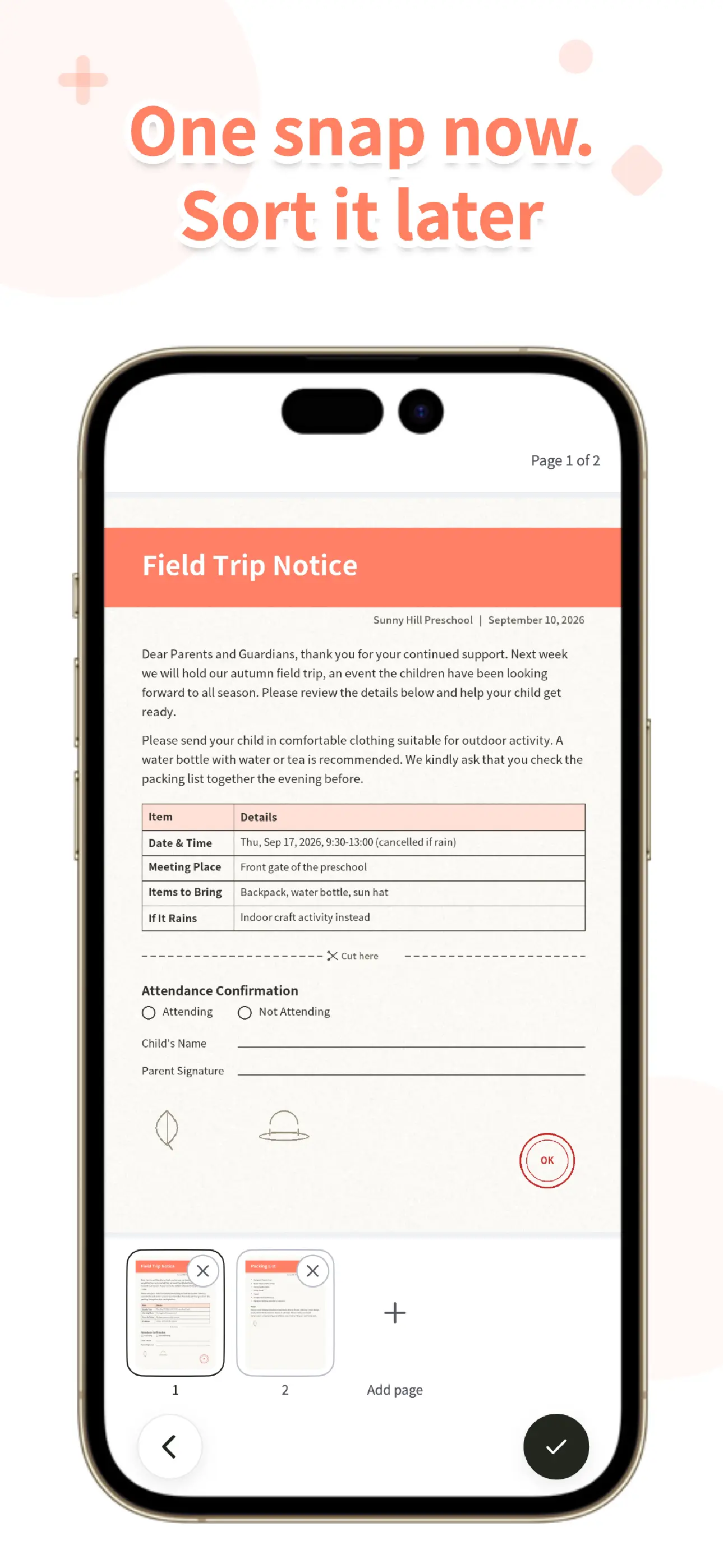
Plan for the limits. Searching by the words on the page uses text recognition that runs on your phone, and it works best on clean printed text. It is not great on handwriting, so the checkbox you ticked will not be searchable, although the title, list, and tags will. OurPost does not send reminders, has no calendar, and does not pull the date out of the paper for you, so put the date in your own calendar.
What this won’t do
OurPost is not a form builder and not an e-signature service. It can’t create, sign, or send a permission slip to the school, and the photo isn’t something to submit in place of the paper unless your school says it accepts one. What it does is keep a clear record for your household of what came home and what you signed. If you want to see how people sort that out when the school already has an app, we cover it in Permission Slip App: What School Apps Do, What They Don’t, and How to Keep a Family Copy. For wording that is specific to trips, see Permission Slip for a Field Trip.
OurPost
Both parents, one inbox. Snap the permission slip, the newsletter, the schedule, and find them again by the words on the page. No ads. Available on the App Store and Google Play.
Learn more about OurPostFrequently asked questions
Does a permission slip have to be on the school’s own form?
If the school or district provides a form, use it. A homemade slip works best when no form exists: a club, a team, a volunteer group, or a note you are writing yourself. When in doubt, ask the teacher or the front office before you send anything in.
What should a permission slip include?
The child’s name and class, a clear description of the activity, the date and times, the location, any cost and its due date, transportation, supervision, an emergency contact with a phone number, medical or allergy information, and a parent or guardian signature with a date.
Can I send a photo of the signed slip instead of the paper?
Only if the school says it accepts one. Many do not. A photo in OurPost is a record for your family. It is not a submission to the school.
How do both parents see the same slip?
Create a family in OurPost and send your partner the invite code. Papers saved after that go to everyone in the family, up to 6 people, and nothing has to be forwarded. Everyone in the family sees everything in it, because there is no per-person visibility setting.