“Permission slip app” means three different things, and only one of them is something a parent gets to choose. Schools adopt platforms where you sign and pay on your phone. Teachers and clubs use form builders to create slips. And families look for something that keeps the paper slips and PDFs from disappearing between two parents. They are different tools, and mixing them up is why searches for this come back confusing.
We’re the OurPost team, and we make the third kind. Here is how the three differ, so you can tell which one you actually need and what OurPost can’t do.
OurPost turns the papers kids bring home into a shared family inbox. Snap a paper, and both parents have it. Free to capture, search, and share with up to 6 family members. No ads. On the App Store and Google Play.
Learn more about OurPostType 1: the school’s sign-and-pay platform
Some schools and districts use a parent portal where a permission slip arrives as a form, you sign with your finger, and often pay the trip fee in the same step. This is the tool most people mean when they hope an app will “end” paper slips. The important thing is that you don’t pick it; the school does. If your school uses one, you will have received an invitation or an account. If it doesn’t, there is nothing for a parent to download that will make the school accept an electronic signature. When in doubt, ask the front office what they use.
Type 2: form builders for teachers and organizers
A teacher, coach, or club leader can make a digital slip with a general form tool: fields, a signature box, a link to send out. These are fine for a small group that agrees to use them. As a parent you usually only meet them when someone sends you a link, and there is nothing to install or choose in advance.
A side note, since the phrase is confusing in search: there is also a privacy app that uses the name “Permission Slip” for something unrelated, helping people ask companies to delete their data. If you landed here from an app store search for that, it is a different product.
Type 3: a family inbox for the paper that comes home
Even in a school that has a sign-and-pay platform, plenty still arrives on paper: the slip in the backpack, the schedule stapled to it, the newsletter, the note from the nurse. And it tends to arrive at one parent. That is the gap OurPost fills. You snap the paper or import the PDF, and everyone in your family sees it. Nobody has to forward a photo, and nobody has to remember to.
| School sign-and-pay platform | Form builder | OurPost | |
|---|---|---|---|
| Who chooses it | The school | The teacher or organizer | You |
| Sign electronically | Yes | Usually | No |
| Pay the trip fee | Often | Sometimes | No |
| Handles paper slips | No | No | Yes, photo or PDF |
| Both parents see it | Depends on the school | If you share the link | Yes, up to 6 family members |
| Search later | Rarely | Rarely | Words on the page, lists, tags |
OurPost
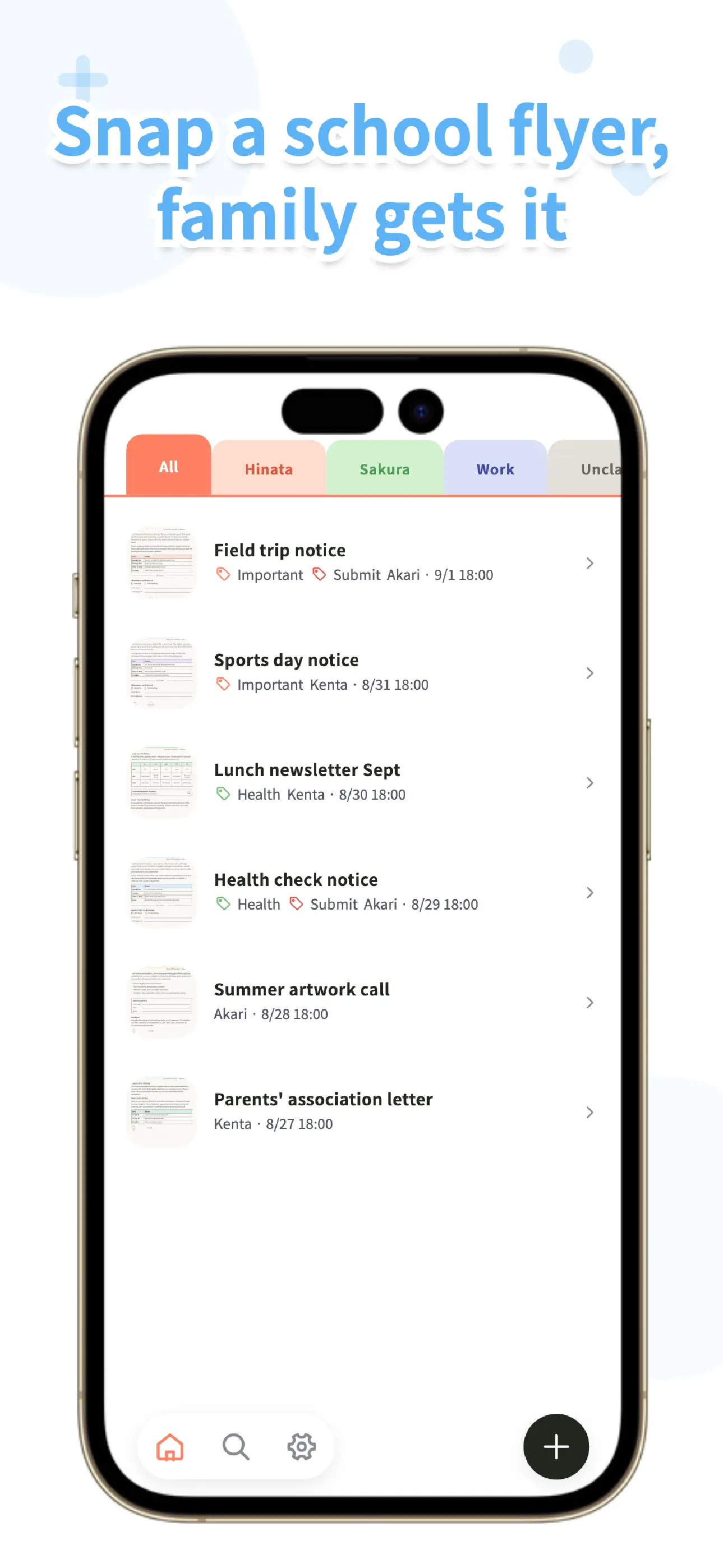
OurPost is a shared inbox for school papers. Snap a signed slip before it goes back in the backpack, and your partner sees it too. Search it later, sort with lists and tags. No ads, and family sharing is free.
Learn more about OurPostHow OurPost works with the school’s app
If the school sends a PDF through its own app, open it there and use the share menu to send it to OurPost (PDFs up to 20 pages and 20 MB). It lands in the same inbox as the paper slips you photographed, so “is it on paper or in the app?” stops being a question you have to answer before you look.
For the paper itself, the camera scanner finds the edges and straightens the page, you can take up to 20 pages per paper, and you don’t have to title or sort anything at the time. Later you can add lists and tags (for example one list per child, and a tag for slips), and the search reads the words printed on the page. That text recognition runs on the phone, works best on clean printed text, and won’t read handwriting.
What OurPost can’t do
It can’t sign a slip, send one back, take a payment, or remind you. There are no push notifications and no read receipts, so your partner won’t be pinged when you save something. Everything in a family is visible to everyone in it. The family’s cloud storage is 100 MB on the free plan, with BitFlap One expanding it to 100 GB. If the family’s storage fills up, saving on your phone continues and only sharing new files waits. Capturing, searching, and sharing with your family are free, and there are no ads.
If you are after the wording rather than the app, we have a permission slip template you can copy and a field trip version with the questions to ask before you sign.
OurPost
Both parents, one inbox. Snap the permission slip, the newsletter, the schedule, and find them again by the words on the page. No ads. Available on the App Store and Google Play.
Learn more about OurPostFrequently asked questions
Is there an app to sign permission slips?
Some schools use their own parent portal or platform where you sign on your phone. Whether yours does is up to the school, and there is no general parent app that makes a school accept an electronic signature. Ask the front office what they use.
Can OurPost sign or submit a permission slip?
No. OurPost keeps a copy of the paper or PDF for your family. It doesn’t sign, send, or collect payment. Use the school’s own process for that.
Will OurPost remind me about due dates?
No. There are no push notifications, reminders, or calendar connection, and the app does not read dates out of the paper. Put the date in your own calendar when you sign.
Is OurPost free?
Capturing, importing, searching, and sharing with your family are free, and the app has no ads. Free cloud storage is 100 MB; BitFlap One, the optional paid plan, expands it to 100 GB. Families support up to 6 members on either plan.