We're the OneTapLog team. You decide to start strength training or get back into running, download a dedicated fitness app, and within a week the detailed logging feels like a chore — so you stop, and have nothing to show for the work you did. We've been there ourselves. The exercise usually isn't the problem; the logging is. In this article we'll look at why workout logs stall and how to keep one going with almost no effort.
Workout logs stall because every set asks for too much
Most training apps want you to register an exercise, enter sets, reps, and weight, and sometimes rest time too. That precision is great for serious lifters chasing numbers, but for most people it's exactly the friction that ends the habit. When logging a quick set takes longer than the set itself, you skip it on tired days — and one skipped day is usually all it takes to quit.
We think a log is worth more when it simply keeps going than when each entry is complete. The proof that you trained today is more motivating than a perfectly structured table you abandoned after five days.
One line, plus #workout, one tap
With OneTapLog, the input field is already open the moment you launch the app, so you type something like Push-ups 20×3 or Ran 3 km and send with one tap. The time is stamped automatically. There are no set tables to fill in and nothing to configure first. Because you can log a session in a few seconds, it survives even the days you'd normally skip.
Write #workout in the text and it becomes a tag, so you can later pull up only your training entries. If you want detailed periodization and analytics, a dedicated app suits you better — but for the stage where the goal is simply to keep showing up, this lightness is the whole point.

The calendar turns your streak into motivation
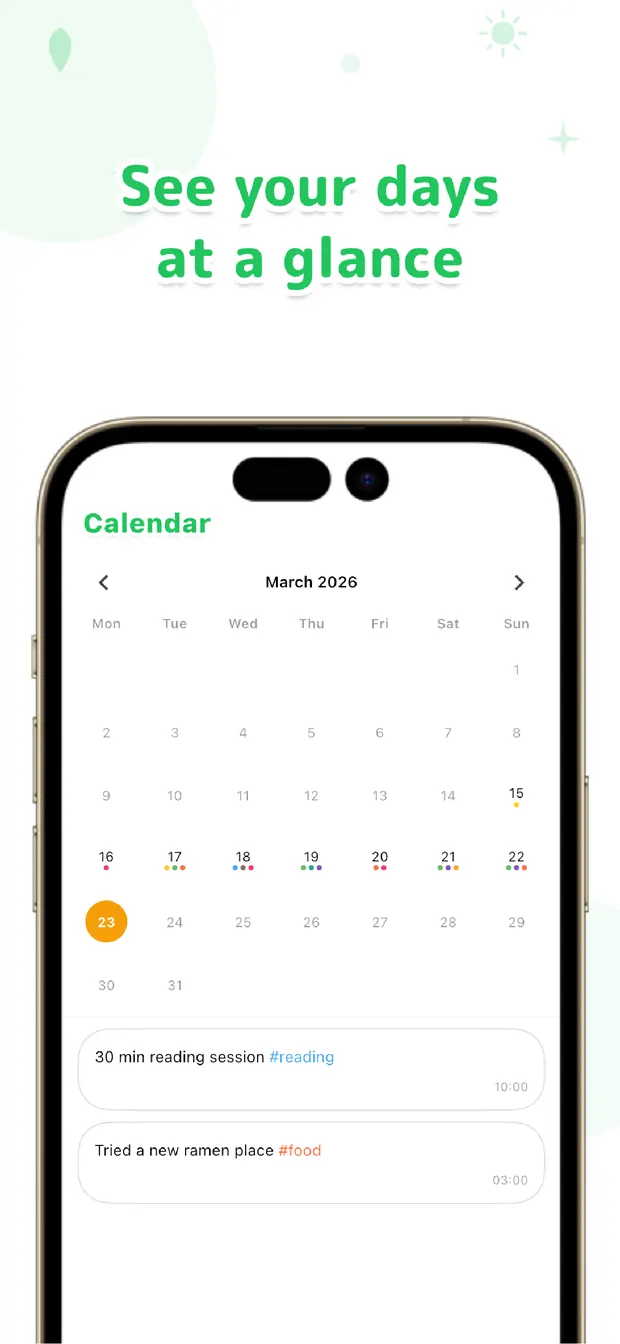
Once the lines start to pile up, looking back becomes the reward. The calendar shows at a glance which days you trained, so a run of marked days becomes a streak you don't want to break. Seeing the gaps is just as useful — you notice that a busy week threw you off and you can quietly get back on track.
Searching #workout lists every session in one place, so even a month later you can see roughly how often you trained. None of it requires perfect data — it's visible because the record simply kept going.
The more often your training logs have fizzled out, the better this might fit. Aim for consistency over completeness. Log it in one line now, look back later — that order, we believe, is the surest way to keep proof of your workouts.

OneTapLog
One line, one tap. A workout log that sticks with no set tables. Look back later with #tags, calendar, and search. No account, free to start.
Learn more about OneTapLogFrequently asked questions
My workout logs never last. What should I do?
Lowering the effort of logging is the most effective fix. Filling in sets, reps, and weight for every exercise tends to break, so start with just one line like the exercise and a rough count, and add a #workout tag so it's easy to keep up.
Can OneTapLog track sets and weights in detail?
There's no structured set or weight tracking and no automatic totals. OneTapLog is for jotting down what you did in a line and looking back on it. If you need detailed analytics, we recommend using it alongside a dedicated training app.
How do I see whether I'm keeping it up?
The calendar shows at a glance which days you trained, so a run of marked days becomes a streak. Searching the #workout tag also gathers every session in one place.
Can I add a photo?
Yes. You can attach a photo to a one-line entry — a gym shot or a running route — which makes looking back more vivid later.