We're the OneTapLog team. You want to know what time you actually go to bed and what time you wake up, but every sleep app you've tried asks for too much — moods, sleep quality, ratings — and you drop it within a week. We've done the same. The truth is, you don't need an elaborate tool to see your sleep rhythm; you need one that's light enough to use half-asleep. This article is about that kind of sleep log.
Sleep logs break because the moment is the worst time to type
The catch with sleep tracking is timing. The two moments you need to record — right before you fall asleep and right after you wake — are exactly when you have the least patience for any input. If logging means opening a multi-step form and filling in fields, you'll skip it, and after a couple of skips the whole record falls apart.
So the design question is simple: how do you make a sleep entry take less effort than rolling over? The answer is to record just two facts — “asleep” and “awake” — and let the time attach itself.
Tap once at bedtime, once when you wake
With OneTapLog, the input field is ready the moment you open the app. Before bed, type “sleep” and tap send; in the morning, type “awake” and tap send. The timestamp is recorded automatically, so the time you went to bed and the time you got up are captured without you typing a single digit.
Add #sleep to keep these entries easy to find later. There's no quality slider, no rating to fill in — just two quick taps that bracket your night. Because it's that light, it survives the groggy moments where detailed apps lose you.

The calendar reveals your rhythm
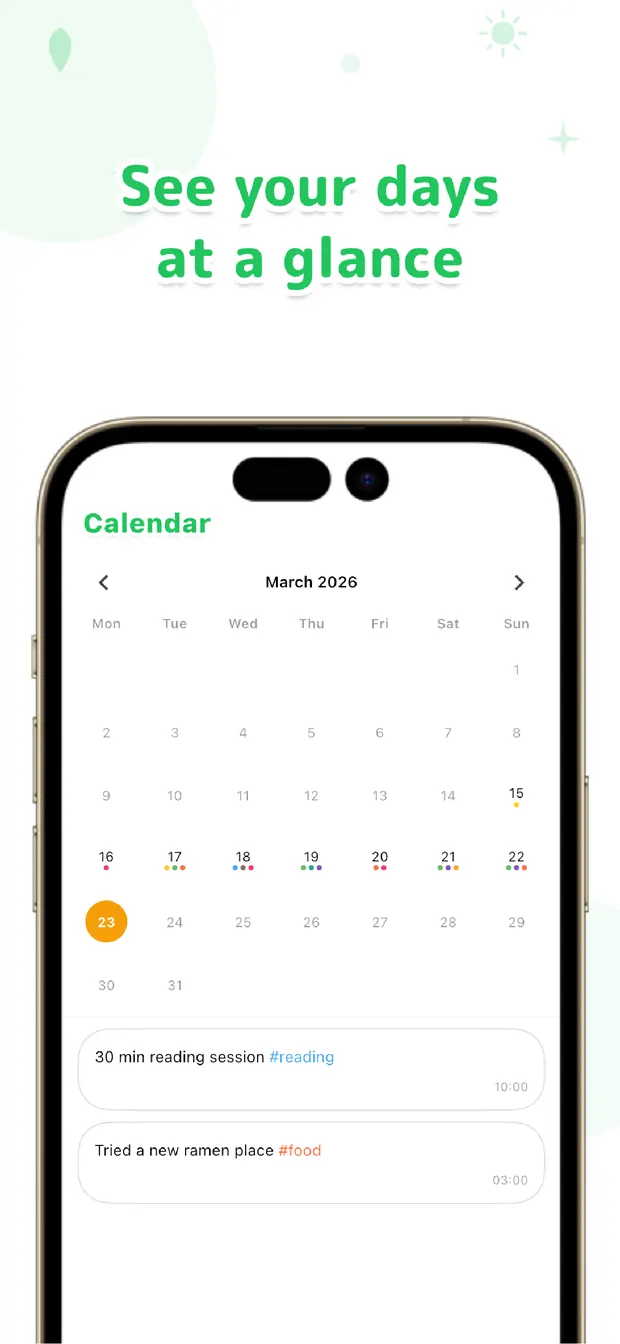
After a week or two of these paired taps, the calendar shows your sleep rhythm at a glance: the nights you stayed up late, the mornings you slept in, the stretches where your bedtime drifted later and later. Because each “sleep” and “awake” carries its own timestamp, the shape of your week is right there to read.
And since your meals, mood, and other notes live on the same timeline, you might notice connections — like sleeping worse after a late, heavy dinner. None of that requires extra effort; it surfaces simply because the record kept going night after night.
You don't need a clever device or a detailed survey to understand your sleep. Two taps a day, an automatic timestamp, and a calendar to look back on is enough. Keep it light so it lasts — that's how a sleep log finally stops being a chore.

OneTapLog
Tap “sleep” at night, “awake” in the morning. Auto timestamps do the rest. Look back later with #tags, calendar, and search. No account, free to start.
Learn more about OneTapLogFrequently asked questions
How do I log my bedtime and wake time?
Type “sleep” and tap send before bed, then type “awake” and tap send when you get up. The timestamp is added automatically, so both times are recorded without you entering any numbers.
Does OneTapLog track sleep quality automatically?
No. There's no automatic sleep measurement or quality scoring. OneTapLog records the times you note yourself, which keeps it simple and quick. If you want, you can add a short word about how you slept in the text.
How do I see my sleep rhythm over time?
Use the calendar to review your “sleep” and “awake” entries across days. With each carrying its own timestamp, you can see how your bedtimes and wake times shift through the week at a glance.
Will it work if I forget some nights?
Yes. A few missed nights don't break anything — the entries you do leave still show on the calendar. Because logging is so light, it's easy to pick it back up the next evening.