We're the OneTapLog team. You went somewhere lovely on the weekend, ate at a place you'd happily return to — and a month later you can't recall its name. The photos sit in your camera roll among a thousand others, with no word about why that day mattered. Travel and outings apps promise to hold all this, but they want maps, categories, and check-ins, and we've watched ourselves quit them. Here's the lighter way we landed on: a photo plus a line, in the moment, nothing more.
Outings apps lose to the moment they're for
The whole point of an outing is to be present in it — eating, walking, talking. That's exactly when a heavy app loses. Pinning a location, choosing a category, rating the spot: it pulls you out of the very moment you're trying to keep. So either you skip it and lose the record, or you do it and slightly spoil the day. Neither is a good trade.
And the photos alone don't save you. A camera roll is just images with no story; six months on you can't tell which café was the good one. What you actually want is a picture with a few words and a date attached — enough to bring the day back, not enough to interrupt it.
A photo and a line on the spot, with #outing
With OneTapLog, the input field opens the instant you launch the app, so you snap the dish or the view, type “Lunch at the harbor café, the fish was incredible,” add #outing, and send with one tap. It takes a few seconds and you're back to your meal, with the photo and your words now bound together.
There's no map to pin or place to search for — you write the spot's name in your own words, which is how you'll actually remember it. The date saves itself, so the record knows when you went without you doing anything about it.

Look back over your outings on the calendar
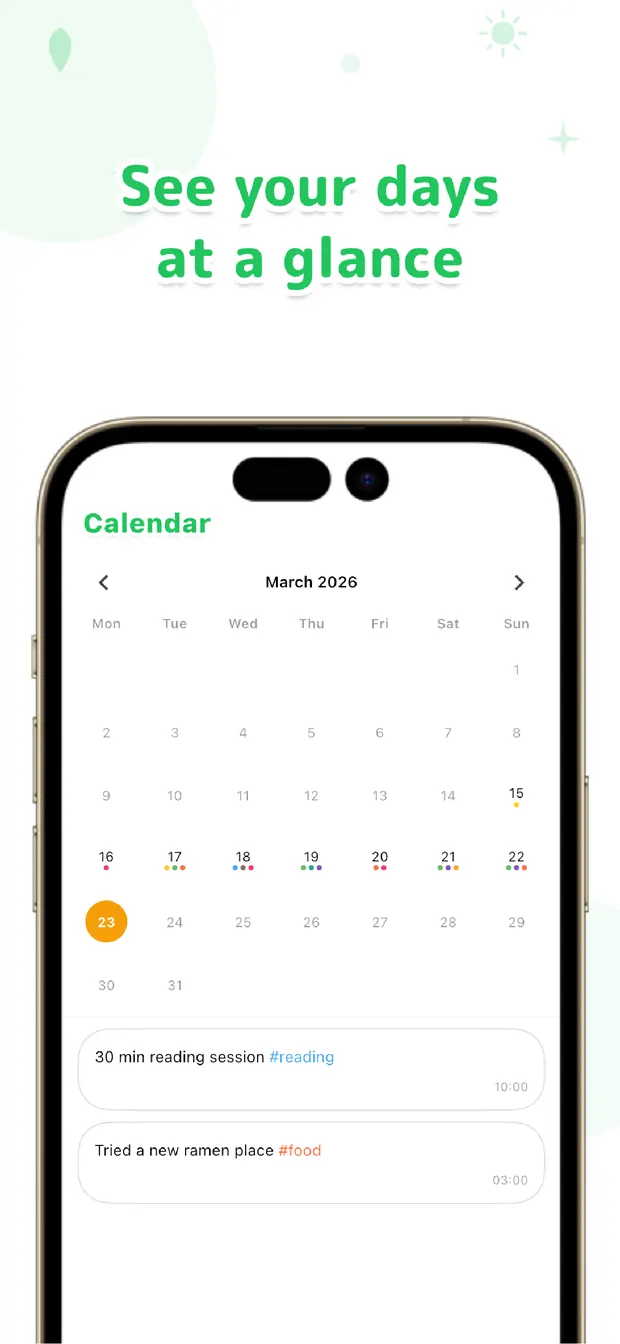
Later, the calendar lays your outings across the month, so you can see at a glance the weekend you went to the coast or the run of dinners out. Tap a day and the photo and your note are right there. Searching #outing gathers every trip into one scrollable strip of where you've been.
Want to recommend that fish place to a friend? Search a word from your note and the day comes back with the name, the photo, and what you thought of it. The record you made in seconds becomes a small map of your good days.
The outings worth keeping are the ones you barely had to log. A photo, a line, a tap — then stay in the moment. Look back on the calendar later, and the places you went are still there, with the reason they mattered attached.

OneTapLog
A photo and a line for the places you go, in one tap. Look back with the calendar, #tags, and search. No account, free to start.
Learn more about OneTapLogFrequently asked questions
Why don't dedicated travel or outings apps stick for me?
They ask you to pin a location, pick a category, and check in at the very moment you want to enjoy the outing. A photo plus a one-line note is light enough to leave on the spot without pulling you out of the day.
Does OneTapLog record the location on a map?
There's no map pinning. You write the place's name in your own words and add a photo, which is usually what helps you remember it. The date is saved automatically, so you always know when you went.
How do I look back on the places I visited?
The calendar shows your outings across the month, and tapping a day brings up the photo and note. You can also search a tag like #outing or a keyword to gather every trip into one list.
Can I attach a photo to each outing?
Yes. You can attach a photo to a one-line note in the same one-tap flow, so the dish or the view sits with your words. It makes the record far easier to recall than photos alone.