A "one line a day" five-year journal is a simple idea: one page per calendar date, five short slots on each page, one for every year. You write a single line, and next year you see what you wrote on the same day last year. It is a lovely format, and we have watched plenty of people (including some of us) buy the book, fill in three weeks, and leave it on a shelf.
This guide covers how the five-year format works, where the paper version breaks down, and how to run the same habit on your phone with OneTapLog, which is a 1-second diary app we build. We will also be upfront about the one thing the app does differently from the book.
How a one line a day five-year journal works
Each page is labeled with a date, such as April 22, and has five stacked sections for five different years. In year one you fill the first slot. In year two you write in the second slot and read what happened on the same day last year, right above your new entry.
The point is not literary quality. A line like "Rained all day, finished the tax forms, Sam called" is enough. The value shows up later, when the same date has two, three, or five lines on it and you can see how a day, a season, or a whole life changed.
Why most paper five-year journals stall
The format is great, but the paper book has a few built-in friction points:
- You have to find today's page. If you skip a few days, you are flipping pages and deciding whether to backfill, which is exactly when people quit.
- There is no room to recover. A blank slot looks like a failure. Miss a week and the book feels ruined.
- The book is not where you are. It lives on a nightstand. The moment worth recording often happens on a train or at lunch.
- Five years is a long commitment for something you cannot yet tell is working.
None of this is about discipline. It is about how much effort the first ten seconds take.
Keeping the one-line habit on your phone
In OneTapLog the keyboard is already up when you open the app. You type your one line, tap send, and it is saved with a timestamp, like a message to yourself. There is no page to find and no date to pick, because today is always the one you are writing on.
If you forgot yesterday, you can still add the entry and change its date and time afterward, so there are no permanently blank slots. A daily reminder at a time you choose nudges you without nagging.

The date tag trick: the same day, every year
The paper book shows the same date across five years on one page. OneTapLog does not have a built-in "this day in past years" view, so we use a small workaround with tags. Any word starting with # is picked up as a tag automatically, so you can end each line with the month and day:
Rained all day, finished the tax forms, Sam called #0422
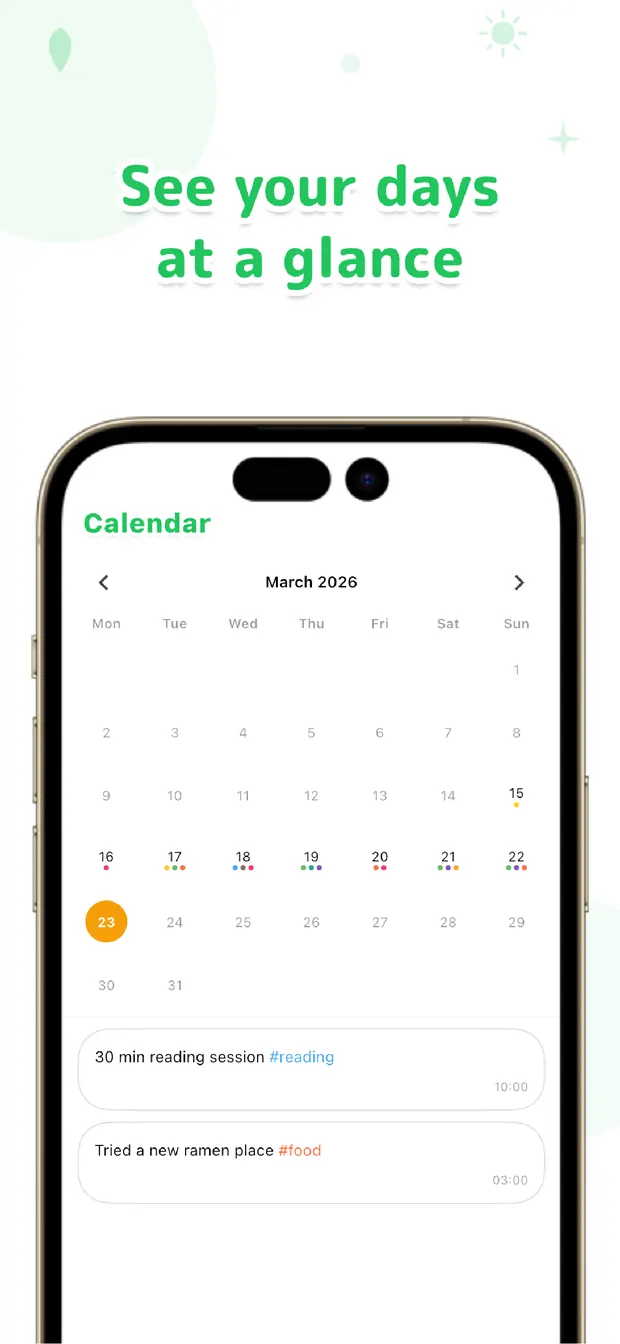
A year later, search for #0422 and every April 22 you ever wrote shows up together, in order. It takes two seconds per entry, and you can skip it on days when you do not care. The calendar view also shows which days have entries, and tapping a date jumps straight to that day.
To be clear about the trade-off: the book gives you the side-by-side comparison for free, while on the phone you add a tag to get it. In exchange you get search across all your lines, photos and voice memos attached to an entry when a line is not enough, and the option to sync across devices with Pro.
Paper or digital: which should you choose?
| Paper five-year book | OneTapLog on your phone | |
|---|---|---|
| Start | Find the right page for today | Open the app and type |
| Missed days | Blank slots stay blank | Add the entry later and set its date |
| Same date across years | Built in, on one page | Add a #0422 style tag, then search it |
| Search old lines | Flip through pages | Keyword and tag search |
| Photos and voice | Not really | Attach photos, video, voice memos |
| The feel | A keepsake object | Always with you, nothing to carry |
If you love owning a physical book, buy one and use it on good days. Many of our users keep the book for rituals and the app for everything that happens during the day.
The one line a day five-year journal works because each entry is tiny and the payoff builds over years. The format only survives if writing one line takes seconds. Whether you use a book or a phone, keep the line short, forgive the gaps, and let the years do the work.

OneTapLog
A 1-second diary that opens straight to the text field. Tag, calendar and Gantt views. Start free, no account needed.
Learn more about OneTapLogFrequently asked questions
What is a one line a day five-year journal?
It is a journal with one page per calendar date and five short sections on each page, one for every year. You write one line a day, and each year you can read what you wrote on the same date in earlier years.
Can I do a five-year journal on my phone?
Yes. In OneTapLog you write one line a day and end it with a date tag such as #0422. Searching that tag later lists the same date from every year. The app has no built-in side-by-side view, so the tag is how you get it.
What if I miss a day or a week?
Nothing breaks. In OneTapLog you can add an entry afterward and change its date and time, or just skip the gap. The timeline and calendar simply show the days you did write.
Is OneTapLog free?
You can use it for free. Writing, tags, search, the calendar and Gantt views work without an account, and data stays on your device. Pro adds cloud sync and automatic backup across devices.