A daily log is a short, dated record of what happened and what you did. People use one for work handoffs, for health and habits, for parenting, or just to remember how a week went. Search for a template and you will find spreadsheets with a dozen columns, which is how most logs die.
Here are three plain-text formats you can copy straight into any notes app. We build OneTapLog, a 1-second diary app, so we also show how the same formats work there. The point of every format below is that it takes under a minute.
The one-line daily log
This is the smallest format that still works. One line, one tag, nothing else.
Finished the Q3 draft, sent it to Maya, gym after #work #gym
Date and time come from the entry itself, so you do not need to type them. The tags let you filter later: everything tagged #work this month, or the days you went to the gym.
The three-line daily log
When you want a little more structure, use three prompts. Write them as one message, one line each:
Did: reviewed the budget, called the plumber
Noticed: I am sharper before lunch
Next: send invoices #work
"Did" is the record, "Noticed" is the insight, and "Next" is what you do tomorrow. If you only fill one line on a tired day, that is still a valid log.
A work log format for handoffs and reports
For a work or project log, add the thing a manager asks about: the status and the blocker.
[Project name] Status: on track / at risk
Done: API review finished
Blocked by: waiting on design files #projectname
Use one tag per project. At the end of the week, search the tag and copy the lines into a report. A log that is already sorted by date and tag makes the weekly summary a copy-paste job.
Using these templates in OneTapLog
OneTapLog has no built-in template feature, so there are no forms to fill in. You type the format yourself, which is why we keep every template to one to three lines. The app opens with the keyboard already up, saves each entry with a timestamp, and groups entries by date in a timeline.
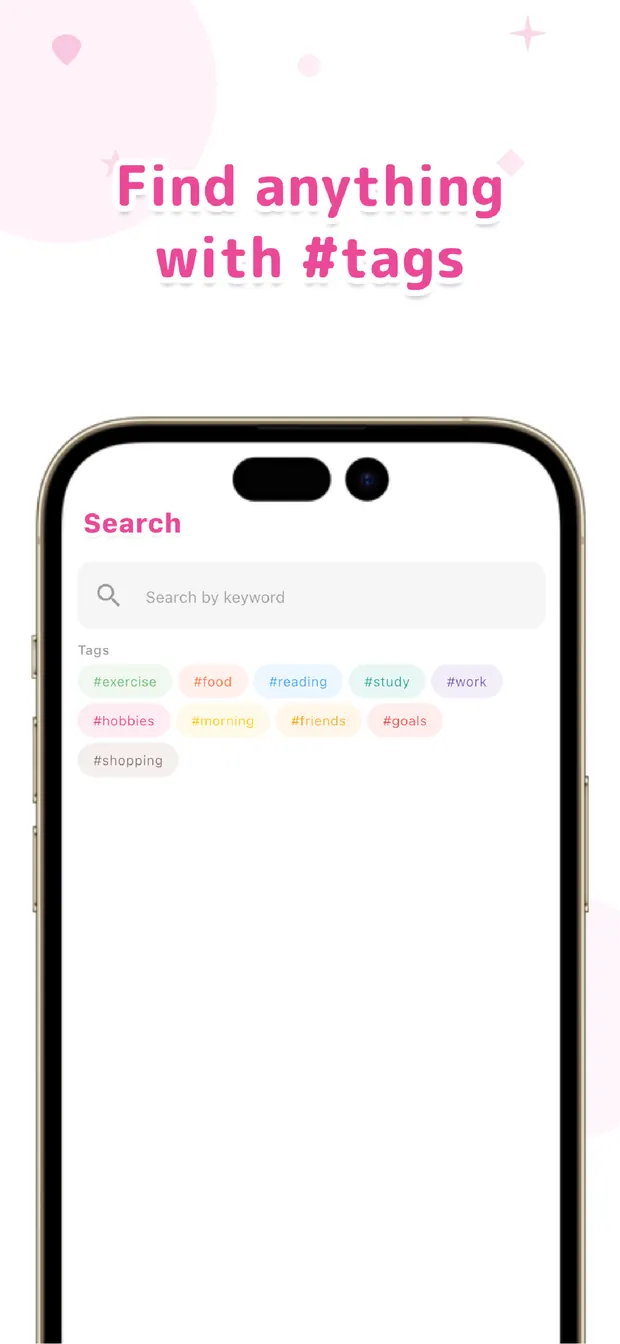
Tags are detected automatically when you type #. You can search by keyword or tag, jump to a day from the calendar, and see the entries for a tag as a chart on the Gantt view. If you want to attach a photo, a voice memo or a PDF to an entry, you can.
Tips so the log survives past week one
- Log at the same moment each day, such as when you close your laptop.
- Cap it at one minute. If it takes longer, shrink the template.
- Do not backfill perfectly. A rough line beats a skipped day.
- Review once a week, by tag. That review is what makes logging worth it.
A good daily log template is short enough that you can fill it on your worst day. Start with the one-line version, add tags, and move to three lines only if you want the extra structure.

OneTapLog
A 1-second diary that opens straight to the text field. Tag, calendar and Gantt views. Start free, no account needed.
Learn more about OneTapLogFrequently asked questions
What should a daily log template include?
At minimum the date, what you did, and a tag for what it was about. Optional extras are a note on how it went and the next step. The shorter it is, the more likely you will keep it up.
Is there a printable daily log template?
The formats here are plain text, so you can copy them into any notes app or print them from one. OneTapLog does not offer a printable export or built-in templates.
How do I keep a daily work log?
Write one line per task or event with a project tag. At the end of the week, search each tag and copy the lines into your report. The timestamps give you the sequence for free.
Can OneTapLog replace a spreadsheet for my daily log?
For quick, text-first logs, yes: entries are timestamped, taggable and searchable. If you need numeric columns, sums or formulas, a spreadsheet is a better fit.