We're the OneTapLog team. The stock notes app, a message you sent yourself in chat, a sticky note on the desk — your notes end up spread across half a dozen places, and when you need one you can't remember where you put it. We've been there too. The real problem isn't messy organization; it's that there was never a single place notes were supposed to go. In this article we'll talk about a way to fix that without becoming an organizing project.
Notes scatter because the entry point is scattered
Each app catches whatever was nearest at the moment: an idea into stock notes, a link into a self-chat, an errand onto paper. Nothing is wrong with any one of them, but because there's no agreed home, "where did I write that?" becomes a daily tax. We came to believe the fix isn't tidier folders — it's narrowing the entry point down to one.
Trying to perfectly sort everything afterward never lasts; it's too much work. The more durable move is to change where things land in the first place, so that future notes all arrive in the same spot by default.
Make one place the default for everything
The idea is to make OneTapLog the one place you toss things into. The input field opens the moment you launch the app, so whatever it is — an idea, a link, a reminder — you type a line and send it in one tap. Because capturing is this fast, you stop reaching for whichever app happens to be open.
You don't need to migrate your old notes or build a tidy structure first. Just start letting new things land here, and add a #tag when it helps. The aim isn't perfect organization; it's getting everything into one place.

Find it from one place with search and tags
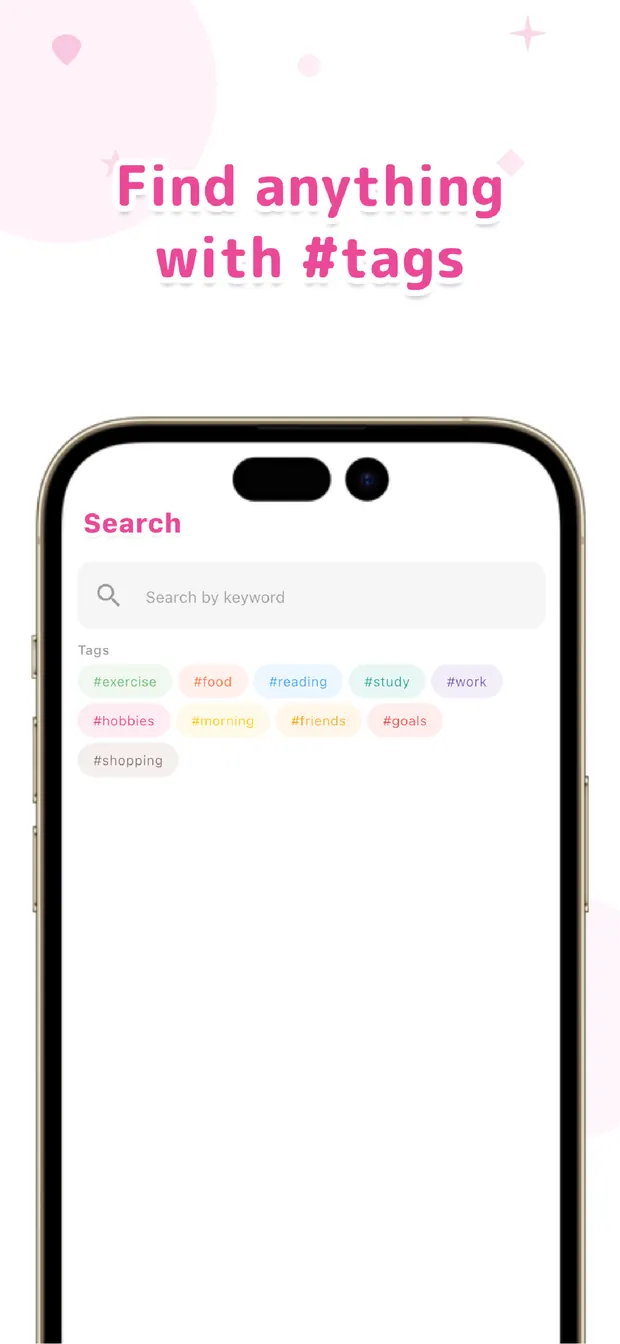
Once everything lands in one app, finding it becomes a single move. Type a word into search and it pulls every note that mentions it; pick a tag and you see everything filed under it. There's no more guessing which of five apps you used — there's only one place to look.
You don't even have to remember when you wrote something. As long as it went into the same place, search and tags will surface it. That's the quiet payoff of consolidating the entry point: looking back gets simple precisely because writing did.
If "where did I write that?" keeps costing you minutes, try pointing all your new notes at one spot. Gather first, organize later — that order, we believe, beats chasing the perfect filing system you'll never maintain.

OneTapLog
One entry point for everything. Toss a line in with one tap and find it later with #tags and search. No account, free to start.
Learn more about OneTapLogFrequently asked questions
My notes are scattered across apps. Where do I start?
Rather than reorganizing everything at once, start by giving new notes a single home. Letting them all land in one place from now on is far more sustainable than trying to perfectly sort what's already spread around.
Do I have to import my existing notes?
No. There's no need to migrate old notes or build a tidy structure first. The point is simply to make one place the default going forward, so your future notes stop scattering.
How do I find a note later?
Because everything lands in one app, you search a word or pick a tag and it surfaces — without guessing which app you used. Adding a #tag when you write makes related notes even easier to gather.
Do I need to organize things into folders?
Not necessarily. The aim is getting everything into one place rather than perfect organization. Search and tags let you find notes without a strict folder system, so capturing stays effortless.