We're the OneTapLog team. One app for the baby, another for chores, a third for work, a fourth for how you slept — it sounds organized, but it means four places to open, four habits to keep, and no single view of your actual day. We tried that approach ourselves and watched it collapse: the more apps a record was split across, the less any of it got kept. The fix we landed on is the opposite of specialization — put everything in one stream and sort it later with tags.
Splitting your life across apps makes it harder to see
A life doesn't actually divide into clean categories. The night you slept badly is the night the baby was up, which is why work the next day was rough — and that connection is invisible if sleep, childcare, and work live in three separate apps. Each tool shows you one thin slice, and the relationships between slices, which are usually the interesting part, fall into the gaps between them.
There's also a pure friction cost. Every extra app is another launch, another layout to relearn, another habit that can lapse. Keeping one record going is hard enough; keeping four going in parallel is how you end up keeping none. Consolidation isn't just tidier — it's what makes the habit survivable.
Everything in one place, sorted by #tag
With OneTapLog, the input field is open the moment you launch the app, so the baby's nap, a finished load of laundry, a work note, and a rough night all go into the same field, one line and one tap each. You just add a different tag — #baby, #chores, #work, #sleep — and one habit covers your whole life.
You don't decide upfront which category a thought belongs to or which app to open. You write it, tag it, send it. The tags do the sorting after the fact, so capturing stays effortless while reviewing stays organized.

See your whole life on one timeline
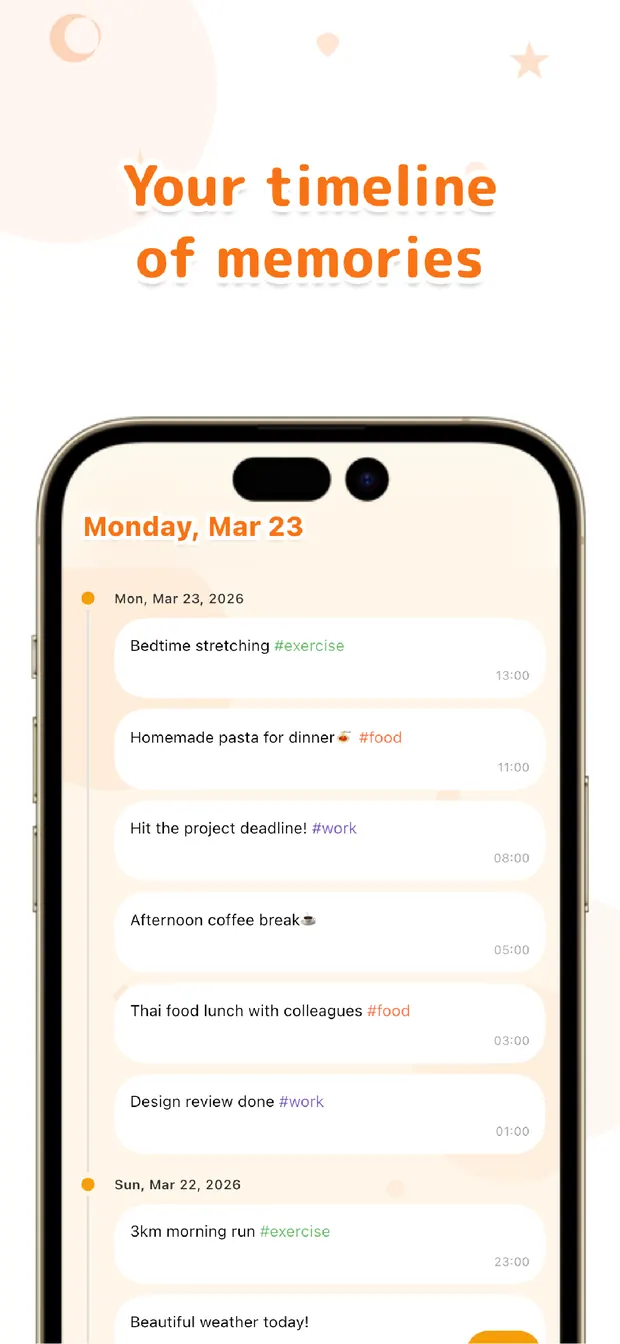
The timeline shows childcare, chores, work, and sleep woven together in the order they happened, so a day reads as the whole thing it actually was. That's where the connections you'd miss in separate apps become visible — the bad night and the hard morning sitting right next to each other.
When you want just one thread, search a tag and the timeline narrows to it — only the work notes, or only the baby's day. One stream when you want the big picture, one tag when you want a slice. Nothing is analyzed for you; you simply have it all in one place to read.
Your life isn't lived in separate apps, so it's easier to record it as one. Capture everything in one stream, sort with tags, review on one timeline — that, we've found, is what keeps a life log both effortless and worth looking back on.

OneTapLog
One field for your whole life, sorted by #tags, reviewed on one timeline. Search any thread later. No account, free to start.
Learn more about OneTapLogFrequently asked questions
Why combine everything into one app instead of using dedicated ones?
Splitting your life across apps means four habits to keep and no single view of your day. One stream is easier to maintain, and it lets you see connections — like a bad night and a hard morning — that separate apps hide.
How do I keep different topics separate in one place?
Add a tag like #baby, #chores, #work, or #sleep to each note. The tags sort everything after the fact, so capturing stays a single quick habit while you can still pull out one thread whenever you want.
Can I view just one category later?
Yes. Search a tag and the timeline narrows to only those entries — just the work notes, or just the baby's day. Clear the search and you're back to the full stream of everything in time order.
Does it analyze the connections between my logs?
No. There's no automatic analysis. It simply keeps everything on one timeline in the order it happened, so you can see the relationships yourself by reading the day as a whole rather than in separate slices.