Search for a "diary app" and most results are notebook-style — write a page at a time. But that very formality is what makes diaries fail for a lot of people. That's why a different shape is getting attention: the chat-style, social-feed diary app. We're the team behind OneTapLog, and this is exactly the shape we landed on.
This article covers what a chat-style diary app is, why it's easier to keep, and the appeal of a record you use like "texting yourself." If a notebook-style diary defeated you, we hope this gives you another option.
What is a chat-style / social-feed diary app?
A chat-style diary app is one where you record by sending a message to yourself. With the same UI as a messenger or a social app, a single muttered line becomes the day's entry. What you write flows down a timeline, just like a social feed.
People sometimes call it "texting yourself," a "personal Twitter," or a "solo feed." Unlike a notebook, there's no page to fill — you just fire off whatever comes to mind, on the spot.
Why chat-style is easier to keep
The reason is simple: the barrier to writing is dramatically lower. A blank notebook page makes you tense up to "write something good," but a chat input lets you send a single line. "So sleepy" counts. "Had ramen" counts.
We're all fluent in chat apps already. A chat-style diary brings that familiar feel straight into journaling, so there's nothing new to learn. The pressure melts away, and writing becomes as casual as posting. That's why chat-style sticks.

OneTapLog: a chat diary you can send the instant you open it
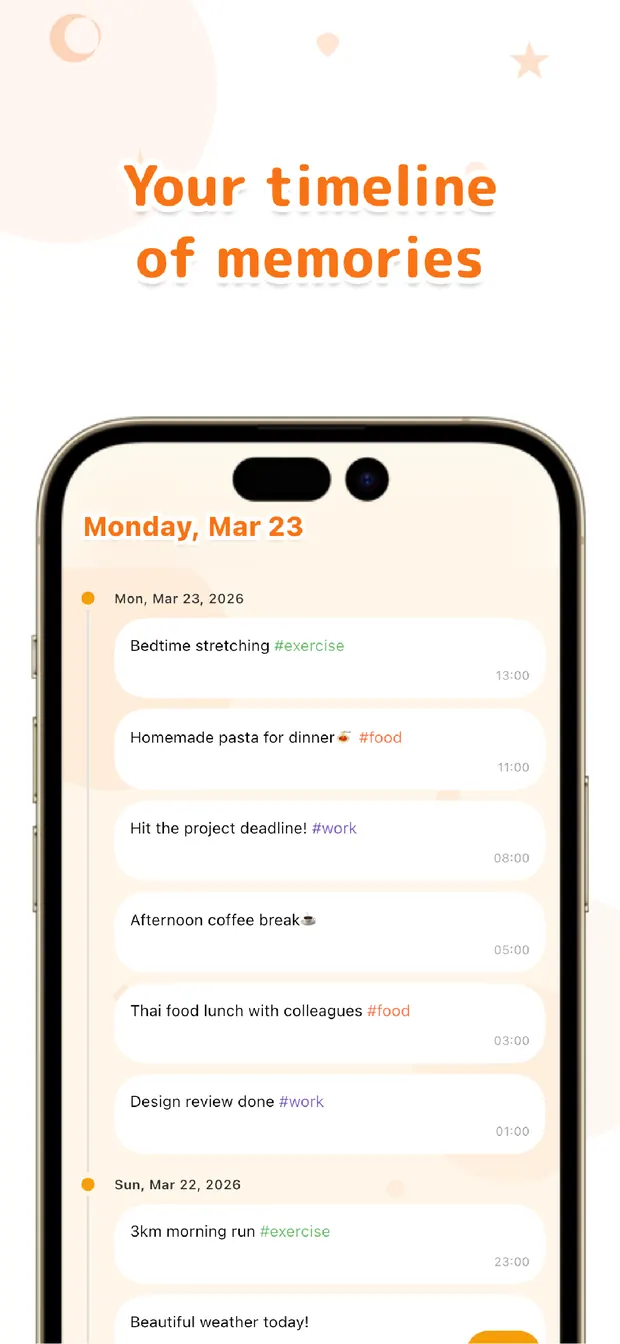
OneTapLog is a chat-style diary app — and we obsessed over removing the effort to even get there. The moment you open it, the keyboard is up and you just send a line. No date picker, no page to find.
Each line flows into a timeline like a message to yourself. Scroll back later and the quiet accumulation of ordinary days comes into view. It feels like posting to social media — except no one else sees it, and it stays a record that's yours alone.
Notebook vs. chat: what's different?
Here's how notebook-style and chat-style compare, through the lens of stickability.
| Notebook-style diary app | Chat-style (OneTapLog) | |
|---|---|---|
| Unit of writing | One page per day | A line, anytime, as often as you like |
| Feel | Open a page and write | Like sending a chat |
| Pressure | Have to write properly | One line is fine |
| Reviewing | Flip pages | Scroll the timeline |
Summary: if it never stuck, try chat-style
If notebook-style diaries have always defeated you, a chat-style, social-feed diary app is worth a try. Just send yourself a line. No pressure, and the same gesture as the chat apps you use every day. With OneTapLog you can send the instant you open it, so even the first hurdle is gone. Start texting yourself with today's one line.

OneTapLog
A 1-second diary you write like sending a chat. Ready the moment you open it. No account, free to start.
Learn more about OneTapLogFrequently asked questions
What is a chat-style diary app?
A diary app where you record by sending a message to yourself. With the same UI as a messenger or social app, a single line becomes an entry. It's sometimes called "texting yourself" or a "solo feed."
Why is chat-style easier to keep?
The barrier to writing is low. A blank page makes you tense up, but a chat input lets you send one line. It's a feel you're already used to every day, so there's nothing new to learn.
Can other people see what I write?
It looks like a social feed, but nothing is published. OneTapLog stores data on your device, so it stays a record that's yours alone.
Is there a free chat diary app?
OneTapLog is free to download, and a single line sent like a chat becomes your diary. It works on iPhone and Android, with no account needed to start.