We are the MozFace team. You order something photogenic, raise your phone, and capture the dish beautifully — but the wide shot of the room also takes in the table behind you, where two other customers are mid-conversation. Restaurant and cafe photos are some of the most shared posts online, and they are also some of the most likely to include strangers who never agreed to appear. This article covers how to keep the food and the interior while hiding the other diners.
Why other customers end up in food photos
A close-up of a plate is usually safe, but the shots people love to share — the full table, the interior, the view from your seat — naturally pull in the surrounding tables. In a busy place there is no angle that avoids everyone, and the faces you capture are recognizable to anyone who knows them.
Drawing over each face by hand works, but a packed dining room means several faces, some only partly visible past a chair or a plant. It is slow, and one is easy to overlook. For a photo you are about to post publicly, that is the part worth getting right.
Blur the other diners in one step
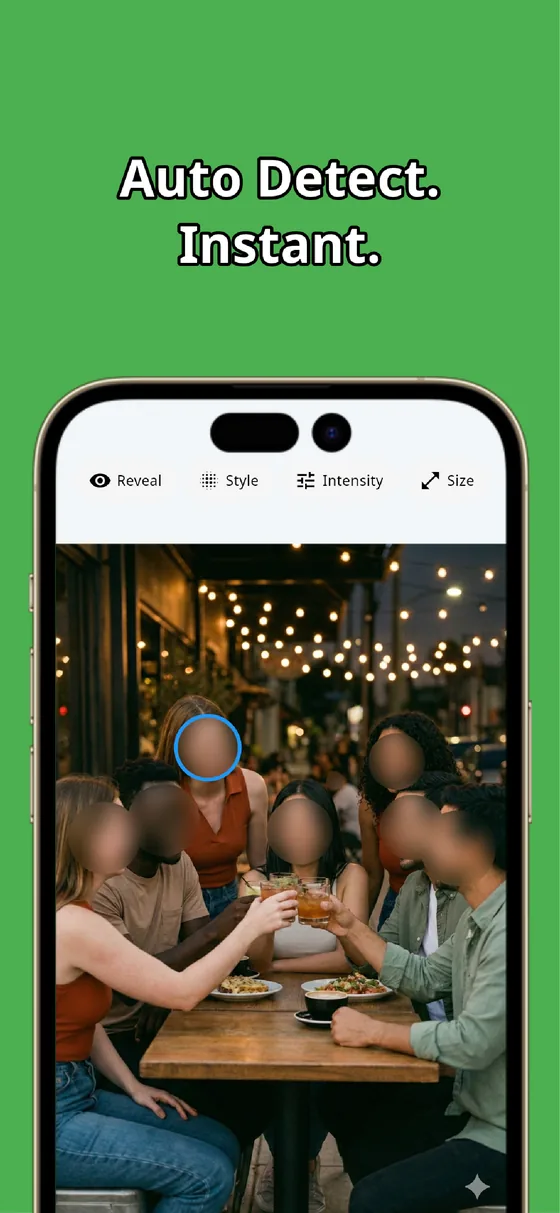
The instant you pick a photo, MozFace runs on-device AI that detects every face and opens with all of them blurred. The couple at the next table and the person by the window are covered together, so you do not have to find each one. All processing stays on the device, and nothing is uploaded.
If you are in the shot yourself, or a friend who is happy to appear, one tap reveals that face. Because everyone begins hidden, your task is choosing who to show rather than remembering who to hide — so no stranger slips through to your feed.
Choose how the blur looks

You can pick how the hidden faces look — mosaic, soft blur, or a stamp — and set the strength so it suits the mood of the photo. A gentle blur keeps the cozy feel of a cafe shot, while a stronger mosaic reads as clearly intentional.
The same manual brush covers anything that is not a face but should not be shown — a name on a reserved sign, a tab with a name on it. The food and the interior stay crisp, and the finished photo saves as a separate file, leaving your original intact.
A photo of a great meal should not put strangers online by accident. Let auto-detect blur the other diners in one step, then choose the style that fits your post. Whether a particular shot is fine to share is ultimately your call, but hiding the surrounding faces first keeps it considerate.

MozFace
Auto-mosaic or blur every face just by picking a photo. Choose the blur style that fits your post. Everything runs on your device, fully offline.
Learn more about MozFaceFrequently asked questions
Can it hide several other customers at once?
Yes. MozFace detects every face it can find and opens with all of them blurred, so the people at the surrounding tables are covered together. You then tap to reveal only yourself or a friend who is happy to appear.
Can I keep the food and interior sharp?
Yes. Only the faces and details you choose are blurred or mosaicked. The dish, the table, and the room stay as sharp as the original.
Can I change how the blur looks?
You can choose mosaic, soft blur, or a stamp and adjust the strength, so the cover can be subtle for a cozy cafe shot or strong and clearly intentional.
Are my photos ever sent over the internet?
In MozFace, face detection and editing happen entirely on your device, and your photos are never sent to any external server. It works even with no signal.