We are the MozFace team. A photo of your dog mid-zoomies or your cat curled on the windowsill is the kind of thing you want to share right away. The trouble is what sits behind them. A nameplate by the door, a mailbox with your surname, a house number, or the corner of a neighbor's car — small details in the background that, put together, can point a stranger to your front door. This article walks through what to watch for in pet photos and how to tidy the background without losing the shot.
What gives away your home in a pet photo
Pets pull your eye, and that is exactly why the background slips by. The things that most often reveal where you live are the nameplate or surname by the entrance, a house number or unit number, and a mailbox, intercom label, or delivery slip. On a walk, a shop sign, a bus stop name, or a distinctive building can narrow down your neighborhood too.
None of these feels like a problem on its own. But a follower who sees the same backdrop across several posts can piece the clues together. And if a person happens to wander into the frame — a neighbor, a passerby, a child — their face is now in your post without them ever agreeing to it.
Blur the background by hand, keep the pet sharp

Background details that are not faces — a nameplate, a house number, a mailbox label — get hidden with the manual brush you trace with your finger. Choose mosaic, blur, or a stamp, set the strength, and sweep over the text until it can no longer be read. Shrink the brush and it fits a thin line of a surname; widen it and you cover a whole sign in one stroke.
Because you only touch the spots you trace, your pet stays perfectly sharp while the address quietly disappears. Unlike cropping, you keep the framing you liked. And if a stroke lands wrong, one tap undoes it, so you can adjust without redoing the whole edit.
Auto-detect anyone caught in the frame
The moment you pick a photo, MozFace runs on-device AI that detects every face and opens with everyone already blurred. So if a neighbor or a passerby drifted into the shot behind your pet, they are covered from the start, and the classic miss — not noticing the person in the back — does not happen. All of this runs on the device, and your photos are never sent anywhere.
If your own face, or someone who is happy to be shown, ends up blurred, a single tap reveals them. Because hiding is the default, the task becomes choosing who to show, not remembering who to hide — which is why fewer people slip through by accident.
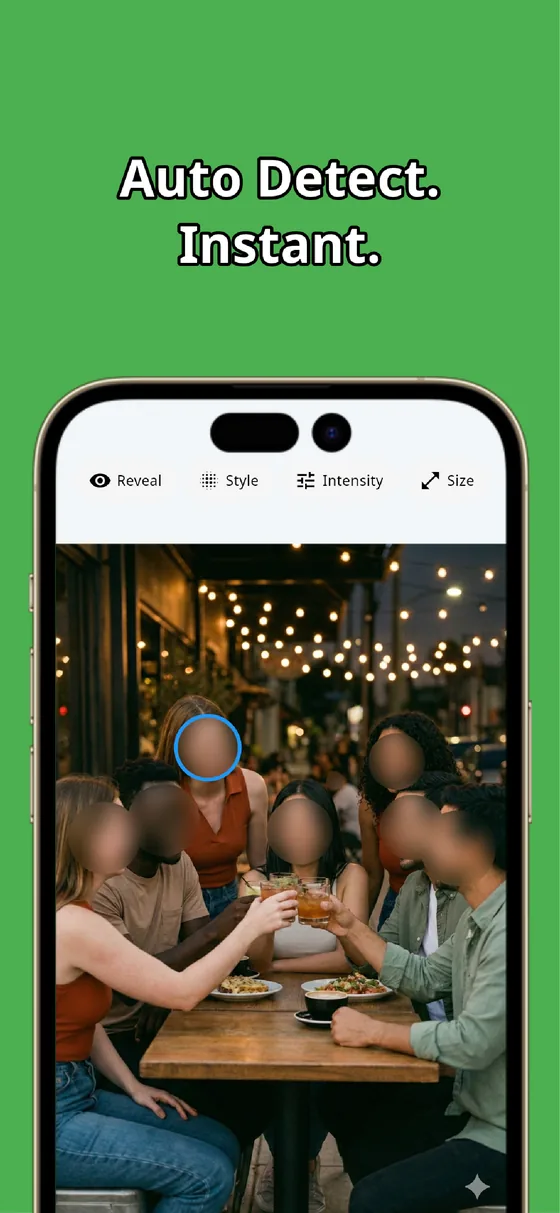
A pet photo should be about your pet, not your address. Sweep nameplates, house numbers, and signs with the manual brush, and let auto-detection cover any face that wandered into the frame. Combine the two and a clean, share-ready shot is done in tens of seconds — with the original photo left untouched.

MozFace
Auto-mosaic or blur every face just by picking a photo. Cover nameplates and house numbers with the manual brush. Everything runs on your device, fully offline.
Learn more about MozFaceFrequently asked questions
What in a pet photo can reveal where I live?
Mostly the background: a nameplate or surname by the door, a house or unit number, and a mailbox, intercom label, or delivery slip. On a walk, shop signs and distinctive buildings can narrow down your area, so check the edges of the frame before posting.
Can I hide the background without cutting out my pet?
Yes. Instead of cropping, you trace only the nameplate, house number, or sign with the manual brush. Your pet stays sharp and the framing you liked is preserved, while the address details become unreadable.
What if a neighbor or passerby is caught in the shot?
MozFace auto-detects every face and opens with everyone blurred, so anyone in the background is covered from the start. If your own face is hidden too, one tap reveals it.
Are my photos ever sent over the internet?
In MozFace, face detection and editing happen entirely on your device, and your photos are never sent to any external server. It works even with no signal.