We're the OneTapLog team, and we know the feeling behind this search very well. You like tweeting — the short bursts, the timestamped stream of your own thoughts. You just don't want the audience. No likes, no replies, no one reading over your shoulder. Just you, thinking out loud in short lines. We built our app for exactly that.
Below, we go through the three workarounds most people try first — and where each one falls short — before showing what a purpose-built "Twitter for one" looks like.
The short answer: OneTapLog is a private timeline built for tweeting to yourself. Free, no sign-up.
The workarounds, and why they feel almost right
The most common trick is a locked account with zero followers. It works — technically no one sees your posts. But your privacy now depends on settings staying right, and the bigger problem is what happens when you open the app: everyone else's feed is right there. You came to drop one thought and surface thirty minutes later, deep in someone's argument. We've all done it.
Some people live in the drafts folder. Nothing gets published, which is safe — but drafts are a waiting room, not a diary. There's no timeline to scroll back through, no sense of your days accumulating.
And there's the trusty notes app: perfectly private, completely reliable, and somehow joyless. A bullet list doesn't feel like tweeting. The little ritual of typing a line and sending it into a stream matters more than it seems.
What changes when it's designed for one person
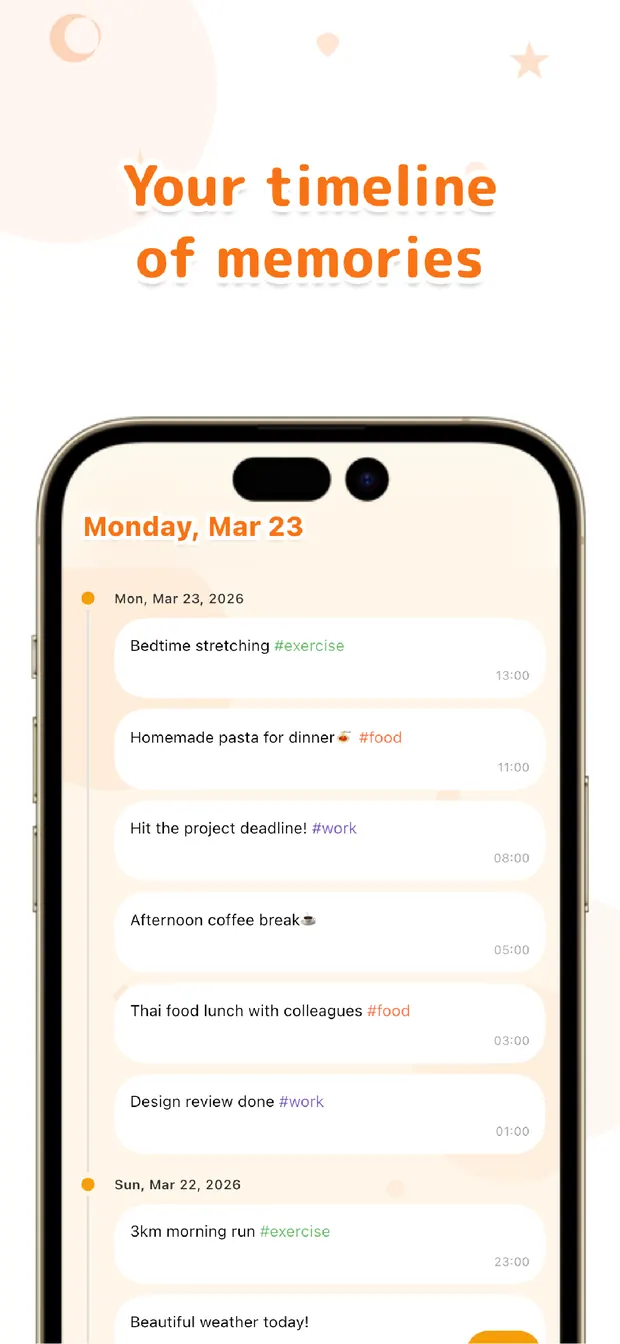
OneTapLog's timeline carries only your words. There are no followers, no likes, no trends — not hidden by settings, but absent from the design. "No one can see this" is guaranteed by structure, not by configuration. That's the fundamental difference from repurposing a public network.
Entries are stored on your device first (local-first), no account is required, and everything works offline.
Then there's speed. The app opens with the keyboard already up — type, send, done. No tabs, no compose button. When posting takes one second, you actually do it: at a red light, in an elevator, mid-thought. The urge to tweet is fleeting; the app has to be faster than the urge fading.
One bonus you won't expect: write #gym or #nosmoking in a post and OneTapLog charts your streaks over weeks. Your idle muttering quietly becomes a habit tracker.

Keep the joy of posting. Lose the audience.
Wanting a private Twitter really means wanting two things at once: the pleasure of posting short thoughts, and the certainty that no one is watching. Locked accounts give you the first; notes apps give you the second. We built OneTapLog to give you both from the start. If you'd like to see how it compares with other approaches in more detail, read our tweet-style diary comparison.

Your own timeline awaits
OneTapLog is a private timeline where only your posts flow. Opens ready to type. No account, works offline, free.
Learn more about OneTapLogFrequently asked questions
Is it really impossible for anyone to see my posts?
OneTapLog has no followers, sharing, or publishing features at all — your timeline is yours alone. Entries are stored on your device first, and nothing is sent anywhere without your action.
Should I just use a locked account instead?
If that setup already satisfies you, keep it. If you want to post without seeing anyone else's feed — and without trusting privacy settings — an app designed for one person is the cleaner fit.
Is it free?
Yes. Instant input, the timeline, #tags, the calendar, habit charts, search, and attachments are free. Cloud sync and automatic backup are available with Pro.
Is it available on iPhone and Android?
Yes, both — on the App Store and Google Play. No account is needed, so you can start posting right after downloading.