We're the MozFace team. Covering faces with emoji stickers before posting a photo sounds quick — until you're placing them one by one, resizing each, and hunting for the face you missed. A group photo turns into a ten-minute chore. We built our app because that chore should be "pick the photo," and nothing more. Here's how to choose a face-hiding sticker app, and when stickers beat blur or mosaic.
Short version: if you want every face covered at once instead of one at a time, try MozFace with automatic face detection. Free to start.
Stickers, blur, or mosaic?
The three ways to hide a face suit different photos. Stickers (emoji over the face) keep the mood playful — the go-to for photos with friends or kids where you still want the picture to feel fun. Blur is subtle and natural, best for strangers in the background. Mosaic signals clearly and unmistakably that something was hidden. None is "correct" — so the efficient move is one app that switches between all three.
Three things that actually matter in the app
First, automatic face detection. Manual sticker apps make you position and scale every sticker yourself. With auto detection, the work is essentially done the moment you pick the photo — and the more people in the frame, the bigger that difference gets.
Second, how it handles groups. Can it find everyone, and can you choose who stays visible? MozFace starts with every detected face covered, and you tap to reveal only the people who should be seen. Choosing who to hide is how faces get missed — so we flipped it.
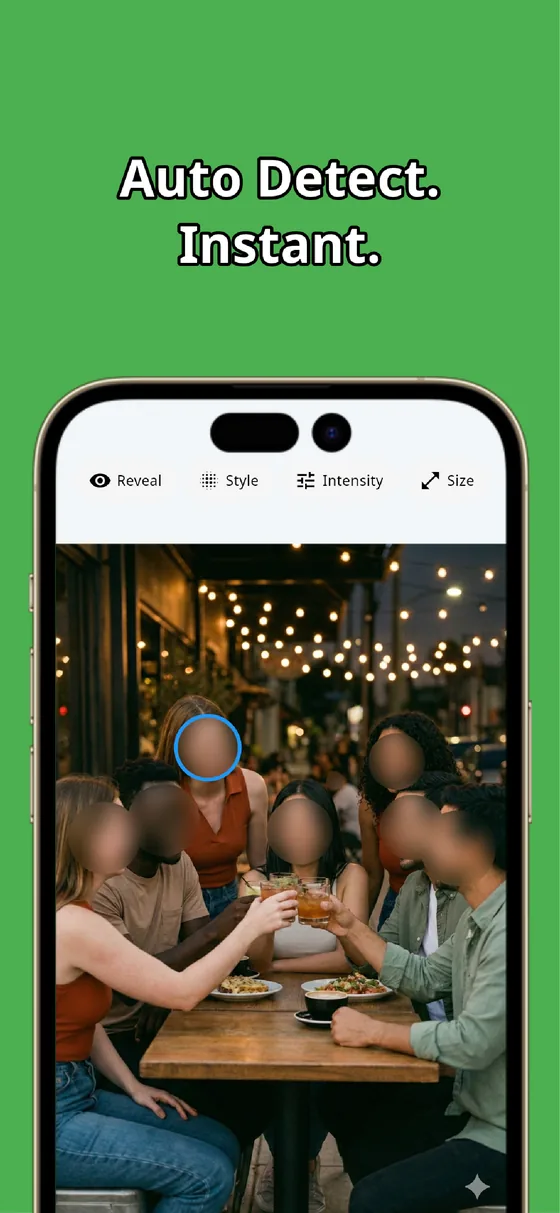

Third, on-device processing. A photo whose faces you want hidden is, by definition, a photo you don't want strangers seeing — uploading it to a server for editing defeats the purpose. MozFace processes everything on your device; photos are never sent anywhere.
Styles switch with one tap between emoji stickers, gaussian blur, and mosaic, with sliders for size and strength — stickers for this photo, subtle blur for that one, same app.
The MozFace flow: three steps
1. Pick a photo — every face is detected and covered automatically. 2. Pick a style — emoji sticker (or blur/mosaic). 3. Tap the faces that should stay visible — show yourself, cover your friends, done in seconds. Save and post. The one-sticker-at-a-time routine becomes "pick the photo."

Hide every face by picking one photo
MozFace detects every face automatically and covers them with stickers, blur, or mosaic. All processing stays on your device. Free to start.
Learn more about MozFaceFrequently asked questions
Do I place stickers one by one?
Not in MozFace. Picking a photo detects every face and covers them all; you only tap the ones that should stay visible. Nothing gets missed.
Stickers or blur — which should I use?
Depends on the photo: stickers keep things playful for friends and kids, blur stays subtle for background strangers, mosaic signals clearly that something was hidden. MozFace switches between all three with one tap.
Are my photos uploaded anywhere?
No. All processing happens on your device, and photos are never sent externally — a design requirement for an app whose whole point is privacy.
Is it free?
Yes, free to start — including auto detection and switching between sticker, blur, and mosaic styles.